BA increasingly uses AI daily — summarizing documents, drafting acceptance criteria, reviewing requirements, writing test cases. But if prompts aren't written carefully, AI output becomes generic, context-inappropriate, or missing required format.
This guide doesn't teach AI engineering. It teaches BA to write prompts good enough for daily work.
1. The RPCF Framework
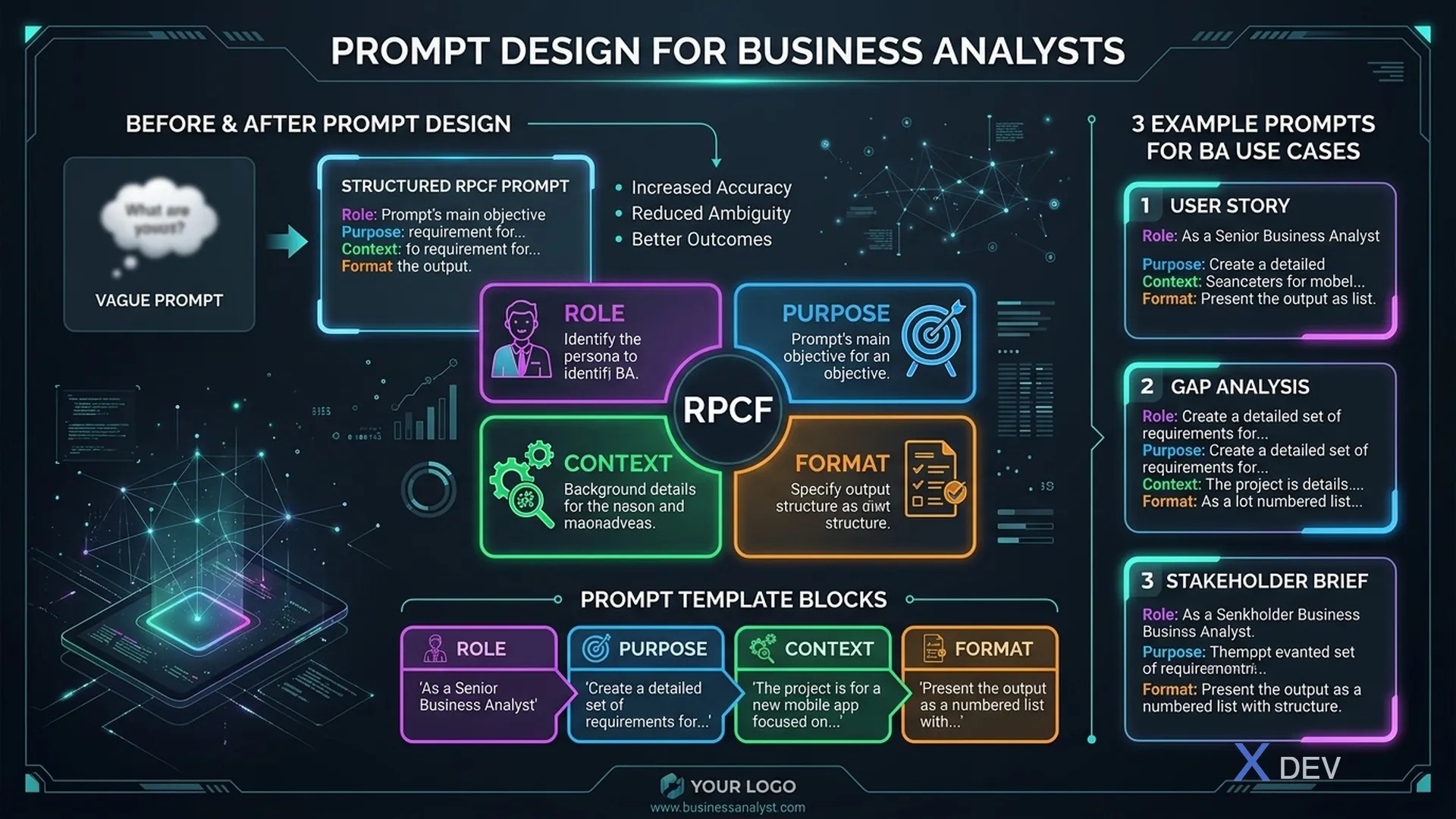
Four elements of an effective prompt:
| Element | Meaning | Example |
|---|---|---|
| Role | What role does AI play? | "You are a senior BA with 10 years Fintech experience" |
| Purpose | Specific goal of prompt | "Review the following acceptance criteria" |
| Context | Necessary context | "Project is a banking mobile app for retail customers" |
| Format | Desired output format | "Return as bullet list, max 10 points" |
Prompt WITHOUT RPCF:
"Review my acceptance criteria."
Prompt WITH RPCF:
"You are a senior BA with Agile experience. Review the acceptance criteria below for a money transfer feature in a banking mobile app. Goal: find missing edge cases and logic contradictions. Return as: (1) Missing edge cases, (2) Logic contradictions, (3) Suggestions — max 5 points each. [PASTE AC]"
2. Common BA Prompt Patterns
Pattern 1: Review & Critique
You are [role]. Review [document/artifact] against criteria [specific criteria].
Context: [project/domain description].
Return: [output format].
---
[PASTE CONTENT]
Pattern 2: Generate First Draft
Create [document type] for [audience] with [conditions/constraints].
Context: [project context].
Format: [number of items, heading levels, language].
Add [special elements if any, e.g., "edge cases for AI features"].
Pattern 3: Transform Format
Convert [input format] to [output format] below.
Keep unchanged: [what shouldn't change].
Add: [what to add if missing].
---
[PASTE CONTENT]
Pattern 4: Q&A / Clarification Simulation
You are a [stakeholder role: PM/CTO/End User/Compliance].
I will present requirements. Ask me the 5 toughest questions [this role] would ask about these requirements.
---
[PASTE REQUIREMENTS]
3. BA Daily Work Prompts
Summarize Long Documents
Summarize the document below from a BA perspective — what I need to write requirements:
- Key business objectives
- Stakeholders and roles
- Important constraints (time, budget, compliance)
- Ambiguous points needing clarification
Max 300 words.
---
[PASTE DOCUMENT]
Create Interview Questions
I'm interviewing [stakeholder role] for [project description].
Create 10 discovery questions structured as:
- 3 about as-is process
- 3 about pain points
- 2 about expectations/success criteria
- 2 about constraints

Avoid yes/no questions. Prioritize open-ended questions.
Review BRD / SRS
Review the BRD below and assess:
1. Which requirements are ambiguous or unmeasurable?
2. Missing non-functional requirements?
3. Contradictions between requirements?
4. Assumptions not clearly stated?

Return as table: | Requirement ID | Issue | Suggested Fix |
---
[PASTE BRD SECTION]
Write Test Scenarios from AC
From the acceptance criteria below, write test scenarios in Given/When/Then format:
- 3 happy path scenarios
- 3 error/edge case scenarios
- 2 performance/load scenarios

Context: [feature description and environment]
---
[PASTE ACCEPTANCE CRITERIA]
4. Advanced Technique: Chain Prompting
For complex tasks, don't force everything into 1 prompt. Chain into multiple steps:
Example: Interview transcript → User stories
Step 1: "Summarize transcript into list of pain points with priority"
Step 2: "From these pain points, create epics by business domain"
Step 3: "Expand epic [X] into 3-5 user stories following INVEST"
Step 4: "For story [Y], write acceptance criteria in Given/When/Then format"
Benefit: BA reviews output of each step before passing to next — reduces compounded errors.
5. Prompts for AI Features in Products
When BA specs out an AI feature, define the product's system prompt:
System Prompt Template
## System Prompt Template for [Feature Name]

**Role assignment:**
You are [AI's role in product, e.g., "customer service assistant for banking app"].

**Scope:**
Answer only questions about [specific domain].
DO NOT answer about [out-of-scope topics].

**Tone & format:**
- Language: English, polite, professional
- Response length: Max [X] sentences
- Format: [plain text / markdown / bullet list]

**Escalation:**
If question involves [trigger keywords list], say:
"I need to connect you with a specialist. Please stay on the line."

**Never:**
- Give advice on [sensitive topics]
- Confirm account information via chat
- Promise anything outside policy
6. Evaluate Prompt Quality
A good prompt produces:
- Consistent output (same input → same general output)
- Contextually correct answers
- Output in requested format
- Minimal hallucinations
Before using a prompt in production, test it:
- Same prompt, different inputs → consistent style?
- Output matches business context?
- Format always correct?
- Any obvious hallucinations?
Summary
Prompt design is a BA skill — not AI engineering, but professional communication with AI. Master RPCF, test systematically, iterate. A well-designed prompt saves hours of rework; a vague prompt wastes time on rework.
Start with: define Role + Purpose + Context + Format. Test. Iterate. Keep and reuse the best prompts as company templates.