"User story rejected for missing edge cases." "Dev interpreted it differently than BA." "QA test passed but business says it's wrong." — If you've heard these, the root cause is usually user stories and acceptance criteria not written clearly enough.
This guide is practical, not theoretical.
1. What is a User Story (and What it Isn't)
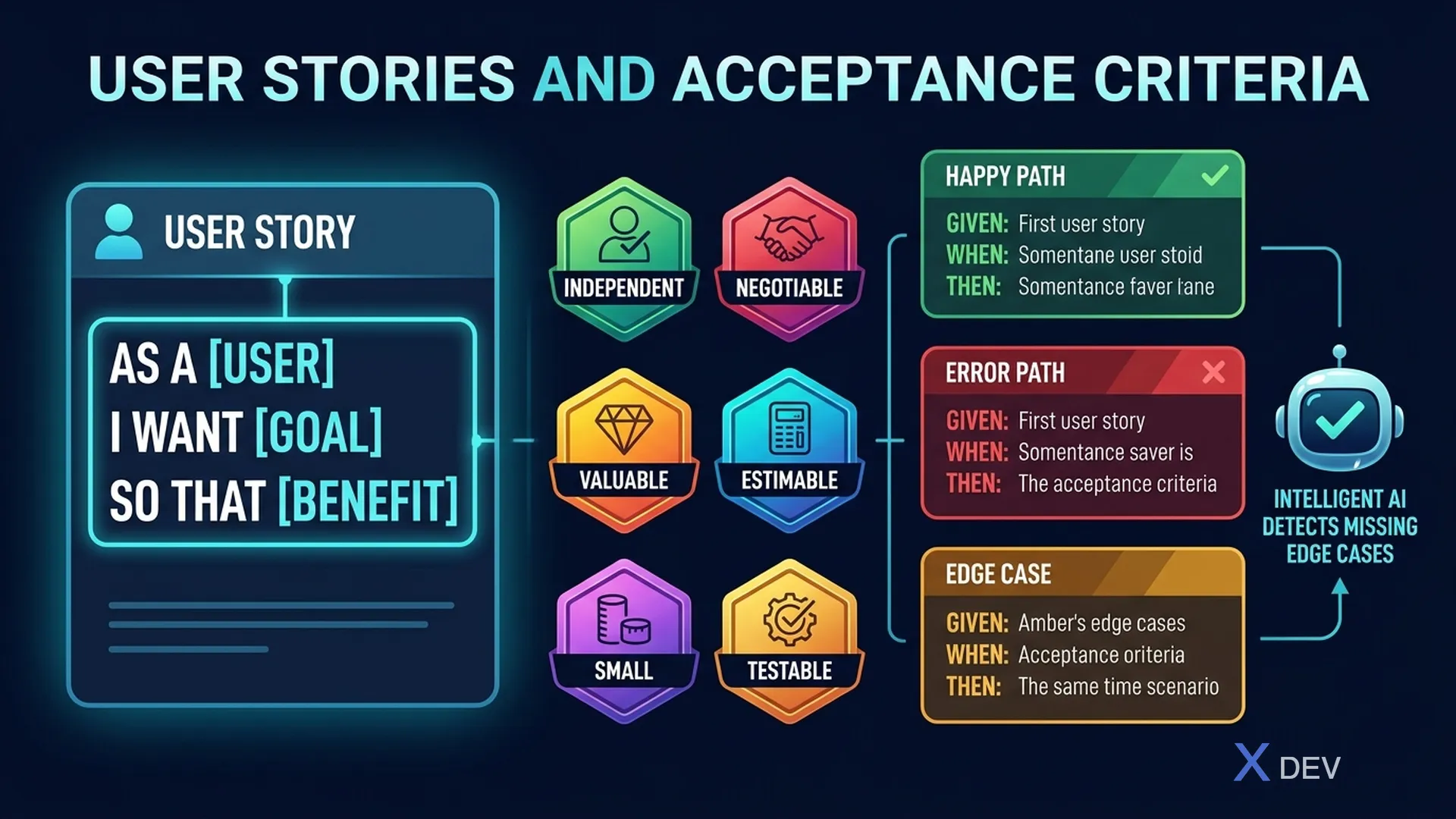
A user story is a way of expressing requirements from the user's perspective:
As a [user type], I want [action/goal], so that [reason/value].
Good example:
As a retail customer, I want to view my transaction history for the last 12 months, so that I can verify my spending for a specific month when needed.
A user story is NOT:
- A technical task ("Create API endpoint to fetch transaction history")
- Detailed specification ("System must return 100 records...")
- Feature list ("Transaction history viewing feature")
2. Check Story Quality Using INVEST
| Criterion | Meaning | Check |
|---|---|---|
| Independent | Story can be delivered independently | "Does this story depend on another?" |
| Negotiable | Details are negotiable | "Can BA and Dev discuss scope changes?" |
| Valuable | Delivers clear value | "Can business explain why we need this?" |
| Estimable | Dev can estimate it | "Does Dev have enough info to estimate?" |
| Small | Fits in one sprint | "Can be completed in 1-3 days?" |
| Testable | Results can be verified | "Does QA know how to test pass/fail?" |
Stories failing INVEST typically:
- Too large → Split into smaller stories
- Not testable → Missing acceptance criteria
- Not valuable → "So that" clause has no real value
3. Acceptance Criteria: Given/When/Then Format
Acceptance Criteria (AC) are the conditions for a story to be accepted as "Done". Format using BDD:
Given [context/precondition]
When  [user action taken]
Then  [expected result]
Real example — Story: View Transaction History
Scenario 1: Display correctly
Given I am logged in with an account that has at least 1 transaction in the last 12 months
When  I click "Transaction History" from menu
Then  list shows max 50 recent transactions, sorted newest first

Scenario 2: No transactions on account
Given I am logged in with a new account, no transactions yet
When  I click "Transaction History"
Then  display message "No transactions yet" instead of empty list

Scenario 3: Network error
Given I am logged in
When  I open "Transaction History" but lose internet connection
Then  display error message "Unable to load data. Please try again."
     And show "Retry" button
4. Use AI to Detect Missing Edge Cases
This is where AI is genuinely useful. Paste your story + AC into a prompt:
Here is a user story and acceptance criteria:
[PASTE STORY + AC]

Analyze and list:
1. Edge cases not covered (special cases, unusual inputs)
2. Implicit non-functional requirements (performance, security, accessibility)
3. Error scenarios missing AC
4. Ambiguities or contradictions in current AC
5. Additional actors affected?
AI typically catches:
- Pagination for large data
- Timezone edge cases
- Concurrent user scenarios
- Permission edge cases (admin vs user vs guest)
- Empty/null states
- Very long input strings
- Special characters
5. AC for AI Features: What Else?
When stories involve AI, add:
# AC specific to AI features

Scenario: AI not confident
Given user asks an ambiguous question
When  AI confidence score < 0.7
Then  AI must:
  - NOT make up information
  - Ask clarifying questions OR
  - Route to human agent with full context

Scenario: AI output below threshold
Given AI generates response
When  toxicity score > 0.3 (per safety filter)
Then  response blocked automatically
     And incident logged to audit system
6. Definition of Ready (DoR)
Story is sprint-ready when it meets:
DEFINITION OF READY
☐ Story has "As a... I want... So that..." format
☐ "So that" is real business value, not just feature description
☐ Has at least 3 AC in Given/When/Then format
☐ AC cover at least 1 happy path + 1 error path
☐ Story passes INVEST check
☐ Dependencies identified
☐ Story size ≤ 5 story points (if using Fibonacci)
☐ UI wireframe or mockup attached (if applicable)
☐ All relevant stakeholders have reviewed
7. Common BA Mistakes
Mistake 1: Weak "So that"
- ❌ "...so that the system shows the transaction list"
- ✅ "...so that I can verify my spending before monthly reconciliation"
Mistake 2: AC written by UI, not behavior
- ❌ "Button 'Show More' displays green at bottom of list"
- ✅ "When user scrolls to bottom, system automatically loads next 20 records"
Mistake 3: No error scenario
- Each story needs at least 1 AC for error/no-data case
Mistake 4: Acceptance criteria = implementation detail
- ❌ "API must respond within 200ms"
- ✅ "Page loads within 2 seconds on 4G network" → Dev decides API timeout
Summary
Good user story = Right user perspective + Clear value + Testable AC.
Proposed workflow:
- Write story using As/I want/So that template
- Check INVEST, split if too large
- Write ≥3 AC in Given/When/Then (happy + error)
- Paste into AI to detect missing edge cases
- Send to stakeholder for review before adding to sprint backlog