1. Introduction
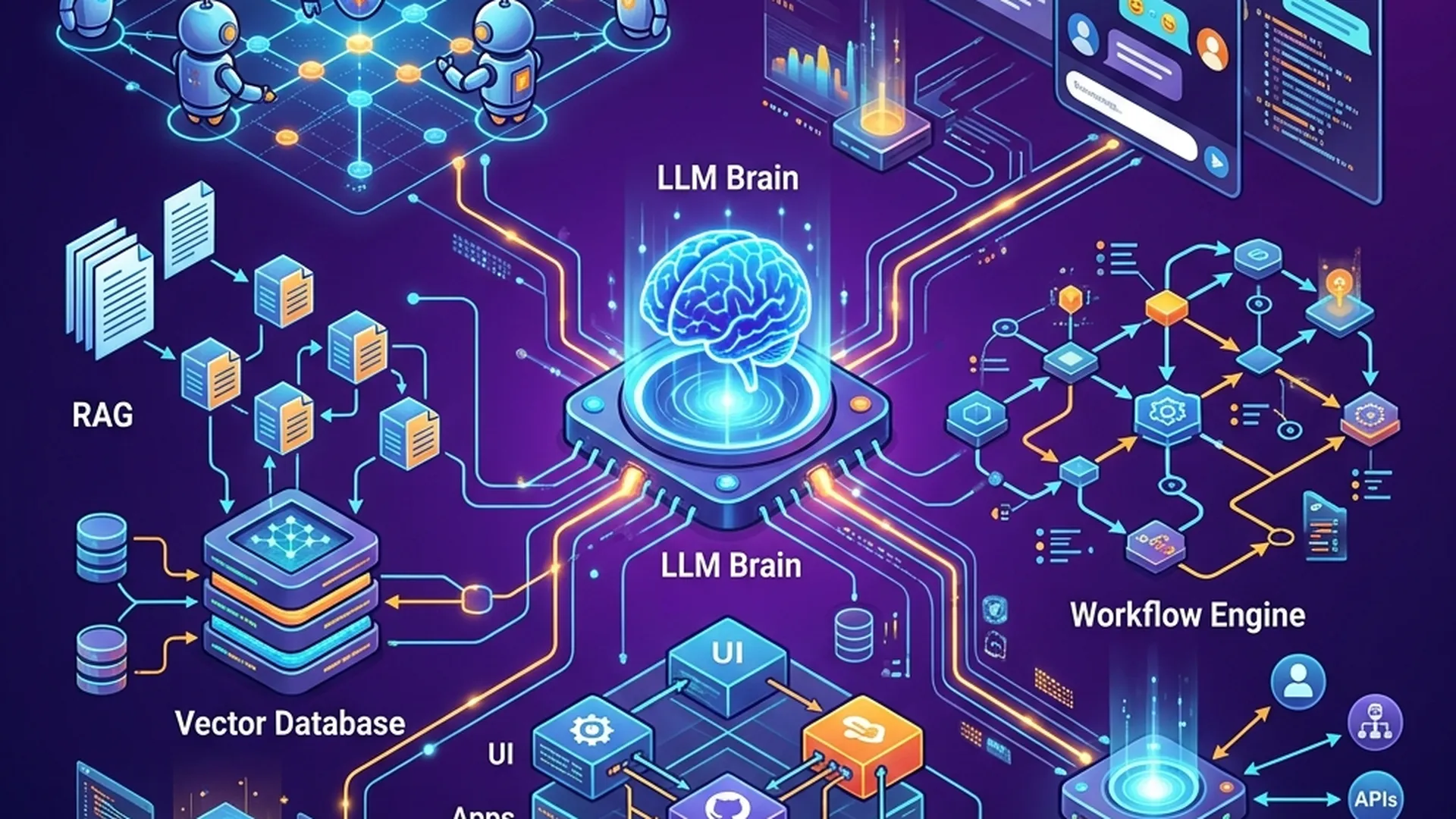
xClaw is an open-source AI Agent Platform built as a TypeScript monorepo, allowing the construction and deployment of AI agents to serve multiple industries. Platform provides:
- Visual Workflow Builder with 16 node types
- RAG Pipeline for semantic search on documents
- Multi-LLM — supports 10+ providers (OpenAI, Anthropic, Google, Groq, Mistral, DeepSeek, xAI, OpenRouter, Perplexity, Ollama)
- 13 Domain Packs specialized by industry
- Multi-tenant RBAC with 60 detailed permissions
- MCP Protocol — Model Context Protocol server discovery
- 8 Chat Channels — Telegram, Discord, Slack, WhatsApp, Zalo OA, Microsoft Teams, WebChat, Webhook
- 12 ML/AutoML algorithms built-in
This article will go through each core part of xClaw, from the system architecture to how to install, develop and deploy to production.
Source code: https://github.com/xdev-asia-labs/xClaw
2. System architecture
2.1. Overview
xClaw uses the Gateway + Monorepo architecture, which:
- Hono as HTTP server (API Gateway)
- React 19 + Vite for frontend
- Dual-Database Design — PostgreSQL + MongoDB
- Redis for caching and rate limiting
┌─────────────────────────────────────────────────────┐
│                    Client (Browser)                  │
│              React 19 + Tailwind + Zustand           │
└─────────────────┬───────────────────────────────────┘
                  │ HTTP / WebSocket
                  ▼
┌─────────────────────────────────────────────────────┐
│              API Gateway (Hono - Port 3000)          │
│         Auth │ RBAC │ Rate Limit │ CORS              │
├─────────┬────┴──────┬───────────┬───────────────────┤
│  Chat   │ Workflow  │    RAG    │   Admin/RBAC      │
│ Engine  │  Engine   │ Pipeline  │   Management      │
├─────────┴───────┬───┴───────────┴───────────────────┤
│                 │                                     │
│    ┌────────────┼────────────┐                        │
│    ▼            ▼            ▼                        │
│ ┌──────┐  ┌─────────┐  ┌───────┐                    │
│ │ PG   │  │ MongoDB  │  │ Redis │                    │
│ │:5432 │  │  :27018  │  │ :6379 │                    │
│ └──────┘  └─────────┘  └───────┘                    │
└─────────────────────────────────────────────────────┘
2.2. Dual-Database Design
One of xClaw's most important architectural decisions is to separate the database by data nature:
| Database | Role | Collections/Tables |
|---|---|---|
| PostgreSQL | Config & structured data | tenant, tenantSettings, users, roles, permissions, rolePermissions, userRoles, oauthAccounts, workflows, workflowExecutions, integrationConnections, webhooks |
| MongoDB | AI & conversational data | sessions, messages, memory_entries, agent_configs, audit_logs, system_logs |
| Redis | Cache layer | Session cache, rate limiting, real-time metrics |
Why Dual-Database?
- PostgreSQL — strong in relational data, ACID transactions, schema validation → suitable for config, users, RBAC
- MongoDB — flexible schema, good for document storage, time-series data → suitable for chat messages, AI memory, logs
- Redis — in-memory, sub-millisecond latency → suitable for caching, sessions, rate limiting
2.3. Tech Stack details
| Layers | Technology |
|---|---|
| Runtime | Node.js 20, TypeScript (ES2022, ESM) |
| API Server | Honor |
| Frontend | React 19, Tailwind CSS, Zustand, Vite |
| PostgreSQL ORM | Drizzle ORM |
| MongoDB | Official Node.js Driver |
| Cache | Redis 8 |
| LLM | OpenAI, Anthropic, DeepSeek, xAI, OpenRouter, Perplexity, Google, Groq, Mistral, Ollama |
| Auth | JWT, OAuth2 (Google, GitHub, Discord) |
| Build | Docker multi-stage, npm workspaces |
| Docs | Fumadocs + Next.js |
3. Installation & Quick Start
3.1. Request
3.2. Clone & configuration
# Clone repo kèm submodules
git clone --recurse-submodules https://github.com/xdev-asia-labs/xClaw.git
cd xClaw

# Copy file env mẫu
cp .env.example .env
Open the file .env and configure API keys:
# Server
PORT=3000
HOST=0.0.0.0

# Database
DATABASE_URL=postgresql://xclaw:xclaw@postgres:5432/xclaw
MONGODB_URL=mongodb://xclaw:xclaw@mongodb:27018/xclaw
REDIS_URL=redis://redis:6379

# JWT
JWT_SECRET=your-super-secret-key-change-me-in-production

# LLM Provider (chọn 1 hoặc nhiều)
LLM_PROVIDER=openai
OPENAI_API_KEY=sk-xxxxx

# Hoặc dùng Anthropic
# LLM_PROVIDER=anthropic
# ANTHROPIC_API_KEY=sk-ant-xxxxx

# Hoặc dùng Ollama (local, miễn phí)
# LLM_PROVIDER=ollama
# OLLAMA_BASE_URL=http://host.docker.internal:11434/v1

# CORS
CORS_ORIGINS=http://localhost:3001,http://localhost:5173
3.3. Launch with Docker Compose
docker compose up --build
Docker Compose will launch 5 services:
| Service | Port | Description |
|---|---|---|
xclaw | 3000 | API server (Hono) |
web | 3001 | Frontend (React + Nginx) |
postgres | 5432 | PostgreSQL 18 |
mongodb | 27018 | MongoDB 7 |
redis | 6379 | Redis 8 |
3.4. Sign in
Access http://localhost:3001 and log in with the default account:
Email:    [email protected]
Password: password123
⚠️ Important: Change your password immediately after logging in for the first time in the production environment.
3.5. (Optional) Install Ollama for Local LLM
If you want to run LLM locally without an API key:
# Cài Ollama
curl -fsSL https://ollama.ai/install.sh | sh

# Pull model
ollama pull qwen2.5:14b

# Hoặc model nhỏ hơn
ollama pull qwen2.5:7b
The server will automatically detect Ollama now http://localhost:11434.
4. Monorepo structure
xClaw is organized as a monorepo with npm workspaces. Each package assumes a clear responsibility:
xClaw/
├── packages/
│   ├── shared/          # @xclaw-ai/shared — Foundation types & constants
│   ├── core/            # @xclaw-ai/core — Agent engine, LLM, RAG, workflow
│   ├── db/              # @xclaw-ai/db — Drizzle ORM (PG) + MongoDB driver
│   ├── gateway/         # @xclaw-ai/gateway — Hono HTTP server, REST API, auth
│   ├── server/          # @xclaw-ai/server — Entry point, startup orchestration
│   ├── integrations/    # @xclaw-ai/integrations — 11 service connectors
│   ├── domains/         # @xclaw-ai/domains — 13 industry domain packs
│   ├── skills/          # @xclaw-ai/skills — Built-in skills (defineSkill)
│   ├── skill-hub/       # @xclaw-ai/skill-hub — Marketplace, MCP adapters
│   ├── ml/              # @xclaw-ai/ml — 12 ML algorithms, AutoML
│   ├── cli/             # @xclaw-ai/cli — CLI (commander.js)
│   ├── doc-mcp/         # @xclaw-ai/doc-mcp — Dev Docs MCP server
│   ├── chat-sdk/        # @xclaw-ai/chat-sdk — Chat SDK
│   ├── sandbox/         # @xclaw-ai/sandbox — Sandboxed code execution
│   ├── web/             # React + Tailwind frontend
│   ├── zalo-miniapp/    # Zalo Mini App client
│   └── channels/        # Channel plugins
│       ├── telegram/    # Telegram bot
│       ├── discord/     # Discord bot
│       ├── slack/       # Slack workspace
│       ├── whatsapp/    # WhatsApp Business API
│       ├── zalo/        # Zalo Official Account
│       └── msteams/     # Microsoft Teams
├── xclaw-plugins/       # [submodule] Official plugins
├── xclaw-demo-integration-app/  # [submodule] HIS-Mini demo
├── data/
│   ├── dev-docs/        # Developer documentation knowledge base
│   └── knowledge-packs/ # Data-only plugin packages
├── docs/                # Documentation site (Fumadocs + Next.js)
├── deploy/              # Deployment configs
├── tests/               # Integration tests
├── scripts/             # Build & utility scripts
├── docker-compose.yml
├── Dockerfile
└── package.json
Build Order (Project References)
Packages have a clear dependency chain, managed via TypeScript project references:
shared → db → core → integrations → domains → ml → skills → skill-hub → gateway → server
When building for the first time:
npm install
npm run build
Git Submodules
xClaw uses 2 git submodules:
| Submodules | Directory | Description |
|---|---|---|
xclaw-plugins | xclaw-plugins/ | Official plugin packages (TeeForge.AI, Healthcare) |
xclaw-demo-integration-app | xclaw-demo-integration-app/ | HIS-Mini demo — Hospital Information System |
# Nếu đã clone mà chưa có submodules
git submodule update --init --recursive

# Cập nhật submodules lên latest
git submodule update --remote --merge
5. Multi-LLM — Connect multiple AI Models
5.1. Providers are supported
xClaw supports 10 LLM providers, allowing flexible switching between models:
| Provider | Environment variables | Notes |
|---|---|---|
| OpenAI | OPENAI_API_KEY | GPT-4o, GPT-4, GPT-3.5 |
| Anthropic | ANTHROPIC_API_KEY | Claude 3.5 Sonnet, Claude 3 Opus |
GOOGLE_API_KEY | Gemini Pro, Gemini Flash | |
| Groq | GROQ_API_KEY | Llama, Mixtral (ultra-fast input) |
| Mistral | MISTRAL_API_KEY | Mistral Large, Medium |
| DeepSeek | DEEPSEEK_API_KEY | DeepSeek V3, Coder |
| xAI | XAI_API_KEY | Grok |
| OpenRouter | OPENROUTER_API_KEY | Gateway to 100+ models |
| Perplexity | PERPLEXITY_API_KEY | Search-augmented LLM |
| Ollama | OLLAMA_BASE_URL | Local models (free) |
5.2. Convert Model via API
# Xem danh sách models khả dụng
curl -H "Authorization: Bearer <token>" \
  http://localhost:3000/api/models

# Chuyển sang model khác
curl -X PUT -H "Authorization: Bearer <token>" \
  -H "Content-Type: application/json" \
  -d '{"provider": "anthropic", "model": "claude-3-5-sonnet-20241022"}' \
  http://localhost:3000/api/models/active

# Pull model Ollama mới
curl -X POST -H "Authorization: Bearer <token>" \
  -H "Content-Type: application/json" \
  -d '{"model": "qwen2.5:14b"}' \
  http://localhost:3000/api/models/pull
5.3. Chat with AI
# Gửi tin nhắn (streaming response)
curl -X POST -H "Authorization: Bearer <token>" \
  -H "Content-Type: application/json" \
  -d '{
    "message": "Giải thích kiến trúc microservices",
    "sessionId": "optional-session-id"
  }' \
  http://localhost:3000/api/chat
Support system:
- Multi-turn conversations with streaming responses
- Domain-aware prompting — automatically adjusts personas according to the active domain
- RAG-enhanced answers with source citations
- Quick Start prompts — Summarize, Explain, Translate, Code Review, Write Email, Analyze Data
6. RAG Pipeline — Upload, Embedding, Semantic Search
6.1. Activity stream
The RAG (Retrieval-Augmented Generation) pipeline in xClaw works in 3 steps:
┌──────────────┐    ┌──────────────┐    ┌──────────────┐
│  1. Upload   │───▶│ 2. Chunking  │───▶│ 3. Embedding │
│  Document    │    │ & Processing │    │ & Indexing   │
└──────────────┘    └──────────────┘    └──────────────┘
                                               │
                                               ▼
┌──────────────┐    ┌──────────────┐    ┌──────────────┐
│  6. Generate │◀───│ 5. Retrieve  │◀───│ 4. Query     │
│  Response    │    │ Top-K Chunks │    │ Embedding    │
└──────────────┘    └──────────────┘    └──────────────┘
6.2. Upload Documents
# Upload một file (PDF, DOCX, TXT, MD)
curl -X POST -H "Authorization: Bearer <token>" \
  -F "[email protected]" \
  http://localhost:3000/api/knowledge/upload
The system will automatically:
- Parse document (supports PDF, DOCX, TXT, Markdown)
- Chunk content into small pieces (chunking strategies)
- Embed each chunk into vector (OpenAI embeddings or local model)
- Index vectors to serve semantic search
6.3. Semantic Search
# Tìm kiếm semantic trên knowledge base
curl -H "Authorization: Bearer <token>" \
  "http://localhost:3000/api/search?q=cách+triển+khai+microservices"
The results return the top-K chunks with the highest similarity, along with source citations.
6.4. RAG in Chat
When RAG is enabled, each question in chat will:
- Embedded into a vector query
- Find related chunks in the knowledge base
- Inject context into the prompt before sending to LLM
- LLM answers based on context + knowledge → reduces hallucination
7. Workflow Engine — Visual Workflow Builder
7.1. Overview
Workflow Engine allows building automation pipelines using a drag-and-drop interface. Supports 16 node types:
| Node Type | Function |
|---|---|
trigger | Launch manually, scheduled, or webhook |
llm-call | Call LLM with prompt template |
tool-call | Execute the registered tool |
condition | Branching based on condition |
switch | Branch in many directions with cases |
loop | Repeat with limit max iterations |
merge | Merge multiple branches |
transform | Transform data using JavaScript expressions |
code | Execute JavaScript in sandbox (vm) |
http-request | Call HTTP external |
sub-workflow | Run child workflow |
wait | Delay / sleep |
notification | Send notification |
output | Definition of output |
memory-read | Read from agent memory |
memory-write | Write to agent memory |
7.2. Create Workflow via API
# Tạo workflow mới
curl -X POST -H "Authorization: Bearer <token>" \
  -H "Content-Type: application/json" \
  -d '{
    "name": "Customer Support Auto-Reply",
    "description": "Tự động trả lời email khách hàng",
    "nodes": [
      {
        "id": "trigger-1",
        "type": "trigger",
        "config": { "triggerType": "webhook" }
      },
      {
        "id": "llm-1",
        "type": "llm-call",
        "config": {
          "prompt": "Phân tích email sau và tạo reply chuyên nghiệp:\n\n{{input.email_body}}",
          "model": "gpt-4o"
        }
      },
      {
        "id": "condition-1",
        "type": "condition",
        "config": {
          "expression": "output.sentiment === \"negative\""
        }
      },
      {
        "id": "notification-1",
        "type": "notification",
        "config": {
          "channel": "slack",
          "message": "⚠️ Khách hàng không hài lòng - cần xử lý thủ công"
        }
      },
      {
        "id": "output-1",
        "type": "output",
        "config": {
          "outputKey": "auto_reply"
        }
      }
    ],
    "edges": [
      { "from": "trigger-1", "to": "llm-1" },
      { "from": "llm-1", "to": "condition-1" },
      { "from": "condition-1", "to": "notification-1", "condition": "true" },
      { "from": "condition-1", "to": "output-1", "condition": "false" }
    ]
  }' \
  http://localhost:3000/api/workflows
7.3. Validate & Execute
# Validate workflow trước khi chạy
curl -X POST -H "Authorization: Bearer <token>" \
  http://localhost:3000/api/workflows/<workflow-id>/validate

# Execute workflow
curl -X POST -H "Authorization: Bearer <token>" \
  -H "Content-Type: application/json" \
  -d '{"input": {"email_body": "Tôi muốn hoàn tiền đơn hàng #12345"}}' \
  http://localhost:3000/api/workflows/<workflow-id>/execute

# Xem lịch sử executions
curl -H "Authorization: Bearer <token>" \
  http://localhost:3000/api/workflows/<workflow-id>/executions
8. Multi-tenant RBAC — Multi-organization decentralization
8.1. Decentralization model
xClaw implements full RBAC (Role-Based Access Control) with tenant isolation:
┌─────────────────────────────────────────┐
│              Tenant (Tổ chức)            │
├─────────────────────────────────────────┤
│  Owner ──── 60 permissions (toàn quyền) │
│  Admin ──── 52 permissions              │
│  Member ─── 14 permissions              │
│  Viewer ───  8 permissions (chỉ xem)    │
└─────────────────────────────────────────┘
8.2. 15 Permission groups
| Group | Description |
|---|---|
chat | Send messages, view history |
sessions | Manage chat sessions |
knowledge | Upload, delete documents (RAG) |
workflows | Create, edit, run workflows |
integrations | Connect to external services |
domains | Select domain pack |
settings | System configuration |
users | Manage users |
roles | Manage roles & permissions |
tenants | Tenant management |
models | Managing LLM models |
ml | Machine Learning features |
agents | Manage agent configs |
webhooks | Webhook management |
mcp | MCP server management |
8.3. Tenant Isolation
Each tenant is an independent organization:
- Data isolation — data between tenants is completely separate
- Config isolation — each tenant has its own settings (LLM provider, active domain, etc.)
- User management — users belong to tenants, have their own roles in each tenant
8.4. OAuth2 Authentication
Supports 3 OAuth2 providers:
# Login thường
curl -X POST -H "Content-Type: application/json" \
  -d '{"email": "[email protected]", "password": "xxx"}' \
  http://localhost:3000/auth/login

# OAuth2 (Google, GitHub, Discord)
# Redirect user đến:
GET http://localhost:3000/auth/oauth2/google
GET http://localhost:3000/auth/oauth2/github
GET http://localhost:3000/auth/oauth2/discord
9. Domain Packs — 13 specialized fields
Domain Packs allow AI agents to convert personas and expertise according to each industry:
| # | Domain | Description | Use Case |
|---|---|---|---|
| 1 | General | Versatile general-purpose assistant | Q&A, summary, translation |
| 2 | Developer | Code review, debugging, architecture | Review PR, explain code |
| 3 | Healthcare | Clinical support, drug interactions, ICD | Look up drugs, ICD-10 codes |
| 4 | Finance | Financial analysis, trading, risk | Financial analysis, forecasting |
| 5 | Marketing | Campaign planning, content, analytics | Make a marketing plan |
| 6 | Education | Tutoring, curriculum, assessment | Tutoring, lesson design |
| 7 | Research | Literature review, methodology | Overview of research literature |
| 8 | DevOps | CI/CD, infrastructure, monitoring | Pipeline consulting, K8s |
| 9 | Legal | Contract review, compliance | Contract review |
| 10 | HR | Recruitment, policies | Recruitment, HR policies |
| 11 | Sales | Lead management, CRM, forecasting | Lead management, revenue forecasting |
| 12 | E-commerce | Product, inventory, customer support | Product management, customer care |
| 13 | ML | Model training, evaluation, deployment | Train model, evaluating metrics |
Transfer Domain via API
# Xem danh sách domain packs
curl -H "Authorization: Bearer <token>" \
  http://localhost:3000/api/domains

# Domain pack sẽ tự động điều chỉnh:
# - System prompt phù hợp ngành
# - Bộ tools chuyên biệt
# - Knowledge base riêng (nếu có)
# - Response format tối ưu cho lĩnh vực
10. Chat Channels — Cross-platform connection
10.1. Channels are supported
| Channel | Method | Required configuration |
|---|---|---|
| Telegram | Bot polling | Bot token from @BotFather |
| Discord | Bot + Gateway | Bot token from Developer Portal |
| Slack | Web API + Events | Bot token (xoxb-) + Signing Secret |
| Cloud API webhooks | Meta Business Suite + Phone Number ID | |
| Zalo OA | OA API v3 webhooks | developers.zalo.me + Access Token |
| Microsoft Teams | Bot Framework | Azure AD App + Bot Connector |
| WebChat | Embeddable widgets | Route /embed/chat |
| Webhooks | Custom HTTP | POST endpoint + secret key |
10.2. Configure Telegram Bot
Telegram connection example:
- Create a bot via @BotFather on Telegram
- Get the bot token
- Add
.env:
TELEGRAM_BOT_TOKEN=123456789:ABCdefGHIjklMNOpqrsTUVwxyz
- Restart service:
docker compose restart xclaw
The bot will automatically connect and be ready to receive messages.
10.3. Embeddable WebChat
Embed chat widget on any website:
<iframe
  src="http://your-xclaw-domain:3001/embed/chat"
  width="400"
  height="600"
  frameborder="0">
</iframe>
11. MCP Protocol — Model Context Protocol
11.1. What is MCP?
MCP (Model Context Protocol) is a standardized protocol that allows AI models to connect and use external tools/resources. xClaw implementation:
- MCP Server Discovery — automatically discovers MCP servers in the network
- Tool Execution — calls tools from MCP servers
- Dev Docs Knowledge Base — MCP-powered documentation with full-text search
11.2. Dev Docs MCP Server
Package @xclaw-ai/doc-mcp Provides MCP server for developer documentation:
- Upload documentation in Markdown format
- Full-text search on knowledge base
- Web management UI
- Multi-category organization (Getting Started, API Reference, Guides, etc.)
# Xem MCP servers đã đăng ký
curl -H "Authorization: Bearer <token>" \
  http://localhost:3000/api/mcp/servers
12. ML/AutoML — 12 built-in ML algorithms
12.1. Algorithms
Package @xclaw-ai/ml Built-in 12 ML algorithms:
Regression:
- Linear Regression
- Logistic Regression
Trees:
- Decision Tree
- Random Forest
- Gradient Boosting
Instance-based:
- K-Nearest Neighbors (KNN)
- Support Vector Machine (SVM)
Probabilistic:
- Naive Bayes
Clustering:
- K-Means
- DBSCAN
Dimensionality Reduction:
- PCA (Principal Component Analysis)
Anomaly Detection:
- Isolation Forest
12.2. Use via API
# Liệt kê algorithms khả dụng
curl -H "Authorization: Bearer <token>" \
  http://localhost:3000/api/ml/algorithms
13. Integrations — 11 Service Connectors
xClaw provides 11 built-in integrations to connect to popular services:
| Group | Service | Function |
|---|---|---|
| Gmail | Send/receive emails via API | |
| Productivity | Google Calendar | Event and calendar management |
| Productivity | Notion | Database & page management |
| Developer | GitHub | Repos, issues, pull requests |
| Messaging | Telegram API | Messaging bots |
| Messaging | Slack API | Channel & DM messaging |
| Messaging | iMessage | Apple iMessage bridge |
| Search | Brave Search | Web search |
| Search | Tavily Search | AI-optimized web search |
| AI | HuggingFace | Model inference & datasets |
| AI | Weights & Biases | Experimental tracking |
Each integration is packaged in package @xclaw-ai/integrations with standard interface — easily add new connectors.
14. Monitoring & Observability
14.1. System Metrics
# Lấy metrics real-time
curl -H "Authorization: Bearer <token>" \
  http://localhost:3000/api/monitoring/metrics
Metrics include:
- Uptime — uptime
- Memory & CPU — resource usage
- Requests/minute — throughput
- LLM call stats — number of calls, latency, tokens used
- Workflow stats — executions, success/failure rate
14.2. Audit Logs
All user actions are logged with tenant isolation:
# Xem audit trail
curl -H "Authorization: Bearer <token>" \
  http://localhost:3000/api/monitoring/audit
- TTL: 90 days (automatic cleanup)
- Stored in MongoDB
14.3. System Logs
Structured application logs with text search:
# Tìm kiếm logs
curl -H "Authorization: Bearer <token>" \
  "http://localhost:3000/api/monitoring/logs?search=error&level=error"
- TTL: 30 days
- Support filtering by level, timestamp, keyword
14.4. Dashboard API
# Combined dashboard — metrics + errors + audit trail
curl -H "Authorization: Bearer <token>" \
  http://localhost:3000/api/monitoring/dashboard
15. Comprehensive API Reference
Public Endpoints
GET  /health                       # Health check + uptime
POST /auth/login                   # Login → JWT token
POST /auth/register                # Đăng ký user mới
POST /auth/oauth2/:provider        # OAuth2 flow (google, github, discord)
Protected Endpoints (required Authorization: Bearer <token>)
# Chat
POST /api/chat                     # Gửi tin nhắn, streaming response

# Knowledge (RAG)
GET  /api/knowledge                # Liệt kê documents
POST /api/knowledge/upload         # Upload document
GET  /api/search                   # Semantic search

# Models
GET  /api/models                   # Danh sách LLM models
POST /api/models/pull              # Pull Ollama model mới
PUT  /api/models/active            # Chuyển active model

# Workflows
GET  /api/workflows                # Liệt kê workflows
POST /api/workflows                # Tạo workflow
POST /api/workflows/:id/validate   # Validate workflow
POST /api/workflows/:id/execute    # Execute workflow
GET  /api/workflows/:id/executions # Lịch sử executions

# Monitoring
GET  /api/monitoring/metrics       # System metrics
GET  /api/monitoring/audit         # Audit logs
GET  /api/monitoring/logs          # System logs
GET  /api/monitoring/dashboard     # Combined dashboard

# Admin & RBAC
GET  /api/rbac/roles               # Roles & permissions
GET  /api/tenants                  # Tenants
GET  /api/settings                 # System settings
GET  /api/integrations             # Integrations
GET  /api/domains                  # Domain packs
GET  /api/ml/algorithms            # ML algorithms
GET  /api/mcp/servers              # MCP servers
16. Development — Local development
16.1. Runs with Docker (recommended)
# Build & start tất cả services
docker compose up --build

# Chỉ rebuild backend
docker compose up --build xclaw

# Xem logs
docker compose logs -f xclaw

# Dừng tất cả
docker compose down
16.2. Run without Docker
Requirements: Node.js ≥ 20, npm ≥ 10, PostgreSQL, MongoDB, Redis already running.
# 1. Install dependencies
npm install

# 2. Cấu hình
cp .env.example .env
# Sửa .env với database URLs và API keys

# 3. Build packages (lần đầu)
npm run build

# 4. Chạy database migrations
npm run db:migrate

# 5. Start dev servers
npm run dev              # API server + web frontend (concurrent)

# Hoặc chạy từng phần:
npm run dev:server       # API server (tsx --watch, hot reload)
npm run dev:web          # Vite dev server (HMR)
npm run dev:docs         # Documentation site (Next.js)
16.3. Useful commands
# Database
npm run db:generate      # Generate Drizzle migration từ schema changes
npm run db:migrate       # Chạy pending migrations
npm run db:studio        # Mở Drizzle Studio (visual DB browser)

# Quality
npm run test             # Chạy tests (vitest)
npm run lint             # Lint tất cả packages

# CLI
npm run cli -- <command> # Chạy xClaw CLI
17. Deploy Production with Docker
17.1. Docker multi-stage build
xClaw uses multi-stage Dockerfile to optimize image size:
# Build production image
docker build -t xclaw:latest .

# Hoặc dùng docker-compose production
docker compose -f docker-compose.prod.yml up -d
17.2. Checklist before deploying
- Change
JWT_SECRETinto a strongly random string (≥ 32 characters) - Change default password
[email protected] - Configuration
CORS_ORIGINSOnly production domains are allowed - Configure strong database passwords
- Enable HTTPS (reverse proxy: Nginx, Caddy, or Cloudflare Tunnel)
- Configure backup for PostgreSQL and MongoDB
- Set
NODE_ENV=production - Limit
CORS_ORIGINSactual domain only
17.3. Reverse Proxy (Nginx)
server {
    listen 443 ssl http2;
    server_name xclaw.yourdomain.com;

    ssl_certificate     /etc/ssl/certs/fullchain.pem;
    ssl_certificate_key /etc/ssl/private/privkey.pem;

    # Frontend
    location / {
        proxy_pass http://localhost:3001;
        proxy_set_header Host $host;
        proxy_set_header X-Real-IP $remote_addr;
        proxy_set_header X-Forwarded-For $proxy_add_x_forwarded_for;
        proxy_set_header X-Forwarded-Proto $scheme;
    }

    # API
    location /api/ {
        proxy_pass http://localhost:3000;
        proxy_set_header Host $host;
        proxy_set_header X-Real-IP $remote_addr;
        proxy_http_version 1.1;
        proxy_set_header Upgrade $http_upgrade;
        proxy_set_header Connection "upgrade";
    }

    # Auth
    location /auth/ {
        proxy_pass http://localhost:3000;
        proxy_set_header Host $host;
        proxy_set_header X-Real-IP $remote_addr;
    }

    # Health check
    location /health {
        proxy_pass http://localhost:3000;
    }
}
18. Conclusion
xClaw is a comprehensive AI Agent Platform, delivering:
- Flexibility — Multi-LLM, multi-domain, multi-channel
- Extensibility — Plugin system, MCP Protocol, defineSkill API
- Security — Multi-tenant RBAC, OAuth2, audit logging
- Productivity — Visual Workflow Builder, RAG Pipeline, AutoML
- Production-ready — Docker deployment, monitoring, structured logging
Platforms are suitable for:
- Build internal business chatbots
- Customer support automation
- AI-powered workflow for each industry
- Research & experimentation with many LLM models
- On-premise AI deployment (Ollama)
Links:
- Source code: github.com/xdev-asia-labs/xClaw
- Documentation: xclaw.xdev.asia/docs
- License: MIT