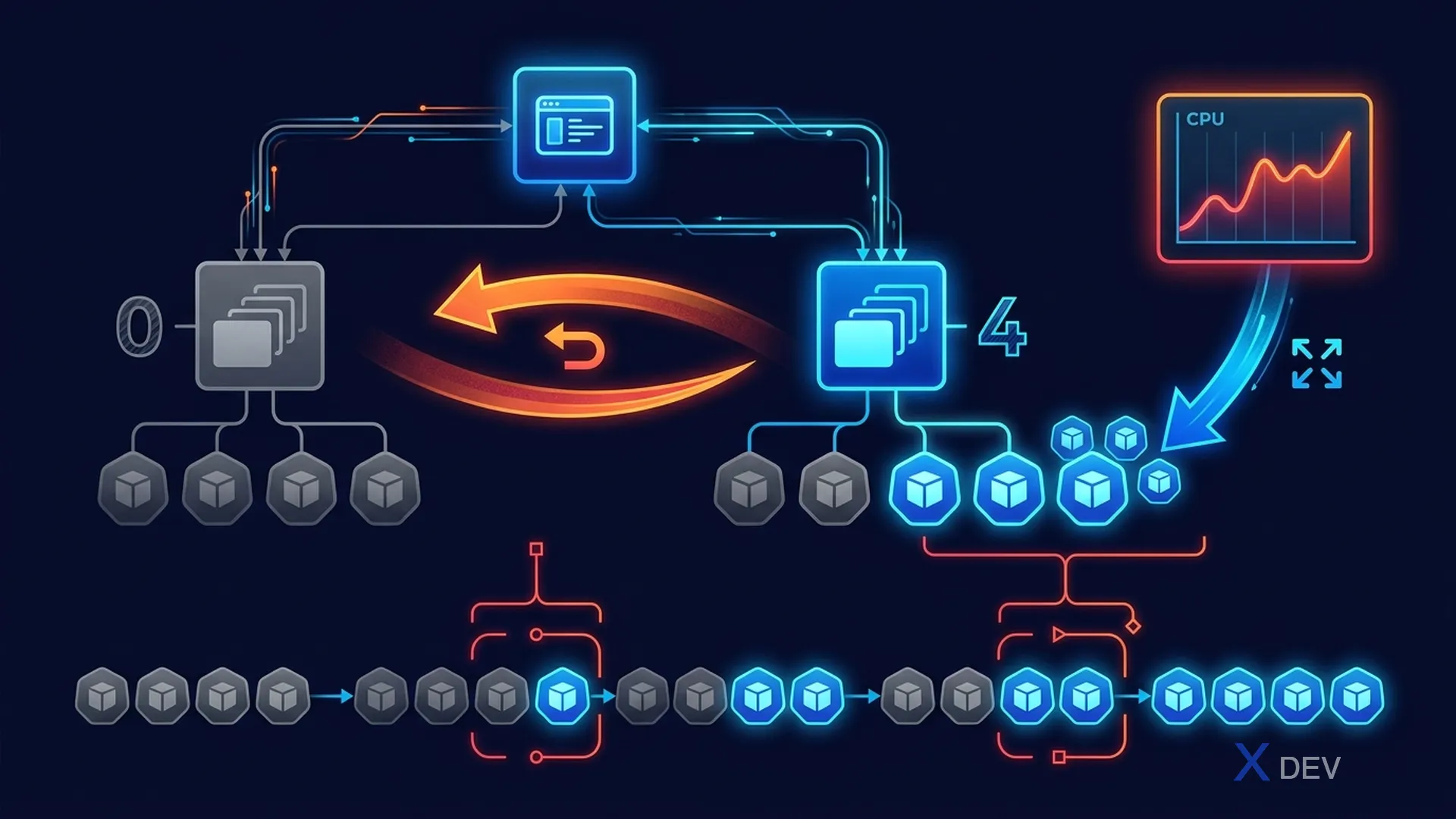
1. Deployments — Rolling Updates & Rollbacks
# Create deployment
kubectl create deployment nginx --image=nginx:1.20 --replicas=3

# Scale
kubectl scale deployment nginx --replicas=5

# Update image (triggers rolling update)
kubectl set image deployment/nginx nginx=nginx:1.21

# Monitor rollout
kubectl rollout status deployment/nginx
kubectl rollout history deployment/nginx

# Rollback to previous version
kubectl rollout undo deployment/nginx
kubectl rollout undo deployment/nginx --to-revision=2| Rollout Strategy | Key Fields | Behavior |
|---|---|---|
| RollingUpdate (default) | maxUnavailable, maxSurge | Gradual, zero-downtime across multiple replicas |
| Recreate | None | Kill all old → deploy new (has downtime) |
RollingUpdate settings:
spec:
  strategy:
    type: RollingUpdate
    rollingUpdate:
      maxUnavailable: 1  # Max pods down during update
      maxSurge: 1        # Max extra pods that can run
Exam tip: To have rollout history show annotations, use
--recordor set an annotation inkubernetes.io/change-cause. When you need to rollback to a specific revision:kubectl rollout undo deployment/name --to-revision=3
2. HPA (Horizontal Pod Autoscaler)
# Create HPA
kubectl autoscale deployment nginx --cpu-percent=70 --min=2 --max=10

# Or YAML
apiVersion: autoscaling/v2
kind: HorizontalPodAutoscaler
metadata:
  name: nginx-hpa
spec:
  scaleTargetRef:
    apiVersion: apps/v1
    kind: Deployment
    name: nginx
  minReplicas: 2
  maxReplicas: 10
  metrics:
  - type: Resource
    resource:
      name: cpu
      target:
        type: Utilization
        averageUtilization: 70
3. DaemonSet Operations
DaemonSet update strategies:
  spec:
    updateStrategy:
      type: RollingUpdate      # Gradual update per node
      # OR
      type: OnDelete           # Manual: update only when Pod deleted

# View DaemonSet
kubectl get daemonset -n kube-system
kubectl get daemonset fluentd -o yaml

# DaemonSet on specific nodes (tolerations)
spec:
  template:
    spec:
      tolerations:
      - key: node-role.kubernetes.io/control-plane
        effect: NoSchedule    # Deploy on control plane nodes
4. StatefulSet Operations
apiVersion: apps/v1
kind: StatefulSet
metadata:
  name: web
spec:
  serviceName: "web"  # Headless Service required
  replicas: 3
  selector:
    matchLabels:
      app: web
  template:
    spec:
      containers:
      - name: nginx
        image: nginx:1.21
        volumeMounts:
        - name: www
          mountPath: /usr/share/nginx/html
  volumeClaimTemplates:  # Each pod gets own PVC
  - metadata:
      name: www
    spec:
      accessModes: ["ReadWriteOnce"]
      resources:
        requests:
          storage: 1Gi

---
# Headless Service (clusterIP: None)
apiVersion: v1
kind: Service
metadata:
  name: web
spec:
  clusterIP: None   # Headless!
  selector:
    app: web
Exam tip: StatefulSet requires a Headless Service (clusterIP: None). This creates DNS entries for each Pod:
web-0.web.default.svc.cluster.local. If the headless service is missing, the StatefulSet works but pod DNS won't function.
5. Cheat Sheet
| Task | Command |
|---|---|
| Update image | kubectl set image deploy/NAME CONTAINER=IMAGE |
| Rollback | kubectl rollout undo deploy/NAME |
| Rollout status | kubectl rollout status deploy/NAME |
| Pause rollout | kubectl rollout pause deploy/NAME |
| Resume rollout | kubectl rollout resume deploy/NAME |
6. Practice Questions
Q1: A Deployment was updated 3 times. The current version (revision 3) is causing issues. How do you revert to revision 1?
- A) kubectl rollout undo deployment/app
- B) kubectl rollout undo deployment/app --to-revision=1 ✓
- C) kubectl set image deployment/app app=old-image
- D) kubectl delete deployment/app and recreate it
Explanation: --to-revision flag specifies which historical revision to roll back to. Without it, rollout undo goes to the previous revision (n-1). kubectl rollout history shows all revisions and their CHANGE-CAUSE annotations.
Q2: A StatefulSet named "kafka" is deployed but Pods cannot resolve each other's DNS names. What is likely missing?
- A) The StatefulSet needs a Deployment alongside it
- B) A Headless Service (clusterIP: None) with matching selector is required ✓
- C) The namespace needs a NetworkPolicy allowing DNS
- D) Each Pod needs a separate Service
Explanation: StatefulSets require a Headless Service (clusterIP: None) to create DNS records for individual Pods (pod-name.service.namespace.svc.cluster.local). Without it, stable network identities don't work.
Q3: You need to update a DaemonSet but want to control which nodes update first. Which updateStrategy should you use?
- A) RollingUpdate with maxUnavailable: 1
- B) Recreate strategy
- C) OnDelete — manually delete Pods node by node ✓
- D) DaemonSets cannot be updated without recreating
Explanation: OnDelete strategy only updates a DaemonSet Pod when you manually delete it. This gives full control over update order and timing. RollingUpdate would automatically update nodes following Kubernetes' own ordering.