Introduction
There are many ways to compose Micro Frontend applications. Each approach has its own trade-offs. This article deep-dives into each strategy and helps you choose the right one.
1. Build-time Integration (NPM Packages)
Each MFE publishes as an npm package, host app imported at build-time:
host-app/package.json:
  "@company/product-mfe": "^2.1.0"
  "@company/cart-mfe": "^1.3.0"
Advantages: Simple, type-safe, tree-shakeable Disadvantages: Must rebuild + redeploy host app when MFE updates Verdict: ❌ Not "really" Micro Frontend — no independent deployment
2. Run-time Integration
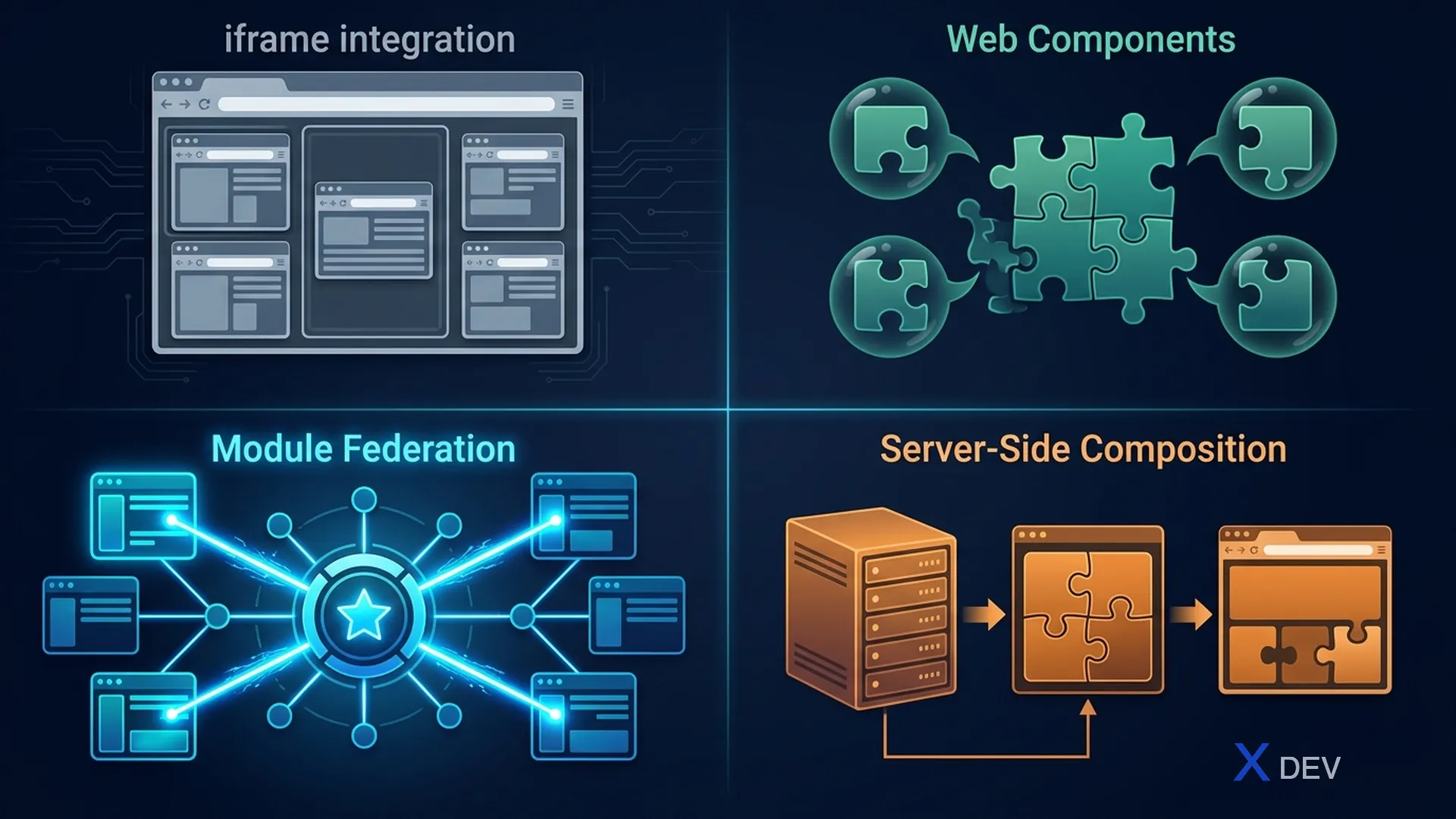
2.1 iframes
<iframe src="https://product.example.com/embed" />
Advantages: Perfect isolation, simple Disadvantages: No shared styles, hard to communicate, SEO terrible, poor performance Use case: Legacy app embedding, sandboxed widgets
2.2 Web Components
<product-catalog data-category="electronics"></product-catalog>
<script src="https://product.cdn.com/product-catalog.js"></script>
Advantages: Framework agnostic, Shadow DOM isolation, browser standard Disadvantages: Complicated SSR, React wrappers needed, Shadow DOM styling tricky
2.3 JavaScript Integration (Dynamic Script Loading)
function loadMicroFrontend(name, containerId) {
  const script = document.createElement('script');
  script.src = `https://${name}.cdn.com/bundle.js`;
  script.onload = () => {
    window[`render_${name}`](document.getElementById(containerId));
  };
  document.body.appendChild(script);
}
Advantages: Simple, flexible, agnostic framework Disadvantages: No dependency sharing, large bundles
2.4 Module Federation (Webpack 5) ⭐
┌─────────────────────────────┐
│        Shell App (Host)     │
│                             │
│  import('product/Catalog')  │──► Product MFE (Remote)
│  import('cart/MiniCart')     │──► Cart MFE (Remote)
│                             │
│  Shared: React, React-DOM   │
│  (loaded once, shared)      │
└─────────────────────────────┘
Advantages: Runtime integration, shared dependencies, lazy loading, TypeScript Disadvantages: Webpack-specific, learning curve Verdict: ⭐ Recommended for most use cases.
3. Server-Side Approaches
3.1 Server-Side Includes (SSI)
<!--# include virtual="/fragments/product?id=123" -->
3.2 Edge-Side Includes (ESI)
<esi:include src="https://product.service/fragment/header" />
Use case: Content-heavy pages, when SEO and TTFB are important.
4. Decision Matrix
| Strategy | Independence | Performance | Complexity | Best For |
|---|---|---|---|---|
| NPM Package | ❌ Low | ✅ Best | Low | Shared libraries |
| iframe | ✅ High | ❌ Poor | Low | Legacy embedded |
| Web Components | ✅ High | ✅ Good | Medium | Multi-framework |
| JS Integration | ✅ High | ⚠️ OK | Medium | Simple cases |
| Module Federation | ✅ High | ✅ Good | Medium | Most projects |
| SSI/ESI | ✅ High | ✅ Great TTFB | High | Content sites |
Summary
- Build-time (npm): simple but no independent deployment
- Module Federation: best balance for the same framework — ⭐ recommended
- Web Components: best for multi-framework
- SSI/ESI: best for server-rendered content sites
Next article: Lesson 12: Webpack Module Federation & Vite — Deep Dive