簡介
只有當您能夠快速、安全地部署時,微服務才會帶來價值。如果沒有良好的 CI/CD,微服務將成為比單體更大的負擔-必須手動部署數十個服務,每次部署都是一個危險的事件。
微服務中 CI/CD 的目標:每個團隊自信且獨立地每天多次部署其服務。
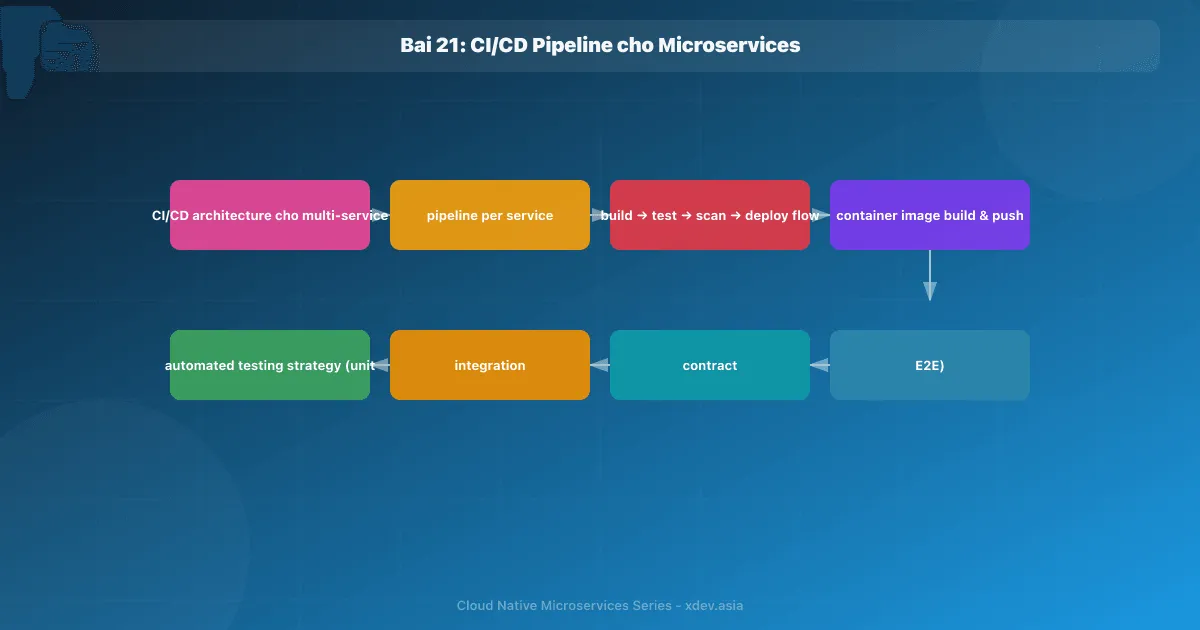
1. CI/CD 架構概述
1.1 每個服務的管道
每個服務都有自己的管道,由程式碼變更觸發:
Microservices CI/CD Model:

team-order pushes to order-service repo
       ↓
GitHub Actions (order-service pipeline)
       ↓
Build → Test → Scan → Push Image → Deploy Staging → Deploy Prod

team-payment pushes to payment-service repo (cùng lúc)
       ↓
GitHub Actions (payment-service pipeline)
       ↓
Build → Test → Scan → Push Image → Deploy Staging → Deploy Prod

→ Hai pipeline chạy song song, độc lập hoàn toàn
1.2 管道階段
┌─────────────────────────────────────────────────────────────┐
│                       CI Pipeline                           │
│                                                             │
│  ┌─────────┐  ┌────────┐  ┌────────┐  ┌─────────────────┐ │
│  │  Build  │→ │  Test  │→ │  Scan  │→ │  Build & Push   │ │
│  │         │  │        │  │        │  │  Container Image│ │
│  └─────────┘  └────────┘  └────────┘  └────────┬────────┘ │
└──────────────────────────────────────────────── ┼ ─────────┘
                                                  │
┌──────────────────────────────────────────────── ┼ ─────────┐
│                       CD Pipeline               │          │
│                                                 ▼          │
│  ┌────────────────┐  ┌─────────────────────────────────┐  │
│  │ Deploy Staging │→ │     Integration Tests / E2E     │  │
│  └────────────────┘  └──────────────┬──────────────────┘  │
│                                     │ (pass)               │
│                       ┌─────────────▼──────────────┐       │
│                       │  Manual Approval (Prod)     │       │
│                       └─────────────┬──────────────┘       │
│                                     ▼                       │
│                       ┌─────────────────────────┐          │
│                       │   Deploy Production      │          │
│                       │   (Canary → Full)        │          │
│                       └─────────────────────────┘          │
└─────────────────────────────────────────────────────────────┘
2. CI 管道 — GitHub Actions
2.1 Java服務的完整Pipeline
# .github/workflows/ci.yml
name: CI Pipeline

on:
  push:
    branches: [main, develop]
  pull_request:
    branches: [main]

env:
  REGISTRY: registry.example.com
  IMAGE_NAME: ${{ github.repository }}

jobs:
  build-and-test:
    runs-on: ubuntu-latest
    services:
      postgres:
        image: postgres:16
        env:
          POSTGRES_DB: test_db
          POSTGRES_PASSWORD: test
        options: >-
          --health-cmd pg_isready
          --health-interval 10s
          --health-retries 5
      redis:
        image: redis:7
        options: --health-cmd "redis-cli ping" --health-retries 5

    steps:
      - uses: actions/checkout@v4

      - name: Set up JDK 21
        uses: actions/setup-java@v4
        with:
          java-version: '21'
          distribution: 'temurin'
          cache: gradle

      - name: Run tests
        run: ./gradlew test integrationTest --no-daemon
        env:
          SPRING_DATASOURCE_URL: jdbc:postgresql://localhost:5432/test_db
          SPRING_REDIS_HOST: localhost

      - name: Upload test results
        if: always()
        uses: actions/upload-artifact@v4
        with:
          name: test-results
          path: build/reports/tests/

      - name: Code coverage check
        run: ./gradlew jacocoTestCoverageVerification --no-daemon
        # Fail nếu coverage < 80%

  security-scan:
    runs-on: ubuntu-latest
    steps:
      - uses: actions/checkout@v4

      - name: SAST — SonarQube
        uses: SonarSource/sonarcloud-github-action@master
        env:
          SONAR_TOKEN: ${{ secrets.SONAR_TOKEN }}

      - name: Dependency vulnerability scan
        run: ./gradlew dependencyCheckAnalyze --no-daemon
        # OWASP Dependency-Check, fail on CVSS >= 7

  build-image:
    needs: [build-and-test, security-scan]
    runs-on: ubuntu-latest
    outputs:
      image-tag: ${{ steps.meta.outputs.tags }}
      image-digest: ${{ steps.build.outputs.digest }}

    steps:
      - uses: actions/checkout@v4

      - name: Generate image metadata
        id: meta
        uses: docker/metadata-action@v5
        with:
          images: ${{ env.REGISTRY }}/${{ env.IMAGE_NAME }}
          tags: |
            type=sha,prefix=sha-
            type=ref,event=branch
            type=semver,pattern={{version}}

      - name: Build and push image
        id: build
        uses: docker/build-push-action@v5
        with:
          context: .
          push: true
          tags: ${{ steps.meta.outputs.tags }}
          cache-from: type=gha
          cache-to: type=gha,mode=max
          provenance: true   # SLSA provenance
          sbom: true         # Software Bill of Materials

      - name: Container image vulnerability scan (Trivy)
        uses: aquasecurity/trivy-action@master
        with:
          image-ref: ${{ env.REGISTRY }}/${{ env.IMAGE_NAME }}@${{ steps.build.outputs.digest }}
          format: 'sarif'
          exit-code: '1'
          severity: 'CRITICAL,HIGH'
2.2 使用 Pact 進行合約測試
消費者驅動的合約測試確保服務之間的 API 相容性:
// Order Service (Consumer) định nghĩa contract
@ExtendWith(PactConsumerTestExt.class)
@PactTestFor(providerName = "payment-service")
class PaymentServiceContractTest {

    @Pact(consumer = "order-service")
    RequestResponsePact createPact(PactDslWithProvider builder) {
        return builder
            .given("payment method is valid")
            .uponReceiving("a charge request")
                .path("/charges")
                .method("POST")
                .body(new PactDslJsonBody()
                    .stringType("orderId")
                    .numberType("amount")
                    .stringValue("currency", "VND"))
            .willRespondWith()
                .status(201)
                .body(new PactDslJsonBody()
                    .stringType("chargeId")
                    .stringValue("status", "SUCCESS"))
            .toPact();
    }

    @Test
    void testChargeRequest(MockServer mockServer) {
        PaymentClient client = new PaymentClient(mockServer.getUrl());
        ChargeResponse response = client.charge(new ChargeRequest("O-001", 500000, "VND"));
        assertThat(response.getStatus()).isEqualTo("SUCCESS");
    }
}
# CI: verify Payment Service còn match contract
- name: Publish contract
  run: ./gradlew pactPublish
  env:
    PACT_BROKER_URL: https://pact-broker.internal
    PACT_BROKER_TOKEN: ${{ secrets.PACT_TOKEN }}

# Payment Service CI:
- name: Verify consumer contracts
  run: ./gradlew pactVerify
3. CD 管道 — 部署到 Kubernetes
3.1 更新 GitOps 儲存庫中的圖片標籤
# Sau khi build image, CD pipeline cập nhật manifest repo
- name: Update K8s manifest
  run: |
    git clone https://github.com/myorg/k8s-manifests.git
    cd k8s-manifests

    # Update image tag
    yq e '.spec.template.spec.containers[0].image = "${{ env.REGISTRY }}/${{ env.IMAGE_NAME }}:${{ steps.meta.outputs.version }}"' \
      -i services/order-service/overlays/staging/deployment.yaml

    git config user.email "[email protected]"
    git config user.name "CI Bot"
    git add .
    git commit -m "chore: update order-service image to ${{ steps.meta.outputs.version }}"
    git push

# ArgoCD auto-sync sẽ detect change và deploy
3.2 部署後的冒煙測試
- name: Wait for deploy and run smoke tests
  run: |
    # Đợi rollout hoàn thành
    kubectl rollout status deployment/order-service \
      -n services-staging --timeout=5m

    # Chạy smoke tests
    ./gradlew smokeTest \
      --tests "com.example.SmokeTest" \
      -Dbase.url=https://staging-api.example.com
// Smoke Test — kiểm tra luồng cơ bản hoạt động
@SpringBootTest
@Tag("smoke")
class SmokeTest {
    @Test
    void healthEndpointIsUp() {
        given()
            .get(baseUrl + "/actuator/health")
            .then()
            .statusCode(200)
            .body("status", equalTo("UP"));
    }

    @Test
    void canCreateAndRetrieveOrder() {
        String orderId = given()
            .contentType(ContentType.JSON)
            .body("""{"customerId":"C-001","items":[{"productId":"P-1","qty":1}]}""")
            .post(baseUrl + "/api/orders")
            .then().statusCode(201)
            .extract().path("id");

        given()
            .get(baseUrl + "/api/orders/" + orderId)
            .then()
            .statusCode(200)
            .body("id", equalTo(orderId));
    }
}
4. Monorepo 與 Polyrepo
4.1 Polyrepo(每個服務單獨的儲存庫)
github.com/myorg/order-service      (1 repo)
github.com/myorg/payment-service    (1 repo)
github.com/myorg/inventory-service  (1 repo)
優點:
- 團隊完全獨立
- 更小的程式碼庫,更快的克隆/結帳
- 每個服務的存取控制
缺點:
- 難以重構共享程式碼
- 合約測試更加複雜
- 很難找到“誰改變了什麼毀了我?”
4.2 Monorepo
github.com/myorg/platform/
  services/
    order-service/
    payment-service/
    inventory-service/
  shared/
    proto/          ← Shared protobuf definitions
    common/         ← Common utilities
  tools/
優點:
- 跨服務的原子提交
- 易於重構共享程式碼
- 在一個地方可以找到整個程式碼庫
缺點:
- CI 必須智慧:僅更改建置/測試服務
- 需要 Nx、Turborepo、Bazel 等工具來管理
4.3 Monorepo CI 與 NX(受影響偵測)
# .github/workflows/ci.yml (monorepo)
- name: Detect affected services
  id: affected
  run: |
    AFFECTED=$(npx nx affected:apps --plain --base=origin/main)
    echo "services=$AFFECTED" >> $GITHUB_OUTPUT

- name: Build and test affected services
  run: |
    for service in ${{ steps.affected.outputs.services }}; do
      npx nx test $service
      npx nx build $service
      npx nx docker-build $service
    done
5. 測試策略金字塔
                    /\
                   /  \  E2E Tests
                  / 10%\  (Slow, expensive, validates full flows)
                 /──────\
                /        \ Integration Tests
               /   30%    \ (Test service boundaries, DB, message queues)
              /────────────\
             /              \ Contract Tests
            /     20%        \ (API compatibility between services)
           /──────────────────\
          /                    \ Unit Tests
         /        40%           \ (Fast, isolated, business logic)
        /────────────────────────\
單元測試:測試業務邏輯,無外部依賴項,每次測試運行時間 < 100 毫秒。
整合測試:使用真實資料庫/快取(測試容器)、測試儲存庫、訊息處理程序測試服務。
合約測試:契約-消費者定義合同,提供者驗證。
E2E 測試:Playwright/Cypress 用於 UI,REST Assured 用於 API — 僅冒煙測試是最重要的流程。
6. 最佳實踐
快速失敗:
jobs:
  lint:          # Nhanh nhất, chạy đầu tiên
  unit-test:     # Song song với lint
  integration:   # Sau unit tests
  security-scan: # Song song với integration
  build-image:   # Sau tất cả tests pass
不可變圖像:
❌ Sai: Deploy script pull latest image trên server
✅ Đúng: Mỗi commit → unique image tag (SHA-based)
         Deploy = thay đổi image tag trong manifest
語意版本控制:
feat: → minor version bump (1.2.0 → 1.3.0)
fix: → patch version bump (1.2.0 → 1.2.1)
BREAKING CHANGE → major version bump (1.2.0 → 2.0.0)
總結
| 概念 | 目的 |
|---|---|
| 每項服務的管道 | 獨立部署,互不遮擋 |
| 合約測試 | 確保API相容性 |
| 不可變映像 | 可重複、可回滾的部署 |
| 煙霧測試 | 部署後確認服務正常運作 |
| 測試金字塔 | 速度與信心之間的平衡 |
| Monorepo nx 受影響 | 僅測試/建置服務變更 |
下一篇:GitOps 與 ArgoCD