
OpenVPN is a highly secure, open source VPN solution, commonly used to access internal systems remotely (dev, staging, production) through an encrypted channel. This article instructions on installing OpenVPN Server on Ubuntu 24.04 LTS with Easy-RSA to generate CA, certificate and UFW firewall configuration.
Prepare the system
Requirements:
Server Ubuntu 24.04 (VPS or bare metal), sudo permissions.
Public IP, port 1194/UDP open on firewall/router.
Clients: Windows/macOS/Linux or mobile with OpenVPN client.
Step 1: Update your system, operating system, here I use Ubuntu 22.04
sudo apt update && sudo apt upgrade -y
sudo apt update && sudo apt upgrade -y
Step 2: Find and record your IP
ip a
ip a show eth0

Find and record your IP
Step 3: Download and run the file openvpn-install.sh script
wget https://raw.githubusercontent.com/xdev-asia-labs/openvpn-install/main/openvpn-install.sh
chmod +x openvpn-install.sh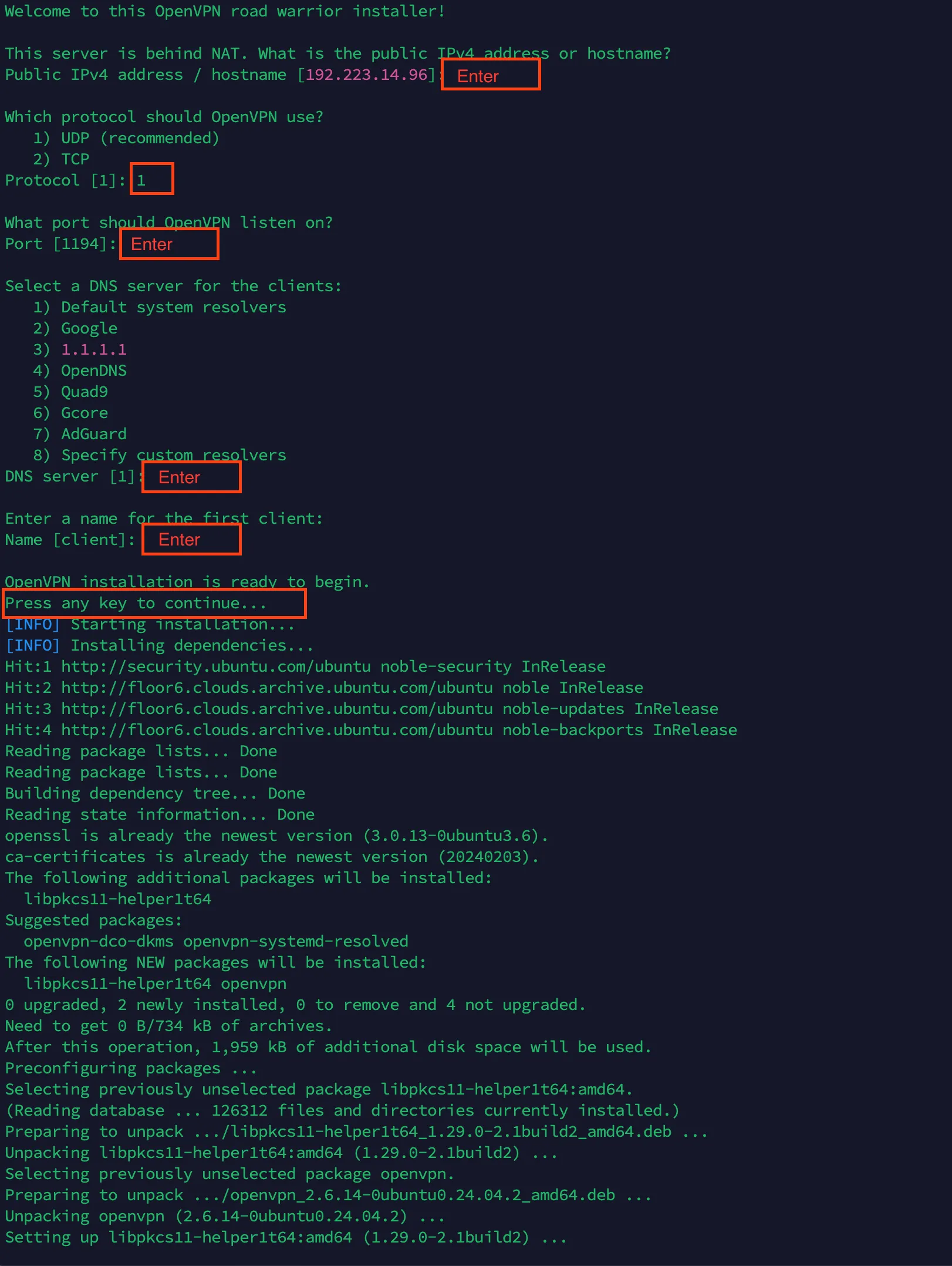
OpenVPN road warrior installer
Check to see if the service is working
sudo systemctl status openvpn-server@server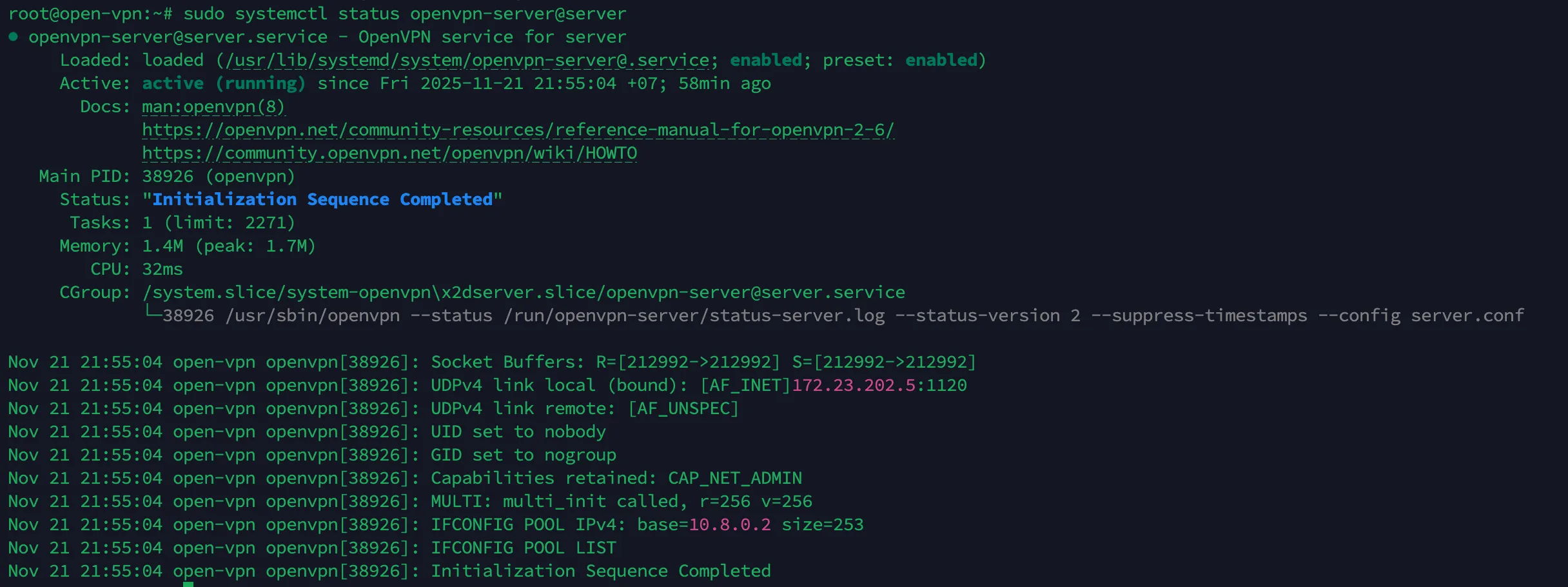
sudo systemctl status openvpn-server@server
Check to see files .ovpn where
sudo find / -iname "*.ovpn" -ls
Install Open VPN Client for the device that needs VPN access
Here I use it Macbook Pro M3 Max and connected successfully
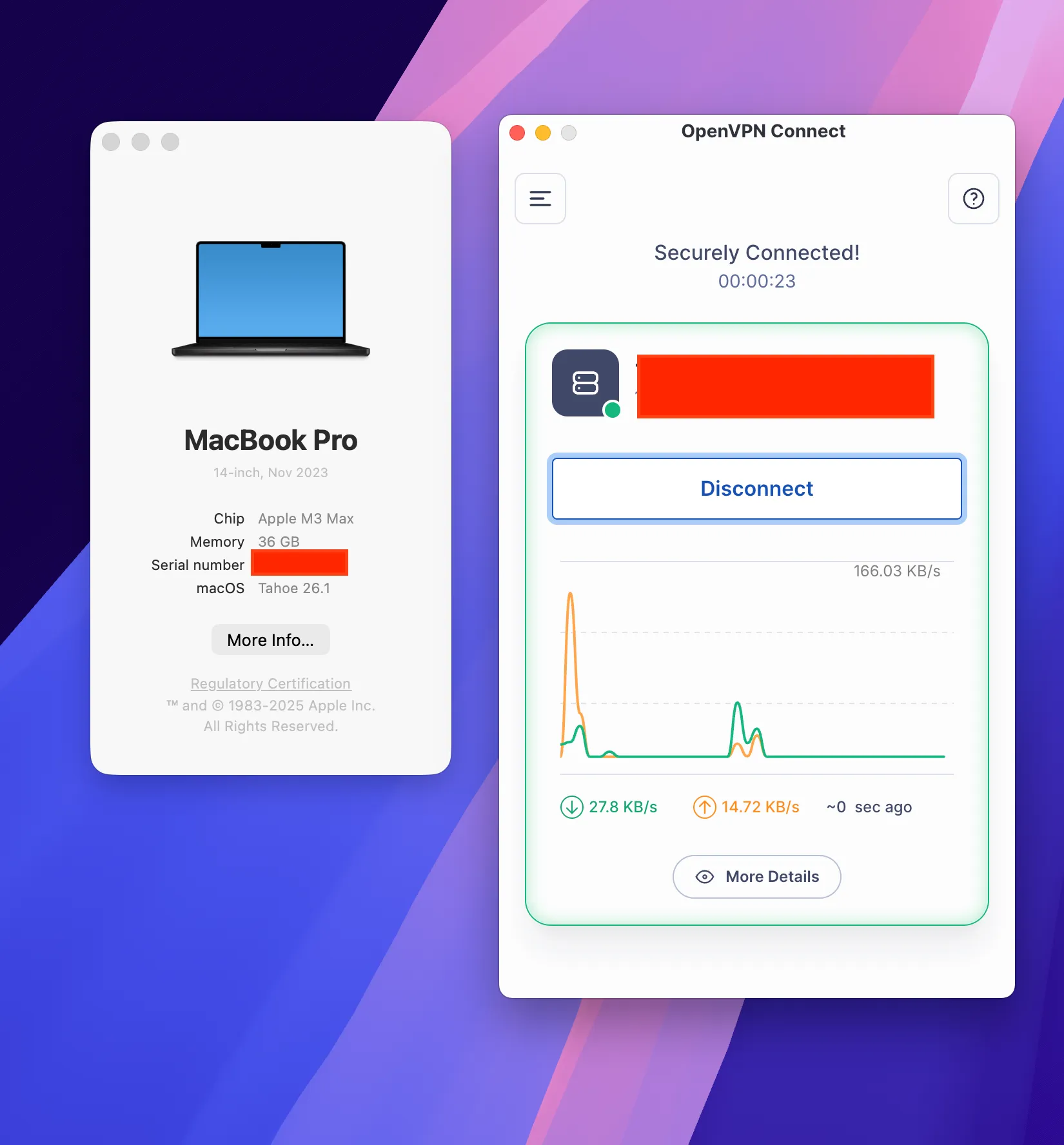
So I have successfully connected.
