Introduction
This is the final lesson — you'll build Chat with Documents from start to finish, integrating all the knowledge from the previous 13 lessons. Final product: web application that allows uploading documents → chatting for questions and answers → replying with source quotes.
Target product: Upload PDF/DOCX → self-chunk + index → Q&A chat → extract source (page, paragraph) → chat history → evaluate metrics.
1. Overview architecture
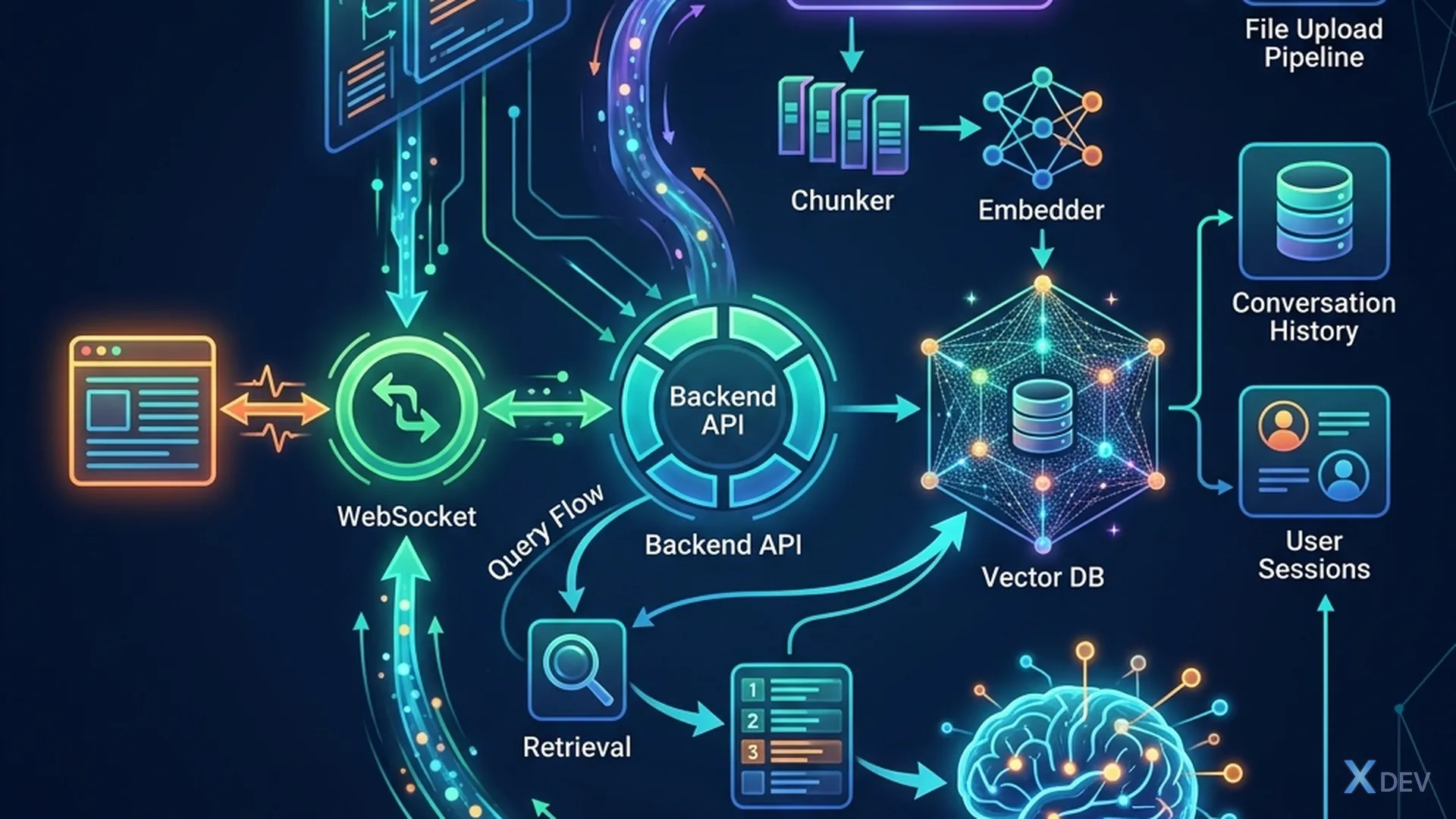
1.1 System Architecture
┌─────────────────────────────────────────────────┐
│                    Frontend                      │
│  ┌────────────┐  ┌──────────────┐  ┌──────────┐ │
│  │ Upload UI  │  │ Chat Window  │  │ Settings │ │
│  └──────┬─────┘  └──────┬───────┘  └──────────┘ │
│         │               │                        │
└─────────┼───────────────┼────────────────────────┘
          │               │
     ┌────┴────┐    ┌─────┴─────┐
     │ /upload │    │  /query   │
     └────┬────┘    └─────┬─────┘
          │               │
┌─────────┼───────────────┼────────────────────────┐
│         │          FastAPI                        │
│  ┌──────┴──────┐   ┌───┴───────────┐             │
│  │  Document   │   │  RAG Pipeline │             │
│  │  Processor  │   │               │             │
│  │ ┌─────────┐ │   │  Query        │  ┌───────┐  │
│  │ │ Loader  │ │   │  Transform    │  │ Redis │  │
│  │ │ Chunker │ │   │  → Retrieve   │  │ Cache │  │
│  │ │ Embedder│ │   │  → Rerank     │  └───────┘  │
│  │ └─────────┘ │   │  → Compress   │             │
│  └──────┬──────┘   │  → Generate   │             │
│         │          └───┬───────────┘              │
│  ┌──────┴──────┐      │                          │
│  │  Pinecone / │◄─────┘                          │
│  │  Chroma     │                                  │
│  └─────────────┘                                  │
└──────────────────────────────────────────────────┘
1.2 Tech Stack
| Components | Technology | Reason |
|---|---|---|
| Backend | FastAPI | Async, streaming, type-safe |
| LLM | GPT-4o-mini | Cost-effective, fast |
| Embeddings | text-embedding-3-small | Cheap, effective |
| Vector Store | Chroma (dev) / Pinecone (prod) | Chroma is easy to setup, Pinecone scalable |
| Cache | Redis | Semantic cache |
| Frontend | Streamlit / Next.js | Rapid prototyping → production UI |
| Monitoring | LangSmith | Tracing, evaluation |
2. Document Processing Module
2.1 Multi-format loader
"""Document processor: PDF, DOCX, TXT, MD, CSV"""
from pathlib import Path
from langchain_community.document_loaders import (
    PyPDFLoader, Docx2txtLoader, TextLoader,
    UnstructuredMarkdownLoader, CSVLoader,
)
from langchain.text_splitter import RecursiveCharacterTextSplitter
from langchain_openai import OpenAIEmbeddings

LOADERS = {
    ".pdf": PyPDFLoader,
    ".docx": Docx2txtLoader,
    ".txt": TextLoader,
    ".md": UnstructuredMarkdownLoader,
    ".csv": CSVLoader,
}

def process_document(file_path: str, collection_name: str):
    """Load → Chunk → Embed → Index"""
    ext = Path(file_path).suffix.lower()

    if ext not in LOADERS:
        raise ValueError(f"Unsupported format: {ext}")

    # 1. Load
    loader = LOADERS[ext](file_path)
    documents = loader.load()

    # 2. Add metadata
    for doc in documents:
        doc.metadata.update({
            "source": Path(file_path).name,
            "file_type": ext,
            "collection": collection_name,
        })

    # 3. Chunk (recursive, best for most cases)
    splitter = RecursiveCharacterTextSplitter(
        chunk_size=500,
        chunk_overlap=50,
        separators=["\n\n", "\n", ". ", " ", ""],
    )
    chunks = splitter.split_documents(documents)

    # 4. Index
    from langchain_community.vectorstores import Chroma
    vectorstore = Chroma.from_documents(
        chunks,
        OpenAIEmbeddings(model="text-embedding-3-small"),
        collection_name=collection_name,
        persist_directory="./chroma_db",
    )

    return {"chunks": len(chunks), "pages": len(documents)}
2.2 Upload API
"""Upload endpoint"""
from fastapi import UploadFile, File
import shutil, os

UPLOAD_DIR = "./uploads"
os.makedirs(UPLOAD_DIR, exist_ok=True)

@app.post("/upload")
async def upload_document(
    file: UploadFile = File(...),
    collection: str = "default",
):
    # Save file
    file_path = os.path.join(UPLOAD_DIR, file.filename)
    with open(file_path, "wb") as f:
        shutil.copyfileobj(file.file, f)

    # Process
    result = process_document(file_path, collection)

    return {
        "filename": file.filename,
        "chunks_created": result["chunks"],
        "pages_processed": result["pages"],
    }
3. RAG Pipeline Module
3.1 Advanced retrieval pipeline
"""Full RAG pipeline: multi-query → hybrid → rerank → compress"""
from langchain.retrievers import (
    MultiQueryRetriever,
    ContextualCompressionRetriever,
    EnsembleRetriever,
)
from langchain.retrievers.document_compressors import CrossEncoderReranker
from langchain_community.retrievers import BM25Retriever
from langchain_community.cross_encoders import HuggingFaceCrossEncoder

def create_rag_pipeline(collection_name: str):
    # Vector retriever
    vectorstore = Chroma(
        collection_name=collection_name,
        persist_directory="./chroma_db",
        embedding_function=OpenAIEmbeddings(),
    )
    vector_retriever = vectorstore.as_retriever(search_kwargs={"k": 10})

    # BM25 retriever
    all_docs = vectorstore.get()  # Lấy tất cả docs cho BM25
    from langchain.schema import Document
    bm25_docs = [Document(page_content=text) for text in all_docs["documents"]]
    bm25_retriever = BM25Retriever.from_documents(bm25_docs, k=10)

    # Hybrid (ensemble)
    hybrid_retriever = EnsembleRetriever(
        retrievers=[vector_retriever, bm25_retriever],
        weights=[0.6, 0.4],
    )

    # Multi-query
    multi_query = MultiQueryRetriever.from_llm(
        retriever=hybrid_retriever,
        llm=ChatOpenAI(model="gpt-4o-mini", temperature=0.3),
    )

    # Reranker
    reranker = CrossEncoderReranker(
        model=HuggingFaceCrossEncoder(model_name="cross-encoder/ms-marco-MiniLM-L-6-v2"),
        top_n=5,
    )

    # Final pipeline: multi-query → rerank
    final_retriever = ContextualCompressionRetriever(
        base_compressor=reranker,
        base_retriever=multi_query,
    )

    return final_retriever
3.2 Generation with citation
"""Generate answer với trích nguồn"""
def generate_answer(question: str, docs, llm):
    # Format context với source markers
    context_parts = []
    for i, doc in enumerate(docs):
        source = doc.metadata.get("source", "Unknown")
        page = doc.metadata.get("page", "?")
        context_parts.append(f"[{i+1}] (Nguồn: {source}, trang {page})\n{doc.page_content}")

    context = "\n\n".join(context_parts)

    prompt = f"""Dựa trên context sau, trả lời câu hỏi bằng tiếng Việt.
Trích nguồn [số] khi sử dụng thông tin.
Nếu không tìm thấy, nói rõ.

Context:
{context}

Câu hỏi: {question}

Trả lời (kèm trích nguồn):"""

    return llm.invoke(prompt).content
    # Output: "Nhân viên full-time được 15 ngày phép/năm [1].
    #          Nhân viên trên 5 năm được thêm 3 ngày [2]."
4. Chat History
4.1 Conversation memory
"""Lưu và sử dụng chat history"""
from collections import defaultdict

# In-memory history (production: dùng Redis hoặc DB)
chat_histories = defaultdict(list)

def query_with_history(question: str, session_id: str, retriever, llm):
    history = chat_histories[session_id]

    # Contextualize: kết hợp history + question mới
    if history:
        history_text = "\n".join([
            f"User: {h['question']}\nAI: {h['answer']}"
            for h in history[-3:]  # 3 tin nhắn gần nhất
        ])
        contextualized_q = llm.invoke(
            f"Lịch sử chat:\n{history_text}\n\n"
            f"Câu hỏi mới: {question}\n\n"
            f"Viết lại câu hỏi mới sao cho đầy đủ ngữ cảnh (standalone):"
        ).content
    else:
        contextualized_q = question

    # Retrieve + Generate
    docs = retriever.invoke(contextualized_q)
    answer = generate_answer(contextualized_q, docs, llm)

    # Save to history
    chat_histories[session_id].append({
        "question": question,
        "answer": answer,
    })

    return answer
5. Frontend (Streamlit)
5.1 Chat UI
"""Streamlit chat UI"""
import streamlit as st
import requests

st.title("💬 Chat with Documents")

# Sidebar: upload
with st.sidebar:
    st.header("📄 Upload Documents")
    uploaded = st.file_uploader("Chọn file", type=["pdf", "docx", "txt"])
    if uploaded and st.button("Upload & Index"):
        files = {"file": (uploaded.name, uploaded.getvalue())}
        resp = requests.post("http://localhost:8000/upload", files=files)
        st.success(f"Đã index {resp.json()['chunks_created']} chunks!")

# Chat interface
if "messages" not in st.session_state:
    st.session_state.messages = []

for msg in st.session_state.messages:
    with st.chat_message(msg["role"]):
        st.write(msg["content"])

if prompt := st.chat_input("Hỏi gì về tài liệu?"):
    st.session_state.messages.append({"role": "user", "content": prompt})

    with st.chat_message("assistant"):
        resp = requests.post("http://localhost:8000/query",
            json={"question": prompt})
        data = resp.json()
        st.write(data["answer"])

        with st.expander("📎 Nguồn tham khảo"):
            for src in data["sources"]:
                st.write(f"- {src['source']}: {src['content'][:150]}...")

    st.session_state.messages.append({"role": "assistant", "content": data["answer"]})
6. Evaluation & Testing
6.1 Create golden test set for project
"""Golden test set cho capstone project"""
golden_test = [
    {
        "question": "Nghỉ phép bao nhiêu ngày?",
        "ground_truth": "15 ngày cho full-time, 8 ngày cho part-time",
        "category": "simple",
    },
    {
        "question": "So sánh chính sách nghỉ phép với luật lao động",
        "ground_truth": "Công ty cho 15 ngày, cao hơn luật quy định 12 ngày",
        "category": "reasoning",
    },
    # ... 48 câu nữa
]
Summary
| Modules | Applied knowledge |
|---|---|
| Document Processing | Lesson 3-5: Loaders, Chunking |
| Metadata & Index | Lesson 6: Metadata, Hybrid Search |
| Query Transform | Lesson 7: Multi-Query, HyDE |
| Retrieval | Lesson 8: Reranking, Compression |
| Advanced | Lesson 9-11: Graph, Multimodal, Agentic |
| Evaluation | Lesson 12: RAGAS, Golden Test |
| Production | Lesson 13: API, Cache, Monitoring |
Capstone exercises
Mandatory requirements:
- Upload: Supports at least 3 formats (PDF, DOCX, TXT)
- Chunking: RecursiveCharacterTextSplitter + metadata
- Search: Hybrid search (vector + BM25) + reranking
- Chat: Streaming response + chat history
- Citation: Citation source file + page number
Enhancement requirements (bonus):
- Multimodal: Extract tables/images from PDF
- Semantic Cache: Redis semantic cache
- Guardrails: Input/output validation
- Evaluation: RAGAS metrics > 0.8 on golden test of 20 questions
- Deploy: Docker Compose (API + Redis + Chroma + Streamlit)
Rating:
| Criteria | Weight |
|---|---|
| Functions properly | 40% |
| Code quality | 20% |
| RAG quality (RAGAS metrics) | 25% |
| UI/UX | 15% |
Congratulations! You have completed the series "RAG Real Combat: From Basic to Advanced". Continue practicing and building RAG products for real use cases!