Introduction
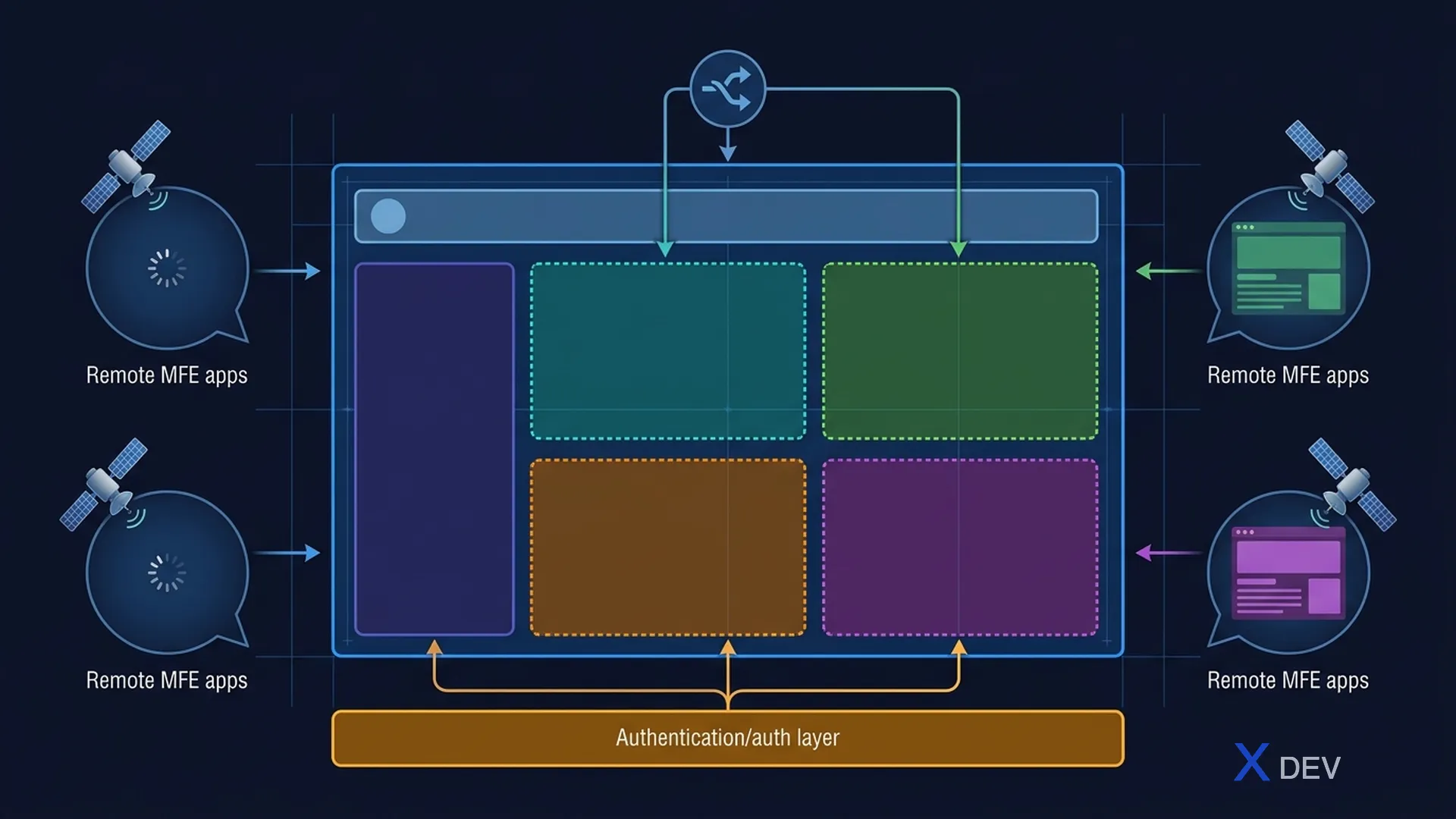
Shell Application (Container App) is the coordinating brain of the entire Micro Frontend. It determines layout, routing, authentication, and how MFEs communicate with each other.
1. Shell Application Responsibilities
Shell Application:
├── Layout Management (Header, Footer, Sidebar)
├── Routing Orchestration (top-level routes → MFE)
├── Authentication (Login/Logout, token management)
├── Shared Services (Event Bus, Error Boundary)
└── Performance (Lazy loading, prefetching)
2. Routing Architecture
2.1 Route Ownership
Each MFE owns its routes, the shell only delegates:
function ShellRoutes() {
  return (
    <Routes>
      <Route path="/" element={<HomePage />} />
      <Route path="/products/*" element={
        <MFELoader name="product" module="./ProductRoutes" />
      } />
      <Route path="/cart/*" element={
        <MFELoader name="cart" module="./CartRoutes" />
      } />
      <Route path="/orders/*" element={
        <MFELoader name="order" module="./OrderRoutes" />
      } />
      <Route path="*" element={<NotFound />} />
    </Routes>
  );
}
2.2 MFE Internal Routes
// Product MFE - own routes
function ProductRoutes() {
  return (
    <Routes>
      <Route index element={<ProductList />} />
      <Route path=":id" element={<ProductDetail />} />
      <Route path="category/:slug" element={<CategoryPage />} />
    </Routes>
  );
}
3. Layout Architecture
┌─────────────────────────────────────────────┐
│ Shell App                                   │
│ ┌─────────────────────────────────────────┐ │
│ │ Header (Shell-owned)                    │ │
│ │ Logo │ Nav │ Search │ Cart │ User │     │ │
│ ├─────┬───────────────────────────────────┤ │
│ │Side │  ┌─────────────────────────────┐  │ │
│ │bar  │  │  MFE Content Area           │  │ │
│ │     │  │  (dynamic, loaded by route) │  │ │
│ │     │  └─────────────────────────────┘  │ │
│ ├─────┴───────────────────────────────────┤ │
│ │ Footer (Shell-owned)                    │ │
│ └─────────────────────────────────────────┘ │
└─────────────────────────────────────────────┘
Shell management: Header, Footer, Sidebar, Loading, Error boundaries MFE manages: Content area, Internal routing, Local state
4. Authentication Integration
Shell handles login → broadcasts auth state to MFEs:

Shell App ──login──► Keycloak (OIDC)
Shell App ◄──tokens── Keycloak
Shell App ═══broadcast══► MFE A (useAuth())
Shell App ═══broadcast══► MFE B (useAuth())
function Shell() {
  const auth = useKeycloakAuth();
  return (
    <AuthContext.Provider value={auth}>
      <Header user={auth.user} />
      <Suspense fallback={<Loading />}>
        <Outlet />
      </Suspense>
    </AuthContext.Provider>
  );
}
5. Performance Strategies
5.1 Lazy Loading + Prefetch
function NavLink({ to, mfeName, children }) {
  const handleMouseEnter = () => {
    import(/* webpackPrefetch: true */ `${mfeName}/Routes`);
  };
  return <Link to={to} onMouseEnter={handleMouseEnter}>{children}</Link>;
}
5.2 Performance Budget
Per MFE limits:
├── JavaScript: max 250KB gzipped
├── CSS: max 50KB gzipped
├── First Contentful Paint: < 1.5s
├── Time to Interactive: < 3s
└── Lighthouse Score: > 80
Summary
- Shell = orchestrator — owns layout, routing, auth
- Each MFE owns content area and internal routes
- Auth handled by Shell, broadcast to MFEs
- Shell must be thin — does not contain business logic
Next article: Lesson 14: Cross-MFE State Management & Communication