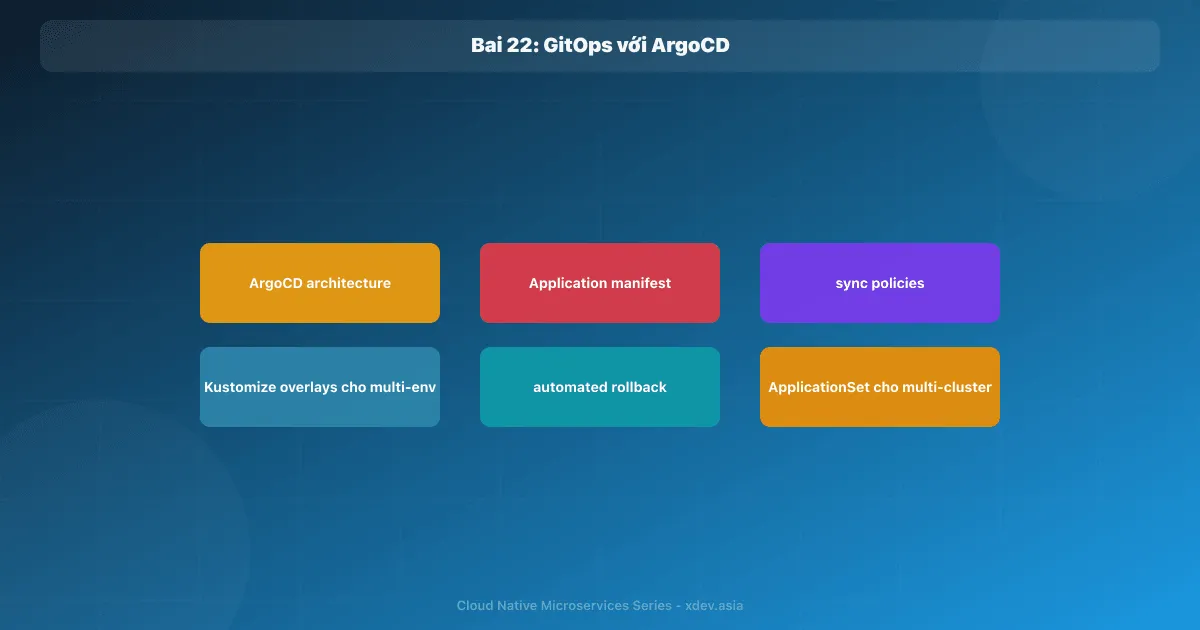
はじめに
従来の CI/CD では、デプロイ スクリプトが実行されます。 kubectl apply クラスターに直接接続します。誰が何を運営しているのですか?クラスターは現在どのような状態にありますか?ロールバックするにはどうすればよいですか?
GitOps はこのモデルを逆転させます。Git はクラスター状態の信頼できる情報源です。オペレーター (ArgoCD) は、クラスターを Git で宣言された正しい状態に継続的に同期します。
1. GitOps の原則
1.1 基本原則
1. DECLARATIVE
   Toàn bộ trạng thái hệ thống được khai báo trong Git
   (YAML manifests, Helm values, Kustomize overlays)

2. VERSIONED & IMMUTABLE
   Git history = audit log đầy đủ của mọi thay đổi
   "Ai thay đổi gì, lúc nào, tại sao" (commit message, PR)

3. PULLED AUTOMATICALLY
   Agent (ArgoCD/Flux) pull từ Git và apply
   Không có CI push thẳng vào cluster (không cần cluster credentials trong CI)

4. CONTINUOUSLY RECONCILED
   Agent liên tục compare desired state (Git) với actual state (cluster)
   Tự động "heal" nếu ai đó thay đổi trực tiếp trên cluster
1.2 GitOps が「CI での kubectl apply」よりも優れているのはなぜですか?
| 従来の CI プッシュ | GitOps (ArgoCD) | |
|---|---|---|
| 資格情報 | CI にはクラスターの資格情報が必要です。 ArgoCD のみが必要で、CI は不要 | |
| 監査証跡 | CI ログ (紛失しやすい) | Git 履歴 (永続) |
| ロールバック | 古いバージョンで CI を再実行する | git revert → 自動展開 |
| ドリフト検出 | いいえ | 自動的に検出して修正します |
| マルチクラスター | 複雑な | ApplicationSet がそれを処理します。 |
| レビュープロセス | アドホック スクリプト | プルリクエストのワークフロー |
2. ArgoCD アーキテクチャ
┌─────────────────────────────────────────────────────────────────┐
│                        ArgoCD                                   │
│                                                                 │
│  ┌──────────────┐  ┌──────────────┐  ┌───────────────────────┐ │
│  │  API Server  │  │  Repo Server │  │  Application          │ │
│  │  (REST+gRPC) │  │  (Git clone, │  │  Controller           │ │
│  │  CLI/UI/CD   │  │   render     │  │  (reconcile loop)     │ │
│  └──────┬───────┘  │   manifests) │  └──────────┬────────────┘ │
│         │          └──────────────┘             │              │
│  ┌──────▼─────────────────────────────────────┐ │              │
│  │              Redis Cache                   │ │              │
│  └─────────────────────────────────────────────┘ │              │
└──────────────────────────────────────────────────┼──────────────┘
                                                   │
                                    ┌──────────────▼──────┐
                        Pull │      │    Kubernetes       │
                        from │      │    Cluster          │
                        Git  │      └─────────────────────┘
                             ▼
                    ┌──────────────────┐
                    │  Git Repository  │
                    │  (k8s-manifests) │
                    └──────────────────┘
リポ サーバー: Git リポジトリのクローンを作成し、マニフェストをレンダリングします (Helm/KusTOMize/プレーン YAML)
アプリケーション コントローラー: 望ましい状態 (Git) とライブ状態 (クラスター) を比較し、同期アクションを作成します。
API サーバー: UI、CLI、CI/CD Webhook 用の REST API
3. ArgoCD をインストールする
kubectl create namespace argocd

kubectl apply -n argocd \
  -f https://raw.githubusercontent.com/argoproj/argo-cd/stable/manifests/install.yaml

# Lấy initial admin password
kubectl -n argocd get secret argocd-initial-admin-secret \
  -o jsonpath="{.data.password}" | base64 -d

# Port-forward UI
kubectl port-forward svc/argocd-server -n argocd 8080:443

# Cài ArgoCD CLI
brew install argocd
argocd login localhost:8080
4. アプリケーションマニフェスト
4.1 アプリケーション CRD
# order-service-app.yaml
apiVersion: argoproj.io/v1alpha1
kind: Application
metadata:
  name: order-service-prod
  namespace: argocd
  # Đừng xóa khi app bị xóa (cascade protection)
  finalizers:
    - resources-finalizer.argocd.argoproj.io
spec:
  project: backend-services

  source:
    repoURL: https://github.com/myorg/k8s-manifests.git
    targetRevision: main
    # Thư mục trong repo
    path: services/order-service/overlays/production

  destination:
    server: https://kubernetes.default.svc
    namespace: services-prod

  syncPolicy:
    # Tự động sync khi Git thay đổi
    automated:
      prune: true       # Xóa resources không còn trong Git
      selfHeal: true    # Tự fix nếu ai kubectl edit trực tiếp
      allowEmpty: false # Không sync nếu manifest rỗng (safety)

    syncOptions:
      - CreateNamespace=true
      - PrunePropagationPolicy=foreground
      - RespectIgnoreDifferences=true

    # Retry nếu sync fail
    retry:
      limit: 5
      backoff:
        duration: 5s
        factor: 2
        maxDuration: 3m

  # Bỏ qua một số fields khi so sánh (thường do auto-scaling thay đổi)
  ignoreDifferences:
    - group: apps
      kind: Deployment
      jsonPointers:
        - /spec/replicas   # HPA manage replicas, bỏ qua drift này
4.2 ArgoCD プロジェクト — 権限管理
apiVersion: argoproj.io/v1alpha1
kind: AppProject
metadata:
  name: backend-services
  namespace: argocd
spec:
  description: "Backend microservices"

  # Chỉ cho phép source từ các repos này
  sourceRepos:
    - 'https://github.com/myorg/k8s-manifests.git'

  # Chỉ deploy vào namespace này
  destinations:
    - namespace: services-prod
      server: https://kubernetes.default.svc
    - namespace: services-staging
      server: https://kubernetes.default.svc

  # Chỉ allow các resource kinds này
  clusterResourceWhitelist:
    - group: ''
      kind: Namespace

  namespaceResourceWhitelist:
    - group: 'apps'
      kind: Deployment
    - group: ''
      kind: Service
    - group: autoscaling
      kind: HorizontalPodAutoscaler
    # Không cho phép ClusterRole, CRD, etc.

  roles:
    - name: developer
      description: Deploy access for developers
      policies:
        - p, proj:backend-services:developer, applications, sync, backend-services/*, allow
        - p, proj:backend-services:developer, applications, get, backend-services/*, allow
      groups:
        - github:myorg:backend-team
5. カスタマイズ — マルチ環境構成
5.1 ディレクトリ構造
k8s-manifests/
services/
  order-service/
    base/                          ← Shared manifests
      deployment.yaml
      service.yaml
      hpa.yaml
      kustomization.yaml
    overlays/
      staging/                     ← Staging overrides
        kustomization.yaml
        replica-patch.yaml
        env-patch.yaml
      production/                  ← Production overrides
        kustomization.yaml
        replica-patch.yaml
        env-patch.yaml
        resource-limits-patch.yaml
5.2 基本マニフェスト
# base/kustomization.yaml
apiVersion: kustomize.config.k8s.io/v1beta1
kind: Kustomization

resources:
  - deployment.yaml
  - service.yaml
  - hpa.yaml

commonLabels:
  app: order-service
  managed-by: argocd
# base/deployment.yaml
apiVersion: apps/v1
kind: Deployment
metadata:
  name: order-service
spec:
  replicas: 1     ← Base, override per environment
  template:
    spec:
      containers:
        - name: order-service
          image: registry.example.com/order-service:latest   ← CI sẽ update tag này
          resources:
            requests:
              cpu: "250m"
              memory: "512Mi"
            limits:
              cpu: "500m"
              memory: "1Gi"
5.3 ステージングオーバーレイ
# overlays/staging/kustomization.yaml
apiVersion: kustomize.config.k8s.io/v1beta1
kind: Kustomization

namePrefix: staging-
namespace: services-staging

bases:
  - ../../base

patches:
  - path: replica-patch.yaml
  - path: env-patch.yaml

images:
  - name: registry.example.com/order-service
    newTag: sha-abc1234   ← CI cập nhật field này
# overlays/staging/replica-patch.yaml
apiVersion: apps/v1
kind: Deployment
metadata:
  name: order-service
spec:
  replicas: 2
# overlays/staging/env-patch.yaml
apiVersion: apps/v1
kind: Deployment
metadata:
  name: order-service
spec:
  template:
    spec:
      containers:
        - name: order-service
          env:
            - name: ENVIRONMENT
              value: staging
            - name: LOG_LEVEL
              value: DEBUG
            - name: DB_HOST
              valueFrom:
                secretKeyRef:
                  name: order-db-staging
                  key: host
5.4 プロダクションオーバーレイ
# overlays/production/kustomization.yaml
apiVersion: kustomize.config.k8s.io/v1beta1
kind: Kustomization

namespace: services-prod

bases:
  - ../../base

patches:
  - path: replica-patch.yaml
  - path: resource-limits-patch.yaml
  - path: env-patch.yaml

images:
  - name: registry.example.com/order-service
    newTag: 1.2.3   ← Semantic version cho production
# overlays/production/replica-patch.yaml
apiVersion: apps/v1
kind: Deployment
metadata:
  name: order-service
spec:
  replicas: 5   ← Production needs more replicas
6. CI 更新イメージ タグ (GitOps フロー)
# Trong CI pipeline (GitHub Actions)
- name: Update image tag in GitOps repo
  run: |
    # Clone manifest repo
    git clone https://x-access-token:${{ secrets.GITOPS_TOKEN }}@github.com/myorg/k8s-manifests.git
    cd k8s-manifests

    # Update image tag cho staging
    cd services/order-service/overlays/staging
    kustomize edit set image registry.example.com/order-service:sha-${{ github.sha }}

    # Commit và push
    git config user.email "[email protected]"
    git config user.name "CI Bot"
    git add .
    git commit -m "chore(order-service): deploy sha-${{ github.sha }} to staging

    Triggered by: https://github.com/${{ github.repository }}/actions/runs/${{ github.run_id }}"
    git push

    # ArgoCD sẽ auto-detect và deploy
本番環境へのプロモート (手動ステップ):
- name: Promote to production (manual approval required)
  environment: production   # GitHub Environment với required reviewers
  run: |
    cd k8s-manifests/services/order-service/overlays/production
    kustomize edit set image registry.example.com/order-service:${{ needs.build.outputs.version }}
    git add . && git commit -m "chore: promote order-service ${{ needs.build.outputs.version }} to prod"
    git push
7. ApplicationSet — マルチクラスター、マルチテナント
# Tự động tạo Application cho mỗi cluster/env combination
apiVersion: argoproj.io/v1alpha1
kind: ApplicationSet
metadata:
  name: order-service
  namespace: argocd
spec:
  generators:
    - matrix:
        generators:
          - list:
              elements:
                - cluster: staging
                  url: https://staging-cluster:6443
                  namespace: services-staging
                - cluster: prod-us
                  url: https://prod-us-cluster:6443
                  namespace: services-prod
                - cluster: prod-eu
                  url: https://prod-eu-cluster:6443
                  namespace: services-prod
          - list:
              elements:
                - service: order-service
                - service: payment-service
                - service: inventory-service

  template:
    metadata:
      name: '{{service}}-{{cluster}}'
    spec:
      project: backend-services
      source:
        repoURL: https://github.com/myorg/k8s-manifests.git
        targetRevision: main
        path: 'services/{{service}}/overlays/{{cluster}}'
      destination:
        server: '{{url}}'
        namespace: '{{namespace}}'
      syncPolicy:
        automated:
          prune: true
          selfHeal: true
8. ロールバック
GitOps は視覚的なロールバックを行います。
# Option 1: git revert (recommended — tạo revert commit, không rewrite history)
git revert abc1234 --no-edit
git push
# ArgoCD auto-deploys revert commit

# Option 2: ArgoCD UI — click "History and Rollback" → chọn revision cũ → sync

# Option 3: ArgoCD CLI
argocd app history order-service-prod
argocd app rollback order-service-prod 5  # Rollback về revision 5
概要
| コンセプト | 目的 |
|---|---|
| GitOps | Git = クラスター状態の信頼できる情報源 |
| ArgoCD アプリケーション | 「アプリ X = Git パス Y のコード、名前空間 Z にデプロイ」を宣言します。 |
| 自動同期 | ArgoCD は、Git が変更されるたびに自動的に同期します。 |
| セルフヒール | クラスター上の手動による変更を自動的に元に戻す |
| オーバーレイをカスタマイズする | マニフェストを重複せずに環境ごとにカスタマイズする |
| アプリケーションセット | 同じアプリを複数のクラスター/環境にデプロイする |
| Git を元に戻す = ロールバック | 監査証跡付きの安全なロールバック |
次の記事: 導入戦略 — カナリア、ブルー/グリーン、プログレッシブ デリバリー