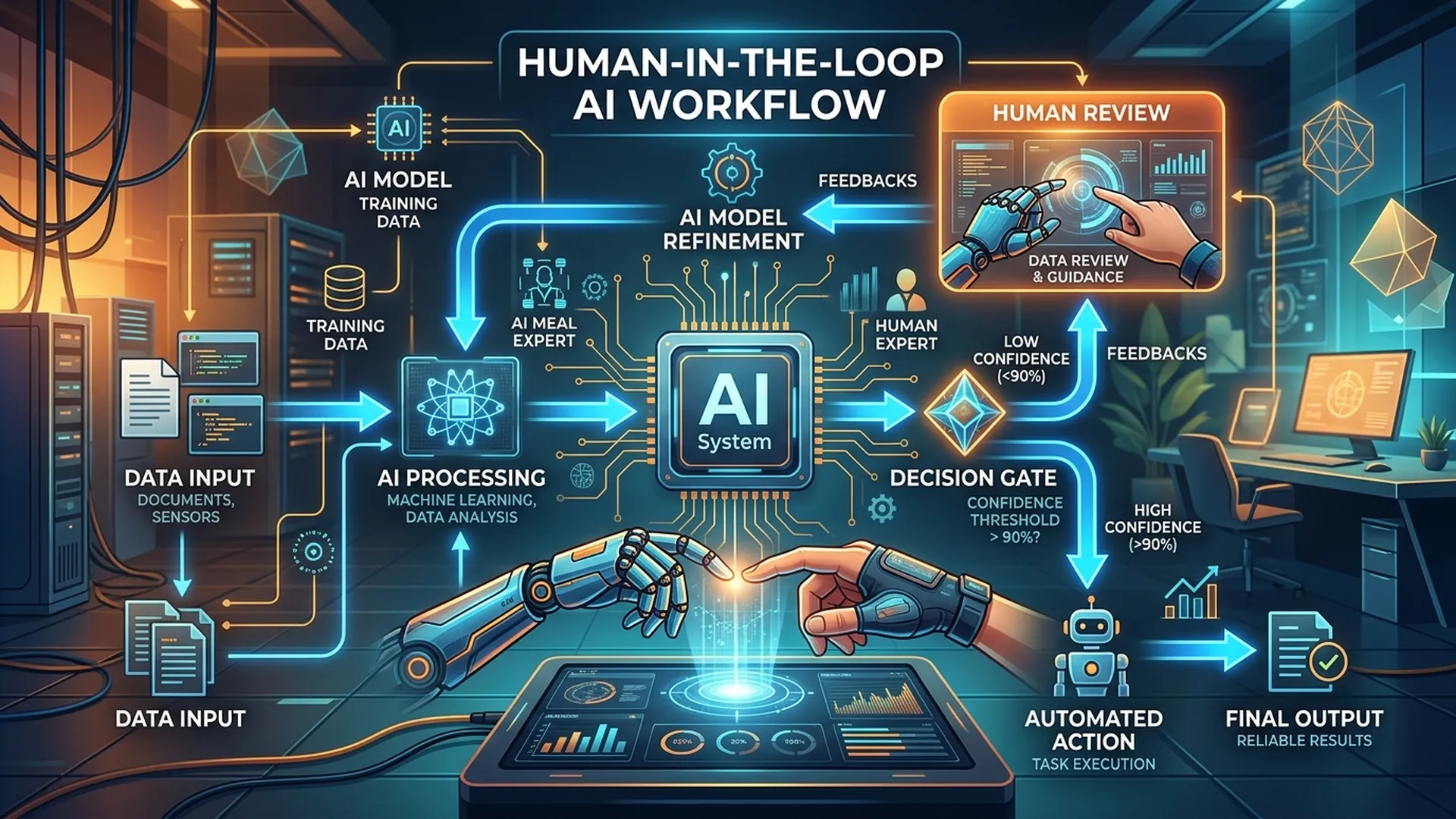
No AI is perfect. The question is not "when AI is wrong" but "when AI is wrong, how does the system respond and who is accountable?" That is the HITL (Human-in-the-loop) design problem BA must solve.
1. What Is HITL and Why It Matters
Human-in-the-loop is a design pattern where humans participate at specific AI decision points instead of full automation.
3 reasons HITL is required:
- Confidence gap -> AI is not confident enough for autonomous decisions
- High-stakes decision -> Errors are too costly (healthcare, finance, legal)
- Regulatory requirement -> Some sectors require mandatory human review (GDPR Article 22)
2. Escalation Trigger Design
2.1 Trigger Types
| Trigger Type | Example | Escalate To |
|---|---|---|
| Confidence threshold | Score < 0.80 | Standard review queue |
| Sensitive category | Input contains sensitive terms | Senior reviewer |
| High-value transaction | Amount > 50 million | Manager approval |
| New entity | First-time customer/case | Manual onboarding flow |
| Model uncertainty flag | AI self-reports "not sure" | Specialist team |
| Time constraint | SLA near breach | Urgent queue |
2.2 Threshold Calibration
BA should not set thresholds alone; calibrate with stakeholders:
Questions to ask:
1. "If AI is wrong in 1 out of 10 cases, is that acceptable to the business?"
   -> Threshold >= 0.9

2. "What is the cost of false negative (missed issue)?"
   -> If high -> raise threshold, accept more escalations

3. "How many cases/day can review agents handle?"
   -> Capacity feeds back into threshold setting
3. Escalation Flow Template
[AI Processing Complete]
         ↓
[Check Trigger Conditions]
    ↙         ↘
No trigger   Trigger detected
    ↓              ↓
[Auto Action]  [Determine Escalation Level]
               ├── Level 1: Standard Queue (SLA: 4h)
               ├── Level 2: Priority Queue (SLA: 1h)
               └── Level 3: Immediate Alert (SLA: 15min)
                        ↓
               [Route to Appropriate Reviewer]
               (by skill, availability, or round-robin)
                        ↓
               [Agent Review Interface]
               ├── View AI recommendation + confidence
               ├── View original input/context
               ├── Action: Approve / Reject / Edit / Escalate
               └── Mandatory: Comment (if reject/edit)
                        ↓
               [Record Decision + Override Reason]
                        ↓
               [Feedback to Model (if applicable)]
4. Agent Review Interface Requirements
BA should specify clear UI requirements for agent review:
## Agent Review Screen — AC

### Must Show:
- [ ] Full original input/request (no truncation)
- [ ] AI recommendation with confidence score
- [ ] AI explanation (if XAI available)
- [ ] Relevant context (customer history, similar cases)
- [ ] SLA countdown (time remaining before deadline)

### Actions Required:
- [ ] Approve (1-click with optional comment)
- [ ] Reject with mandatory reason (dropdown + free text)
- [ ] Edit AI output and submit corrected result
- [ ] Escalate to higher level with reason

### Audit Trail (auto-captured):
- [ ] Agent ID + timestamp
- [ ] Action taken
- [ ] Comment/reason
- [ ] Time spent on review (start -> submit)
5. SLA & Capacity Planning
BA should estimate workload and define SLA:
SLA Matrix
| Escalation Level | Trigger | SLA | Breach Action |
|---|---|---|---|
| Standard | Confidence 0.7-0.8 | 4 business hours | Auto-escalate to Level 2 |
| Priority | Confidence < 0.7 or high-value | 1 hour | Alert supervisor |
| Critical | Safety flag or regulatory | 15 minutes | Page on-call |
Capacity Formula
Daily escalation volume = Total requests x Escalation rate
Agent capacity needed = Daily escalation volume ÷ (cases/agent/day)

Example:
- 1000 requests/day x 15% escalation rate = 150 cases
- Agent handles 30 cases/day
- Need minimum 5 agents (+20% buffer = 6 agents)
6. Feedback Loop Design
Escalation is not an endpoint; it must feed a learning loop:
| Decision | How feedback is used |
|---|---|
| Agent approves AI recommendation | Positive signal, reinforce model behavior |
| Agent overrides AI output | Negative signal + corrected label |
| Agent escalates to higher level | Flag for retraining data collection |
| Multiple overrides in same category | Trigger model review/retraining |
BA must specify: feedback frequency, labeling process, and retraining ownership.
Conclusion
Strong HITL design allows earlier AI release at lower thresholds because humans provide a safety net. Poor HITL design leads to agent burnout, SLA breaches, and eventually disabling the AI feature due to low trust.
BA is the architect of balance between AI autonomy and human oversight.