1. From RAG Pipeline to RAG Agent
1.1. Limitations of Static RAG
Lesson 7 built a static RAG pipeline — retrieve K docs → stuff into prompt → LLM answers. This pipeline works well for simple questions, but has three serious limitations:
- No reasoning — the pipeline always retrieves then generates; it doesn't know "should I retrieve?" or "do I need additional steps?"
- No tool use — only one data source (vector store). Cannot call APIs, perform calculations, or do web searches.
- Single retrieval — retrieves exactly once. If results are insufficient → cannot re-retrieve with a different query.
- No memory — each question is processed independently. Cannot remember context from previous questions.
1.2. RAG Agent — Retrieval as a Tool
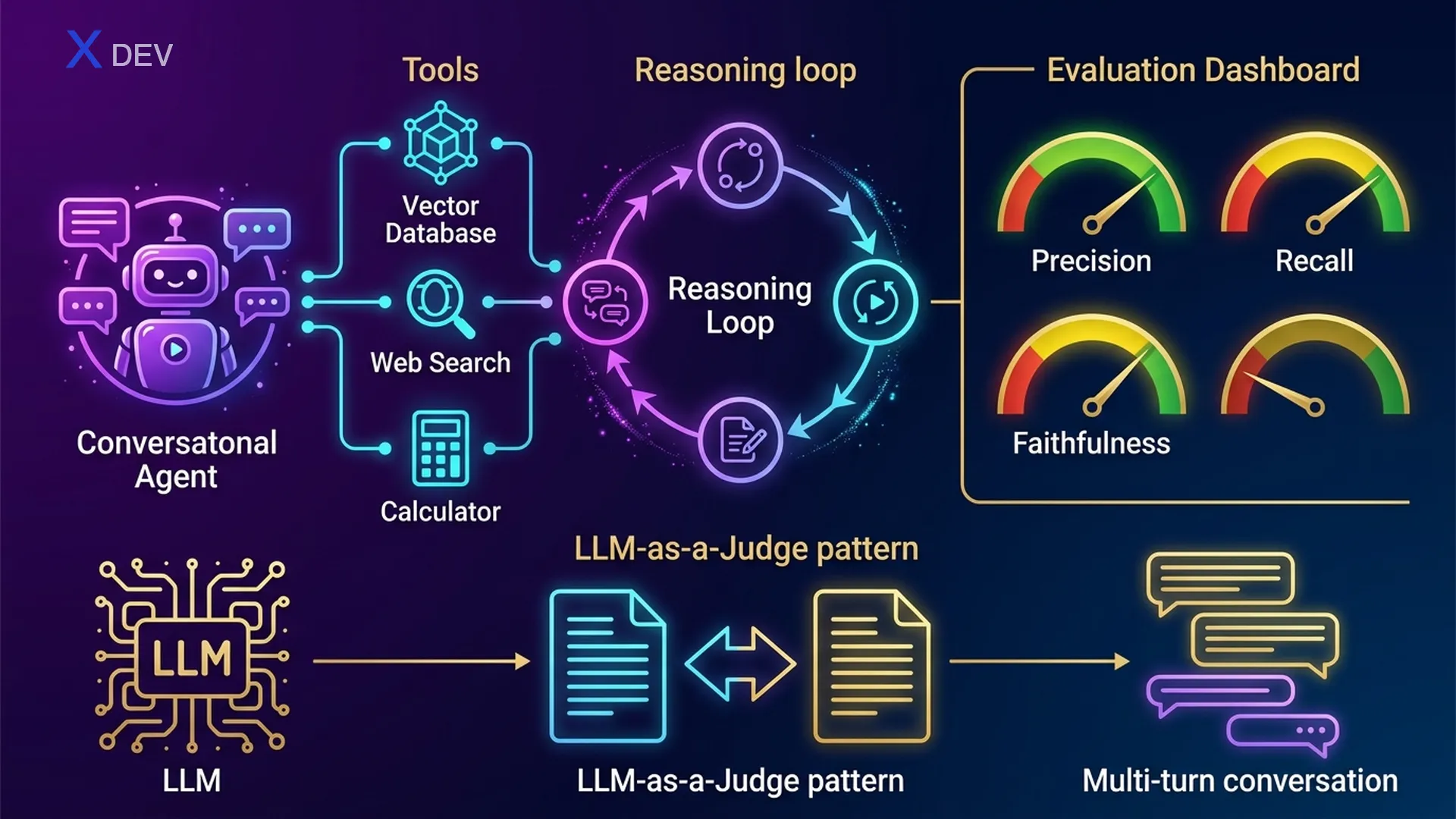
RAG Agent upgrades static RAG by turning retrieval into one of many tools the LLM can choose to use. The agent can:
- Decide WHEN to retrieve — if it already knows the answer → no need to retrieve
- Choose WHAT tool — retriever for internal documents, web search for news, calculator for math
- Iterative reasoning — retrieve → realize info is missing → re-retrieve with a different query
- Synthesize from multiple sources — combine results from multiple tools
1.3. ReAct Pattern — Thought → Action → Observation
ReAct (Reasoning + Acting) is the most popular pattern for LLM agents. The LLM performs a loop: think (Thought) → choose an action (Action) → observe the result (Observation) → repeat until it has a Final Answer.
ReAct Agent Loop — RAG Agent Decision Flow
══════════════════════════════════════════════════════════════════

  User: "Compare Q3 company revenue with industry average"
       │
       ▼
  ┌─────────────────────────────────────────────────────────┐
  │  THOUGHT: Need 2 pieces of info — internal revenue +   │
  │           industry average                              │
  │  ACTION:  retriever_tool("Q3 company revenue")          │
  └────────────────────────┬────────────────────────────────┘
                           │
                           ▼
  ┌─────────────────────────────────────────────────────────┐
  │  OBSERVATION: "Q3 revenue: 150 billion VND"             │
  │  THOUGHT: Have internal revenue. Need industry avg →    │
  │           web search                                    │
  │  ACTION:  web_search_tool("average revenue Q3 2025      │
  │           tech industry Vietnam")                        │
  └────────────────────────┬────────────────────────────────┘
                           │
                           ▼
  ┌─────────────────────────────────────────────────────────┐
  │  OBSERVATION: "VN tech industry avg Q3: 120 billion"    │
  │  THOUGHT: Have enough data. Need to compare → calculate │
  │  ACTION:  calculator_tool("(150 - 120) / 120 * 100")   │
  └────────────────────────┬────────────────────────────────┘
                           │
                           ▼
  ┌─────────────────────────────────────────────────────────┐
  │  OBSERVATION: "25.0"                                    │
  │  THOUGHT: Have all data. Synthesize the answer.         │
  │  FINAL ANSWER: "Company Q3 revenue (150B) is 25% higher│
  │   than industry average (120B)."                        │
  └─────────────────────────────────────────────────────────┘
Exam tip: "LLM autonomously decides when to retrieve, when to use other tools" → the answer is Agent (not static RAG chain). "Which pattern allows LLM to reason + act iteratively?" → ReAct. Key distinction: Chain = fixed sequence, Agent = dynamic decision.
| Feature | Static RAG Chain | RAG Agent |
|---|---|---|
| Execution flow | Fixed: Retrieve → Generate | Dynamic: LLM decides each step |
| Tools | 1 retriever only | Multiple: retriever, search, calc, API... |
| Reasoning | None — always retrieves | ReAct loop: Thought → Action → Observation |
| Multi-step | Single retrieval | Can retrieve multiple times with different queries |
| Memory | Stateless | Can maintain conversation history |
| Complexity | Simple, predictable | Powerful but harder to debug |
| Latency | Low (1 LLM call) | Higher (multiple LLM calls) |
| Use case | Simple Q&A over docs | Complex tasks needing multiple sources |
2. Build a RAG Agent with LangChain
2.1. Define Tools
First step: define the tools the agent can use. Each tool has a name, description (the LLM reads descriptions to decide which tool to use), and a function.
from langchain_nvidia_ai_endpoints import ChatNVIDIA, NVIDIAEmbeddings
from langchain_community.vectorstores import FAISS
from langchain.text_splitter import RecursiveCharacterTextSplitter
from langchain_community.document_loaders import PyPDFLoader
from langchain.tools.retriever import create_retriever_tool
from langchain_community.tools.tavily_search import TavilySearchResults
from langchain_core.tools import tool

# === Tool 1: Document Retriever ===
loader = PyPDFLoader("company_docs.pdf")
docs = loader.load()
splitter = RecursiveCharacterTextSplitter(chunk_size=500, chunk_overlap=50)
chunks = splitter.split_documents(docs)
embeddings = NVIDIAEmbeddings(model="NV-Embed-QA")
vectorstore = FAISS.from_documents(chunks, embeddings)
retriever = vectorstore.as_retriever(search_kwargs={"k": 4})

retriever_tool = create_retriever_tool(
    retriever,
    name="company_docs_search",
    description="Search for information in internal company documents. "
                "Use when the user asks about policies, processes, or HR matters."
)

# === Tool 2: Web Search ===
web_search_tool = TavilySearchResults(
    max_results=3,
    description="Search for information on the internet. "
                "Use when you need recent news, market data, "
                "or information not available in internal documents."
)

# === Tool 3: Calculator ===
@tool
def calculator_tool(expression: str) -> str:
    """Calculate mathematical expressions. Use when you need to compute
    percentages, compare figures, or perform arithmetic."""
    try:
        result = eval(expression)  # Production: use numexpr or sympy
        return str(result)
    except Exception as e:
        return f"Calculation error: {e}"

# Tool list
tools = [retriever_tool, web_search_tool, calculator_tool]
Exam tip: Tool description is critically important — the LLM reads descriptions to decide which tool to use. Vague descriptions → agent picks the wrong tool. The exam may ask: "Agent picks wrong tool, root cause?" → check tool description.
2.2. Create Agent — Tool Calling Agent
LangChain provides two ways to create agents: create_react_agent (ReAct prompt-based) and create_tool_calling_agent (uses native tool calling API). For NVIDIA NIM / OpenAI-compatible models, prefer tool calling agent.
from langchain.agents import create_tool_calling_agent, AgentExecutor
from langchain_core.prompts import ChatPromptTemplate, MessagesPlaceholder

# LLM with tool calling support
llm = ChatNVIDIA(
    model="meta/llama-3.1-70b-instruct",
    temperature=0.1
)

# Agent prompt — MUST include {agent_scratchpad}
prompt = ChatPromptTemplate.from_messages([
    ("system", """You are an intelligent company assistant. Use tools
to find accurate information. Always cite your sources.
If you can't find the information → clearly state "Information not found."
Never fabricate information."""),
    MessagesPlaceholder(variable_name="chat_history", optional=True),
    ("human", "{input}"),
    MessagesPlaceholder(variable_name="agent_scratchpad"),
])

# Create agent
agent = create_tool_calling_agent(llm, tools, prompt)

# AgentExecutor: runs the agent loop
agent_executor = AgentExecutor(
    agent=agent,
    tools=tools,
    verbose=True,           # Show ReAct loop
    max_iterations=5,       # Limit iterations (prevent infinite loops!)
    handle_parsing_errors=True,
    return_intermediate_steps=True  # Debug: see which tools were used
)
2.3. Run Agent
# === Query 1: Needs retrieval ===
result = agent_executor.invoke({
    "input": "What is the company's leave policy?"
})
print(result["output"])
# Agent will: Thought → use company_docs_search → answer

# === Query 2: Needs web search ===
result = agent_executor.invoke({
    "input": "What is NVIDIA's stock price today?"
})
# Agent will: Thought → use web_search → answer

# === Query 3: Multi-tool ===
result = agent_executor.invoke({
    "input": "Compare Q3 company revenue with the VN tech industry average"
})
# Agent will: retriever → web_search → calculator → synthesize

# === View intermediate steps (debug) ===
for step in result["intermediate_steps"]:
    action, observation = step
    print(f"Tool: {action.tool}")
    print(f"Input: {action.tool_input}")
    print(f"Output: {observation[:100]}...")
    print("---")
2.4. Tool Selection Logic
The LLM selects tools based on semantic matching between the user query and tool descriptions. The process:
Tool Selection — How LLM Chooses Tools
═══════════════════════════════════════════════════════

  User Query: "What was the Q3 revenue?"
       │
       ▼
  ┌──────────────────────────────────────────────────┐
  │  LLM reads tool descriptions:                    │
  │                                                  │
  │  1. company_docs_search:                         │
  │     "Search internal company documents.           │
  │      Use for policies, processes..."              │
  │     → Relevance: HIGH ✅ (internal + figures)     │
  │                                                  │
  │  2. web_search:                                  │
  │     "Search the internet. Use for news,           │
  │      market data..."                              │
  │     → Relevance: MEDIUM (might need if not        │
  │       found in docs)                              │
  │                                                  │
  │  3. calculator:                                  │
  │     "Calculate mathematical expressions..."       │
  │     → Relevance: LOW (no calculation needed yet)  │
  └──────────────────────┬───────────────────────────┘
                         │
                         ▼
          Selected: company_docs_search ✅
Exam tip: "Agent calls the wrong tool" → check if the tool description is clear enough. "Agent calls tools too many times (infinite loop)" → set max_iterations. Two most important AgentExecutor parameters: max_iterations (default 15, should limit to 5-10) and handle_parsing_errors=True.
3. Multi-turn Conversational RAG
3.1. The Problem: No Memory
Static RAG pipelines process each query independently. When the user asks a follow-up, the pipeline can't understand the context:
The Problem Without Chat History
═══════════════════════════════════════════════

  User:  "What is the leave policy?"
  Bot:   "Employees get 12 days/year..."        ✅

  User:  "What about sick leave?"        ← follow-up
  Bot:   ???                              ← "sick leave" lacks context
                                            Retriever searches "sick leave"
                                            → may miss relevant docs

  User:  "Is it paid?"                   ← "is" and "paid" → what?
  Bot:   ???                              ← Context completely lost
3.2. Contextualize Question — Rewrite Based on History
Solution: before retrieving, rewrite the question to include context from conversation history. "What about sick leave?" → "What is the company's sick leave policy? Is it paid?"
from langchain_core.prompts import ChatPromptTemplate, MessagesPlaceholder
from langchain_core.output_parsers import StrOutputParser
from langchain.chains import create_history_aware_retriever

# Prompt to rewrite question based on chat history
contextualize_q_prompt = ChatPromptTemplate.from_messages([
    ("system", """Given the conversation history and the latest question,
rewrite the question as a standalone question that can be understood
without the previous context.
Do NOT answer the question — only rewrite if needed, or keep as-is."""),
    MessagesPlaceholder("chat_history"),
    ("human", "{input}"),
])

llm = ChatNVIDIA(model="meta/llama-3.1-70b-instruct", temperature=0.1)

# History-aware retriever: rewrite query → retrieve
history_aware_retriever = create_history_aware_retriever(
    llm, retriever, contextualize_q_prompt
)
3.3. Full Conversational RAG Chain
from langchain.chains import create_retrieval_chain
from langchain.chains.combine_documents import create_stuff_documents_chain
from langchain_core.messages import HumanMessage, AIMessage

# QA prompt
qa_prompt = ChatPromptTemplate.from_messages([
    ("system", """You are an AI assistant. Answer based on the provided context.
If not found → say "Not found in the documents."

Context:
{context}"""),
    MessagesPlaceholder("chat_history"),
    ("human", "{input}"),
])

# Chain: stuff documents
question_answer_chain = create_stuff_documents_chain(llm, qa_prompt)

# Full conversational RAG chain
rag_chain = create_retrieval_chain(
    history_aware_retriever, question_answer_chain
)

# === Multi-turn conversation ===
chat_history = []

# Turn 1
response1 = rag_chain.invoke({
    "input": "What is the leave policy?",
    "chat_history": chat_history
})
print(response1["answer"])
# → "Employees get 12 days of leave per year..."

chat_history.extend([
    HumanMessage(content="What is the leave policy?"),
    AIMessage(content=response1["answer"])
])

# Turn 2 — follow-up
response2 = rag_chain.invoke({
    "input": "What about sick leave?",
    "chat_history": chat_history
})
print(response2["answer"])
# Question rewritten to: "What is the company's sick leave policy?"
# → More accurate retrieval!
3.4. Auto-manage History: RunnableWithMessageHistory
from langchain_community.chat_message_histories import ChatMessageHistory
from langchain_core.runnables.history import RunnableWithMessageHistory

# Store session histories
session_store = {}

def get_session_history(session_id: str):
    if session_id not in session_store:
        session_store[session_id] = ChatMessageHistory()
    return session_store[session_id]

# Wrap chain with message history management
conversational_rag = RunnableWithMessageHistory(
    rag_chain,
    get_session_history,
    input_messages_key="input",
    history_messages_key="chat_history",
    output_messages_key="answer",
)

# Usage — history is automatically managed by session_id
config = {"configurable": {"session_id": "user-123"}}

r1 = conversational_rag.invoke(
    {"input": "What is the leave policy?"},
    config=config
)
# Automatically saves history

r2 = conversational_rag.invoke(
    {"input": "What about sick leave?"},        # automatically rewrites based on history
    config=config
)
Multi-turn Conversational RAG Flow
════════════════════════════════════════════════════════════════════

  User: "What is the leave policy?"     session_id: "user-123"
       │
       ▼
  ┌──────────────────┐     History: []  (empty)
  │ Contextualize Q  │───► Standalone: "What is the leave policy?"
  └────────┬─────────┘     (kept as-is, no rewrite needed)
           │
           ▼
  ┌──────────────────┐
  │  Retriever       │───► 4 chunks about leave policy
  └────────┬─────────┘
           │
           ▼
  ┌──────────────────┐
  │  LLM Generate    │───► "Employees get 12 days/year..."
  └────────┬─────────┘
           │
           ▼
  Save to History: [Human: "What is...", AI: "Employees..."]

  ─────────────────────────────────────────────────────────────

  User: "What about sick leave?"        session_id: "user-123"
       │
       ▼
  ┌──────────────────┐     History: [leave policy Q&A]
  │ Contextualize Q  │───► Rewrite: "What is the company's
  └────────┬─────────┘              sick leave policy?"
           │
           ▼
  ┌──────────────────┐
  │  Retriever       │───► Searches with rewritten query → more accurate!
  └────────┬─────────┘
           │
           ▼
  ┌──────────────────┐
  │  LLM Generate    │───► "Sick leave: up to 30 days/year..."
  └──────────────────┘
Exam tip: "User asks a follow-up but retriever returns wrong results" → missing history-aware retriever (need to contextualize the question before retrieval). "Managing multi-session chat history" → RunnableWithMessageHistory + session_id. DLI exam may ask the role of the contextualize prompt — always emphasize: rewrite as a standalone question, do NOT answer.
4. Evaluation Metrics for RAG
4.1. Why Do We Need Evaluation?
"The results look fine" is not enough for production. You need systematic evaluation to measure RAG pipeline quality and compare across configurations (chunk size, embedding model, retriever type...).
4.2. Four Key Metrics
| Metric | What Does It Measure? | How It's Calculated | Acceptable Threshold |
|---|---|---|---|
| Faithfulness | Does the answer "fabricate"? Are all claims in the answer present in the context? | Split answer into claims → check each claim against context | ≥ 0.85 |
| Answer Relevance | Does the answer actually address the question? | Generate questions from the answer → compare cosine similarity with original question | ≥ 0.80 |
| Context Precision | Are retrieved docs relevant? (precision) | How many retrieved docs are actually relevant / total retrieved docs | ≥ 0.75 |
| Context Recall | Were enough necessary docs retrieved? (recall) | How many claims in the ground truth can be traced back to retrieved docs | ≥ 0.80 |
RAG Evaluation — What Each Metric Measures
════════════════════════════════════════════════════════════════

  Question: "What is the refund policy?"

  Retrieved Context (3 docs):
  ┌─────────────────────────────────────────────────────────┐
  │ Doc 1: "Refund within 30 days with receipt"        ✅   │
  │ Doc 2: "Product must be in original sealed packaging" ✅ │
  │ Doc 3: "This week's canteen menu"                  ❌   │
  └─────────────────────────────────────────────────────────┘
  Context Precision = 2/3 = 0.67 ← Doc 3 is irrelevant!

  Ground Truth: "Refund within 30 days, need receipt, original seal,
                 contact CS via email"
  Retrieved covers: refund ✅, receipt ✅, seal ✅, email ❌
  Context Recall = 3/4 = 0.75  ← Missing info about email

  Generated Answer: "Refund within 30 days if you have the receipt
                     and the product is still sealed."
  Claims: [30 days ✅, receipt ✅, sealed ✅]
  Faithfulness = 3/3 = 1.0    ← All claims are grounded!

  Does answer address the question? → Yes, but incomplete
  Answer Relevance ≈ 0.85     ← Relevant but missing email detail
4.3. RAGAS Framework
RAGAS (Retrieval Augmented Generation Assessment) is the most popular open-source framework for evaluating RAG. RAGAS automatically computes all 4 metrics above without requiring human labels (uses LLM to evaluate).
from ragas import evaluate
from ragas.metrics import (
    faithfulness,
    answer_relevancy,
    context_precision,
    context_recall,
)
from datasets import Dataset

# Prepare evaluation dataset
eval_data = {
    "question": [
        "What is the refund policy?",
        "How many days of leave?"
    ],
    "answer": [
        "Refund within 30 days with receipt.",
        "Employees get 12 days of leave per year."
    ],
    "contexts": [
        ["Refund within 30 days with original receipt.", "Product must be sealed."],
        ["Full-time employees: 12 days leave/year.", "Probation: 1 day/month."]
    ],
    "ground_truth": [
        "Customers can get a refund within 30 days with original receipt and sealed product.",
        "Full-time employees get 12 days leave/year, probation 1 day/month."
    ]
}

dataset = Dataset.from_dict(eval_data)

# Evaluate!
results = evaluate(
    dataset,
    metrics=[faithfulness, answer_relevancy, context_precision, context_recall],
)

print(results)
# {'faithfulness': 0.95, 'answer_relevancy': 0.88,
#  'context_precision': 0.83, 'context_recall': 0.75}

# Convert to pandas for detailed analysis
df = results.to_pandas()
print(df)
Exam tip: "Answer contains information not in retrieved context" → low Faithfulness. "Retrieved docs aren't relevant to the question" → low Context Precision. "Answer is correct but doesn't address the question" → low Answer Relevance. "Missing important docs" → low Context Recall. Most popular RAG evaluation framework → RAGAS.
5. LLM-as-Judge Evaluation
5.1. Why LLM-as-Judge?
Manual evaluation (human assessment) is accurate but doesn't scale: 1000 answers × 3 annotators = 3000 reviews. LLM-as-Judge uses a stronger (or same-tier) LLM to automatically evaluate another LLM's output.
| Evaluation Method | Pros | Cons |
|---|---|---|
| Human evaluation | Gold standard, nuanced | Expensive, slow, not scalable |
| Automatic metrics (BLEU, ROUGE) | Fast, cheap, reproducible | Doesn't capture semantic quality |
| LLM-as-Judge | Scalable, captures semantics | Bias, cost of judge LLM, imperfect |
| RAGAS (LLM-based) | Automated, multi-metric | Depends on judge LLM quality |
5.2. Evaluation Prompt Template
from langchain_core.prompts import ChatPromptTemplate
from langchain_core.output_parsers import JsonOutputParser

# Faithfulness evaluator prompt
faithfulness_eval_prompt = ChatPromptTemplate.from_template("""
You are an impartial judge evaluating the faithfulness of an AI answer.

**Faithfulness** means every claim in the answer must be supported by
the provided context. The answer should NOT contain information
that cannot be traced back to the context.

**Context:**
{context}

**Question:**
{question}

**Answer to evaluate:**
{answer}

Evaluate step by step:
1. List all claims made in the answer.
2. For each claim, check if it is supported by the context.
3. Count supported claims vs total claims.

Respond in JSON format:
{{
  "claims": [
    {{"claim": "...", "supported": true/false, "evidence": "..."}}
  ],
  "faithfulness_score": ,
  "reasoning": "..."
}}
""")

# Judge LLM — use the strongest model available
judge_llm = ChatNVIDIA(
    model="meta/llama-3.1-70b-instruct",
    temperature=0.0           # temperature=0 for consistent evaluation
)

faithfulness_chain = faithfulness_eval_prompt | judge_llm | JsonOutputParser()

# Evaluate a response
eval_result = faithfulness_chain.invoke({
    "context": "The company offers refunds within 30 days with original receipt.",
    "question": "What is the refund policy?",
    "answer": "Refund within 30 days with receipt. Contact CS via email."
})

print(eval_result)
# {
#   "claims": [
#     {"claim": "Refund within 30 days", "supported": true, ...},
#     {"claim": "need receipt", "supported": true, ...},
#     {"claim": "Contact CS via email", "supported": false, ...}  ← hallucination!
#   ],
#   "faithfulness_score": 0.67,
#   "reasoning": "2/3 claims supported. 'Contact CS via email' not in context."
# }
5.3. Pairwise Comparison — Comparing A vs B
Instead of absolute scoring, pairwise comparison evaluates two outputs and picks the better one. This method is less prone to bias than absolute scoring.
pairwise_prompt = ChatPromptTemplate.from_template("""
You are comparing two AI responses to the same question.

**Question:** {question}
**Context:** {context}

**Response A:**
{response_a}

**Response B:**
{response_b}

Compare on these criteria:
1. Faithfulness: grounded in context?
2. Completeness: covers all relevant info?
3. Clarity: well-structured and easy to understand?

Choose the better response. Respond in JSON:
{{
  "winner": "A" or "B" or "TIE",
  "criteria_scores": {{
    "faithfulness": {{"A": <1-5>, "B": <1-5>}},
    "completeness": {{"A": <1-5>, "B": <1-5>}},
    "clarity": {{"A": <1-5>, "B": <1-5>}}
  }},
  "reasoning": "..."
}}
""")

pairwise_chain = pairwise_prompt | judge_llm | JsonOutputParser()
5.4. Limitations of LLM-as-Judge
- Verbosity bias — LLM judges tend to rate longer outputs higher, even if a shorter answer is better
- Positional bias — in pairwise evaluation, tends to prefer the first output (A > B). Fix: evaluate twice and swap A↔B positions
- Self-enhancement bias — LLM judge favors its own outputs. Use a different model as judge
- Limited reasoning — judge may miss subtle errors in specialized domains (medical, legal)
Mitigate LLM-as-Judge Bias
══════════════════════════════════════════

  Positional Bias Fix:
  ┌──────────────────────────────┐
  │  Round 1: A first, B second  │──► Winner round 1: A
  │  Round 2: B first, A second  │──► Winner round 2: A
  │  Final: Consistent → A wins  │
  │  (If inconsistent → TIE)     │
  └──────────────────────────────┘

  Verbosity Bias Fix:
  ┌──────────────────────────────┐
  │  Prompt: "Evaluate based on  │
  │  accuracy and conciseness.   │
  │  Longer ≠ better."           │
  └──────────────────────────────┘
Exam tip: "Evaluate LLM output at scale" → LLM-as-Judge. "LLM judge prefers longer answers" → verbosity bias. "LLM judge prefers the first option in a pair" → positional bias. Fix positional bias → swap positions and average. DLI exam often asks: "Which evaluation method scales best?" → LLM-as-Judge (not human evaluation).
6. Assessment Prep — DLI S-FX-15
6.1. S-FX-15 Assessment Overview
Course S-FX-15: "Generative AI with Diffusion Models and Large Language Models" concludes with a hands-on assessment in a Jupyter notebook. You need to complete coding tasks within a time limit.
| Aspect | Detail |
|---|---|
| Format | Jupyter notebook — fill in code cells, run tests |
| Duration | ~2 hours (within the lab session) |
| Passing | Complete all required cells + correct output |
| Tools available | Course notebooks, NVIDIA docs (within DLI environment) |
| Retake | Retakes allowed if you fail (per DLI policy) |
6.2. Key Areas Covered
Assessment S-FX-15 covers key areas from all three parts of the course:
| Part | Key Topics | Likely Assessment Tasks |
|---|---|---|
| Part 1: Generative AI Fundamentals | Diffusion models, VAE, GAN | Configure diffusion pipeline, generate images |
| Part 2: LLM Core | Transformer, tokenizer, PEFT, inference | Load model, tokenize, LoRA fine-tuning, inference params |
| Part 3: RAG & Applications | RAG pipeline, agent, evaluation | Build RAG, implement evaluation, add guardrails |
6.3. Time Management Strategy
S-FX-15 Time Management
════════════════════════════════════════════

  Total: ~120 minutes

  ┌─────────────────────────────────────┐
  │  0-10 min: Read entire notebook     │ ← DON'T code right away!
  │            Mark easy/hard cells     │
  │            Identify dependencies    │
  └─────────────────────────────────────┘
  ┌─────────────────────────────────────┐
  │  10-50 min: Do easy cells first     │ ← Quick wins first
  │             Import, setup, config   │
  │             Straightforward tasks   │
  └─────────────────────────────────────┘
  ┌─────────────────────────────────────┐
  │  50-100 min: Hard cells             │ ← RAG pipeline, eval
  │              Multi-step tasks       │
  │              Debug if needed        │
  └─────────────────────────────────────┘
  ┌─────────────────────────────────────┐
  │  100-120 min: Review & fix          │ ← Run ALL cells top-down
  │               Check outputs match   │
  │               Fix any errors        │
  └─────────────────────────────────────┘
6.4. Common Mistakes — Avoid These
| Mistake | Consequence | Fix |
|---|---|---|
Forgetting chunk_overlap when chunking | Context cut at boundaries → poor answers | Always set overlap = 10-20% of chunk_size |
| Using different embedding models for retriever vs ingestion | Dimension mismatch → crash | Same model for both embedding and retrieval |
Not setting temperature=0 for evaluation | Evaluation results not reproducible | Evaluation tasks: temperature=0 |
| Agent infinite loop | Timeout, cell fails | Set max_iterations=5 |
Forgetting handle_parsing_errors=True | Agent crashes when LLM returns wrong format | Always enable this flag |
| Not formatting context properly in RAG prompt | LLM ignores context → hallucinates | Clearly separate {context} in prompt template |
| Running cells out of order | Variable undefined errors | Run top-down, or "Restart & Run All" |
| Forgetting to install packages | Import errors | Run !pip install cell first |
6.5. Tips for Passing
- Read instructions carefully — each cell usually has comments indicating the TODO. Read thoroughly before coding.
- Course notebooks are your reference — assessment tasks are usually variations of course exercises. Refer to completed notebooks.
- NVIDIA API patterns — remember how to import and initialize:
ChatNVIDIA(model=...),NVIDIAEmbeddings(model=...). - Test each cell — run the cell right after writing it, don't wait until you've finished everything.
- Output format matters — if the instructions require returning a dict → return a dict, not a string.
Exam tip: Assessment S-FX-15 focuses heavily on hands-on coding, not multiple choice. Prioritize reviewing: RAG pipeline setup (almost always on the exam), PEFT/LoRA configuration, diffusion pipeline. Reference course notebooks — the assessment usually requires similar tasks but with different data/models.
7. Cheat Sheet
| Concept | Key Point |
|---|---|
| Static RAG vs Agent | Chain = fixed flow; Agent = dynamic, LLM decides |
| ReAct pattern | Thought → Action → Observation loop |
| Tool description | LLM chooses tools based on description — must be clear! |
| create_tool_calling_agent | Uses native tool calling API (preferred for NVIDIA NIM) |
| AgentExecutor max_iterations | Default 15, should set to 5-10 to prevent infinite loops |
| handle_parsing_errors | Always True — prevents crashes when LLM returns wrong format |
| History-aware retriever | Rewrites follow-up queries to standalone before retrieval |
| RunnableWithMessageHistory | Auto-manages chat history by session_id |
| Faithfulness | Is the answer grounded in context? (≥ 0.85) |
| Answer Relevance | Does the answer address the question? (≥ 0.80) |
| Context Precision | Are retrieved docs relevant? (≥ 0.75) |
| Context Recall | Were enough docs retrieved? (≥ 0.80) |
| RAGAS | Framework for measuring the 4 metrics above, uses LLM evaluation |
| LLM-as-Judge | Uses a strong LLM to evaluate another LLM's output — scalable |
| Verbosity bias | Judge prefers longer answers |
| Positional bias | Judge prefers first option → swap A↔B then average |
| S-FX-15 format | Hands-on Jupyter notebook, ~2h, coding-based |
| S-FX-15 strategy | Read all → easy first → hard second → review |
8. Practice Questions — Coding
Q1: Build RAG Agent with Retriever + Web Search
Build a RAG Agent with 2 tools: retriever_tool (search internal documents) and web_search_tool (search the internet). The agent must autonomously decide when to use which tool. Print intermediate steps to see the tool selection logic.
Show Answer Q1
from langchain_nvidia_ai_endpoints import ChatNVIDIA, NVIDIAEmbeddings
from langchain_community.vectorstores import FAISS
from langchain.text_splitter import RecursiveCharacterTextSplitter
from langchain.tools.retriever import create_retriever_tool
from langchain_community.tools.tavily_search import TavilySearchResults
from langchain.agents import create_tool_calling_agent, AgentExecutor
from langchain_core.prompts import ChatPromptTemplate, MessagesPlaceholder

# === Setup retriever ===
from langchain_core.documents import Document
docs = [
    Document(page_content="Employees get 12 days of leave per year. Probation: 1 day/month.",
             metadata={"source": "hr_policy.pdf"}),
    Document(page_content="Refund within 30 days with original receipt. Product must be sealed.",
             metadata={"source": "refund_policy.pdf"}),
]

embeddings = NVIDIAEmbeddings(model="NV-Embed-QA")
vectorstore = FAISS.from_documents(docs, embeddings)
retriever = vectorstore.as_retriever(search_kwargs={"k": 2})

# === Define tools ===
retriever_tool = create_retriever_tool(
    retriever,
    name="internal_docs_search",
    description="Search internal company documents: HR policies, "
                "processes, refunds. Use for internal company questions."
)

web_search_tool = TavilySearchResults(
    max_results=3,
    description="Search the internet. Use when you need external information: "
                "news, stock prices, market data, public information."
)

tools = [retriever_tool, web_search_tool]

# === Create agent ===
llm = ChatNVIDIA(model="meta/llama-3.1-70b-instruct", temperature=0.1)

prompt = ChatPromptTemplate.from_messages([
    ("system", "You are an AI assistant. Use tools to find accurate information. "
               "Cite your sources when answering."),
    ("human", "{input}"),
    MessagesPlaceholder(variable_name="agent_scratchpad"),
])

agent = create_tool_calling_agent(llm, tools, prompt)
agent_executor = AgentExecutor(
    agent=agent,
    tools=tools,
    verbose=True,
    max_iterations=5,
    handle_parsing_errors=True,
    return_intermediate_steps=True,
)

# === Test: internal question → should use retriever ===
result1 = agent_executor.invoke({"input": "What is the leave policy?"})
print("Answer:", result1["output"])
print("\nTools used:")
for step in result1["intermediate_steps"]:
    print(f"  → {step[0].tool}: {step[0].tool_input}")

# === Test: external question → should use web search ===
result2 = agent_executor.invoke({"input": "NVIDIA stock price today?"})
print("Answer:", result2["output"])
print("\nTools used:")
for step in result2["intermediate_steps"]:
    print(f"  → {step[0].tool}: {step[0].tool_input}")
Tool selection explained: The agent reads tool descriptions. "Leave policy" matches "internal company documents, HR policies" → selects internal_docs_search. "NVIDIA stock price" matches "news, stock prices, market data" → selects web_search.
Q2: Implement History-aware Retriever for Multi-turn RAG
Build a conversational RAG pipeline that understands follow-up questions. Test with a 3-turn conversation: original question → follow-up → another follow-up.
Show Answer Q2
from langchain_nvidia_ai_endpoints import ChatNVIDIA, NVIDIAEmbeddings
from langchain_community.vectorstores import FAISS
from langchain_core.documents import Document
from langchain_core.prompts import ChatPromptTemplate, MessagesPlaceholder
from langchain_core.messages import HumanMessage, AIMessage
from langchain.chains import create_history_aware_retriever, create_retrieval_chain
from langchain.chains.combine_documents import create_stuff_documents_chain

# === Setup ===
docs = [
    Document(page_content="Full-time employees: 12 days leave/year. Can carry over max 5 days to next year."),
    Document(page_content="Sick leave: up to 30 days/year with pay. Doctor's note required from day 3."),
    Document(page_content="Maternity leave: 6 months for women, 5 days for men. Per Vietnam labor law."),
]

embeddings = NVIDIAEmbeddings(model="NV-Embed-QA")
vectorstore = FAISS.from_documents(docs, embeddings)
retriever = vectorstore.as_retriever(search_kwargs={"k": 2})
llm = ChatNVIDIA(model="meta/llama-3.1-70b-instruct", temperature=0.1)

# === History-aware retriever ===
contextualize_prompt = ChatPromptTemplate.from_messages([
    ("system", "Given the conversation history, rewrite the question as a standalone question. "
               "Do NOT answer, only rewrite."),
    MessagesPlaceholder("chat_history"),
    ("human", "{input}"),
])

history_aware_retriever = create_history_aware_retriever(
    llm, retriever, contextualize_prompt
)

# === QA chain ===
qa_prompt = ChatPromptTemplate.from_messages([
    ("system", "Answer based on context. If not found → say so.\n\n"
               "Context:\n{context}"),
    MessagesPlaceholder("chat_history"),
    ("human", "{input}"),
])

qa_chain = create_stuff_documents_chain(llm, qa_prompt)
rag_chain = create_retrieval_chain(history_aware_retriever, qa_chain)

# === 3-turn conversation ===
chat_history = []

# Turn 1
r1 = rag_chain.invoke({"input": "What is the leave policy?", "chat_history": chat_history})
print(f"Turn 1: {r1['answer']}")
chat_history.extend([
    HumanMessage(content="What is the leave policy?"),
    AIMessage(content=r1["answer"])
])

# Turn 2 — follow-up
r2 = rag_chain.invoke({"input": "What about sick leave?", "chat_history": chat_history})
print(f"Turn 2: {r2['answer']}")
# "What about sick leave?" → rewrite: "What is the company's sick leave policy?"
chat_history.extend([
    HumanMessage(content="What about sick leave?"),
    AIMessage(content=r2["answer"])
])

# Turn 3 — another follow-up
r3 = rag_chain.invoke({"input": "Do I need any documents?", "chat_history": chat_history})
print(f"Turn 3: {r3['answer']}")
# "Do I need any documents?" → rewrite: "What documents are needed for sick leave?"
Q3: Calculate Faithfulness Score
Implement a calculate_faithfulness() function that takes context and answer, uses an LLM to split the answer into claims, checks each claim against context, and returns a faithfulness score [0.0 - 1.0].
Show Answer Q3
from langchain_nvidia_ai_endpoints import ChatNVIDIA
from langchain_core.prompts import ChatPromptTemplate
from langchain_core.output_parsers import JsonOutputParser

def calculate_faithfulness(context: str, answer: str) -> dict:
    """
    Calculate faithfulness score: fraction of claims in answer
    that are supported by context.
    Returns: {"score": float, "claims": list, "reasoning": str}
    """
    llm = ChatNVIDIA(model="meta/llama-3.1-70b-instruct", temperature=0.0)

    prompt = ChatPromptTemplate.from_template("""
Analyze the faithfulness of the answer given the context.

Context:
{context}

Answer:
{answer}

Steps:
1. Break the answer into individual factual claims.
2. For each claim, determine if it is supported by the context.
3. Calculate: faithfulness_score = supported_claims / total_claims

Return JSON:
{{
  "claims": [
    {{"text": "claim text", "supported": true, "evidence": "quote from context"}},
    {{"text": "claim text", "supported": false, "evidence": "not found"}}
  ],
  "supported_count": ,
  "total_count": ,
  "score": ,
  "reasoning": "summary"
}}
""")

    chain = prompt | llm | JsonOutputParser()
    result = chain.invoke({"context": context, "answer": answer})
    return result


# === Test ===
context = (
    "Company ABC offers refunds within 30 days from purchase date. "
    "Customers must present the original receipt. "
    "Product must still be sealed and unused."
)
answer = (
    "Company ABC offers refunds within 30 days with receipt. "
    "Product must be sealed. "
    "Call hotline 1900-xxxx for support."  # ← NOT in context!
)

result = calculate_faithfulness(context, answer)
print(f"Faithfulness Score: {result['score']}")
# Expected: ~0.67 (2/3 claims supported)
for claim in result["claims"]:
    status = "✅" if claim["supported"] else "❌"
    print(f"  {status} {claim['text']}")
Q4: Implement LLM-as-Judge Evaluator with Structured Rubric
Build an evaluator using the LLM-as-Judge pattern with a rubric containing 3 criteria: Faithfulness (1-5), Completeness (1-5), Clarity (1-5). The evaluator takes question, context, answer and returns scores + reasoning. Also implement pairwise comparison with position swapping to reduce positional bias.
Show Answer Q4
from langchain_nvidia_ai_endpoints import ChatNVIDIA
from langchain_core.prompts import ChatPromptTemplate
from langchain_core.output_parsers import JsonOutputParser

judge_llm = ChatNVIDIA(model="meta/llama-3.1-70b-instruct", temperature=0.0)

# === Part A: Single response evaluation ===
single_eval_prompt = ChatPromptTemplate.from_template("""
You are an expert evaluator. Score the AI response on a 1-5 scale.

**Question:** {question}
**Context:** {context}
**Response:** {response}

**Rubric:**
- Faithfulness (1-5): Is every claim supported by context? 5 = all claims grounded.
- Completeness (1-5): Does it cover all relevant info from context? 5 = comprehensive.
- Clarity (1-5): Well-structured and easy to understand? 5 = excellent.

Return JSON:
{{
  "scores": {{
    "faithfulness": <1-5>,
    "completeness": <1-5>,
    "clarity": <1-5>
  }},
  "overall": ,
  "reasoning": "..."
}}
""")

single_eval_chain = single_eval_prompt | judge_llm | JsonOutputParser()

# === Part B: Pairwise with positional bias mitigation ===
pairwise_prompt = ChatPromptTemplate.from_template("""
Compare two responses. Which is better overall?

**Question:** {question}
**Context:** {context}

**Response 1:**
{response_1}

**Response 2:**
{response_2}

Return JSON:
{{
  "winner": "1" or "2" or "TIE",
  "scores_1": {{"faithfulness": <1-5>, "completeness": <1-5>, "clarity": <1-5>}},
  "scores_2": {{"faithfulness": <1-5>, "completeness": <1-5>, "clarity": <1-5>}},
  "reasoning": "..."
}}
""")

pairwise_chain = pairwise_prompt | judge_llm | JsonOutputParser()


def pairwise_eval_debiased(question, context, resp_a, resp_b):
    """Pairwise eval with positional bias mitigation: evaluate twice, swap order."""

    # Round 1: A first
    r1 = pairwise_chain.invoke({
        "question": question, "context": context,
        "response_1": resp_a, "response_2": resp_b
    })

    # Round 2: B first (swapped)
    r2 = pairwise_chain.invoke({
        "question": question, "context": context,
        "response_1": resp_b, "response_2": resp_a
    })

    # Normalize: map r2 winner back
    r2_winner_mapped = {"1": "2", "2": "1", "TIE": "TIE"}[r2["winner"]]

    # Determine final winner
    if r1["winner"] == r2_winner_mapped:
        final_winner = r1["winner"]  # Consistent → confident
        confidence = "HIGH"
    else:
        final_winner = "TIE"         # Inconsistent → likely positional bias
        confidence = "LOW (positional bias detected)"

    return {
        "final_winner": f"Response {'A' if final_winner == '1' else 'B' if final_winner == '2' else 'TIE'}",
        "confidence": confidence,
        "round1": r1,
        "round2_swapped": r2,
    }


# === Test ===
question = "What is the refund policy?"
context = "Refund within 30 days with receipt. Product must be sealed."
resp_a = "Refund within 30 days with receipt and sealed product."
resp_b = "The company supports refunds. Contact the hotline for details."

# Single eval
score_a = single_eval_chain.invoke({
    "question": question, "context": context, "response": resp_a
})
print(f"Response A overall: {score_a['overall']}")

# Pairwise (debiased)
comparison = pairwise_eval_debiased(question, context, resp_a, resp_b)
print(f"Winner: {comparison['final_winner']} ({comparison['confidence']})")
Q5: Debug — Agent Infinite Loop
The code below has bugs: the agent continuously calls tools and never stops (infinite loop). Find the root causes and fix them. Hint: check max_iterations and handle_parsing_errors.
# BUG CODE — find and fix the issues
from langchain.agents import create_tool_calling_agent, AgentExecutor
from langchain_core.prompts import ChatPromptTemplate, MessagesPlaceholder

llm = ChatNVIDIA(model="meta/llama-3.1-70b-instruct", temperature=0.9)

prompt = ChatPromptTemplate.from_messages([
    ("system", "You are a helpful assistant."),
    ("human", "{input}"),
    # BUG: missing agent_scratchpad!
])

agent = create_tool_calling_agent(llm, tools, prompt)

agent_executor = AgentExecutor(
    agent=agent,
    tools=tools,
    verbose=True,
    # BUG: no max_iterations → default 15, too high
    # BUG: no handle_parsing_errors → crash if parsing fails
)

result = agent_executor.invoke({"input": "Compare Q3 revenue with industry"})
Show Answer Q5
# FIXED CODE — 4 bugs fixed

llm = ChatNVIDIA(
    model="meta/llama-3.1-70b-instruct",
    temperature=0.1          # FIX 1: low temperature → more stable output
                              # temperature=0.9 → agent too "creative" → picks random tools
)

prompt = ChatPromptTemplate.from_messages([
    ("system", "You are a helpful assistant. Use tools to find accurate information."),
    ("human", "{input}"),
    MessagesPlaceholder(variable_name="agent_scratchpad"),
    # FIX 2: MUST include agent_scratchpad!
    # This is where LangChain injects Thought/Action/Observation history
    # Missing it → agent can't see tool results → calls tools again endlessly
])

agent = create_tool_calling_agent(llm, tools, prompt)

agent_executor = AgentExecutor(
    agent=agent,
    tools=tools,
    verbose=True,
    max_iterations=5,            # FIX 3: limit iterations
    handle_parsing_errors=True,  # FIX 4: handle parse errors gracefully
    return_intermediate_steps=True,
)

result = agent_executor.invoke({"input": "Compare Q3 revenue with industry"})

# === Summary of 4 bugs ===
# 1. temperature=0.9 too high → unstable tool selection
# 2. Missing MessagesPlaceholder("agent_scratchpad") → agent can't see
#    observations from tools → calls tools again infinitely (root cause!)
# 3. No max_iterations → runs forever if agent doesn't converge
# 4. No handle_parsing_errors → crashes instead of retrying on parse failures
Root cause: Missing agent_scratchpad is the primary issue. This is the placeholder where LangChain injects the Thought/Action/Observation history. Without it → the agent doesn't know it already called a tool → calls it again endlessly. max_iterations is a safety net, and lower temperature helps the agent make more stable decisions.