1. Tổng quan Zero Trust Architecture
1.1. Tại sao Healthcare cần Zero Trust?
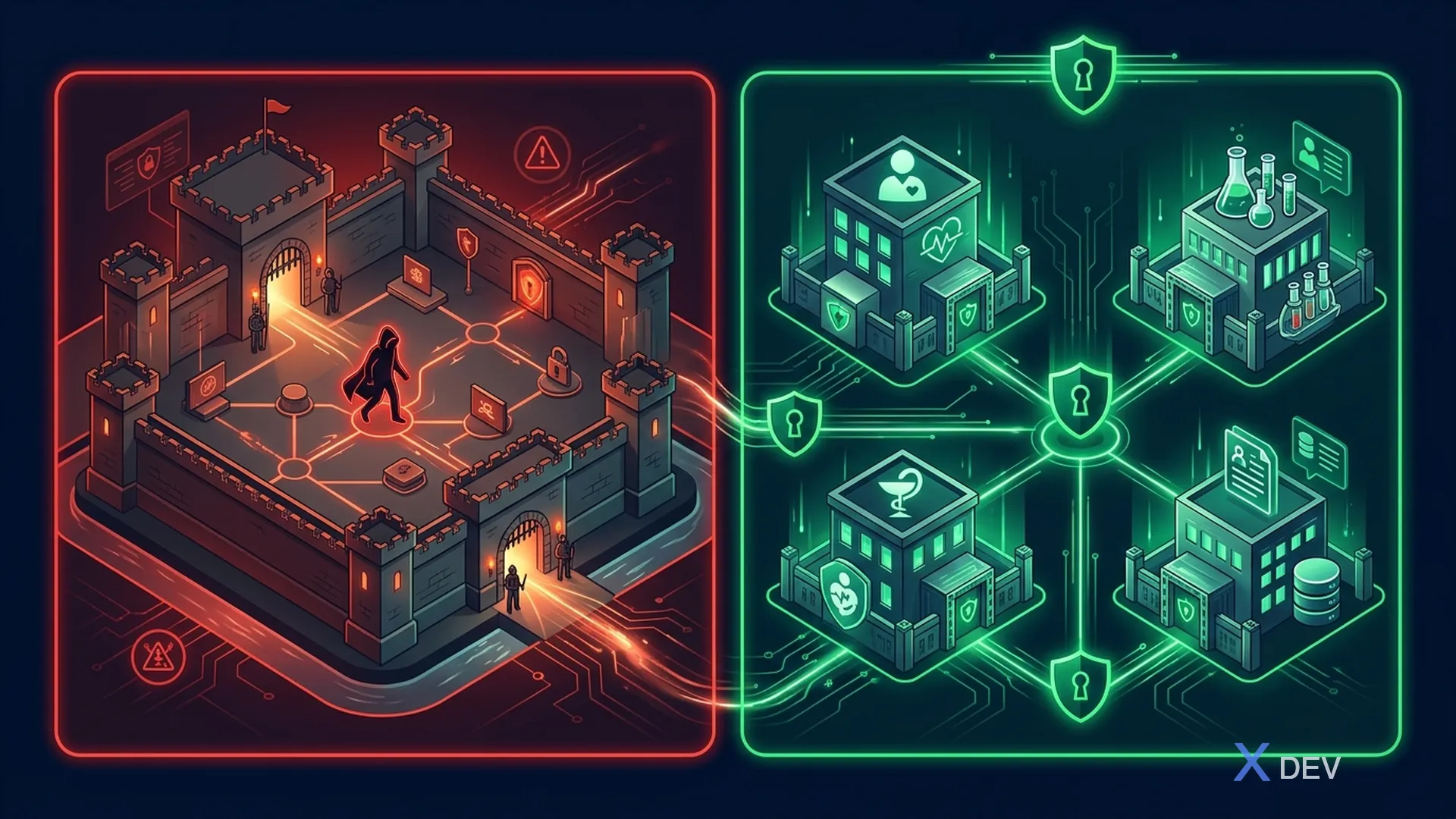
Mô hình bảo mật truyền thống dựa trên perimeter security — "tin tưởng mọi thứ bên trong firewall" — đã không còn phù hợp với hệ thống y tế hiện đại. Với sự gia tăng của telemedicine, IoT medical devices, cloud adoption, và remote access cho bác sĩ, perimeter không còn tồn tại rõ ràng.
Problems với Perimeter Security:
- Ransomware lây lan lateral trong trusted zone
- Insider threats không bị kiểm soát
- IoT devices yếu bảo mật → entry point
- Remote doctors bypass perimeter
- Cloud services nằm ngoài perimeter
Thống kê đáng lo ngại:
- 89% tổ chức healthcare từng bị data breach (Ponemon 2024)
- Chi phí trung bình của healthcare data breach: $10.93 triệu (cao nhất mọi ngành)
- 60% ransomware attacks vào healthcare bắt nguồn từ lateral movement trong internal network
1.2. NIST SP 800-207 Framework
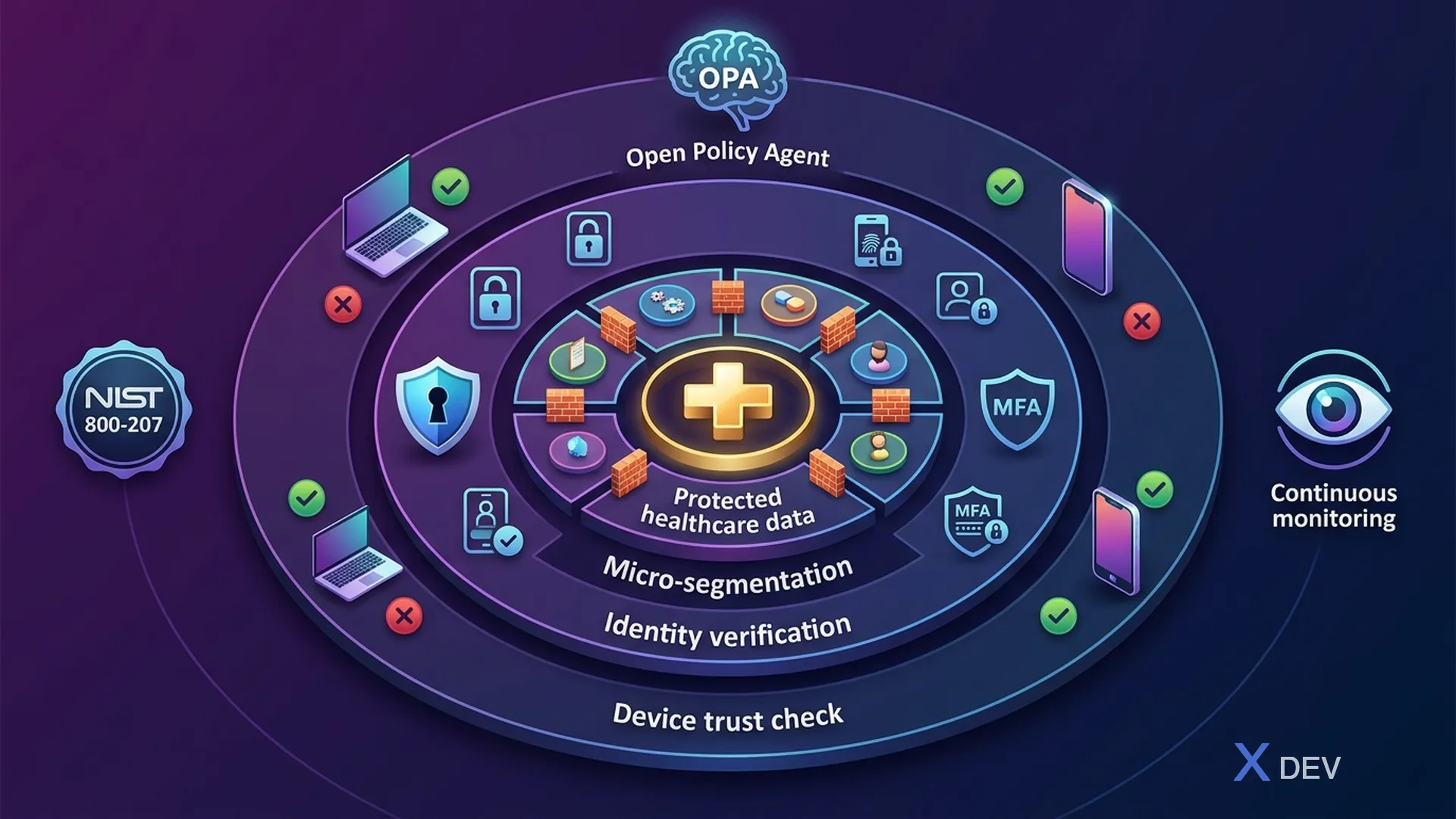
NIST Special Publication 800-207 định nghĩa Zero Trust Architecture (ZTA) là mô hình bảo mật dựa trên nguyên tắc: không có implicit trust cho bất kỳ asset, user, hay network segment nào.
NIST SP 800-207 — Zero Trust Architecture:
Core Components:
- Policy Engine (PE) — Quyết định access dựa trên data sources
- Policy Administrator (PA) — Thực thi decisions từ PE
- Policy Enforcement Point (PEP) — Điểm kiểm soát access
Data Sources: CDM, Threat Intel, Activity Logs, PKI
Enterprise Resources: EHR, Lab APIs, Databases, FHIR, PACS
7 Tenets:
- All data sources and computing services are resources
- All communication is secured regardless of location
- Access to individual resources is granted per-session
- Access is determined by dynamic policy
- Enterprise monitors and measures security posture
- Authentication and authorization are dynamic
- Enterprise collects info about current state of assets
1.3. Zero Trust Principles cho Healthcare
| Principle | Mô tả | Healthcare Application |
|---|---|---|
| Never Trust, Always Verify | Mọi request phải được xác thực và ủy quyền | Bác sĩ phải authenticate mỗi lần truy cập bệnh án |
| Least Privilege | Chỉ cấp quyền tối thiểu cần thiết | Nurse chỉ xem được bệnh nhân của mình |
| Assume Breach | Thiết kế hệ thống giả định đã bị compromise | Encrypt ePHI at-rest và in-transit, ngay cả internal |
| Verify Explicitly | Sử dụng tất cả available data points để verify | Device + Location + Time + Role + Context |
| Micro-segmentation | Chia nhỏ network thành isolated segments | Mỗi department là 1 segment riêng |
| Continuous Monitoring | Liên tục đánh giá và giám sát | Real-time anomaly detection cho ePHI access |
2. Zero Trust Reference Architecture cho Hospital
2.1. Healthcare ZTA Overview
Layers:
- Users: Doctor (Mobile), Nurse (Workstation), IoT Medical Device
- PEP: Istio Ingress Gateway + Envoy Proxy (mTLS, JWT Validation, Rate Limiting + WAF)
- Policy Engine: Keycloak (AuthN) + OPA (AuthZ) + Risk Engine (Scoring)
- Data Sources: Device posture (MDM), User behavior analytics, Threat intelligence, GeoIP + Time-of-day
- Micro-segmented Services: Patient/Lab/Appointment Service (mTLS) → Encrypted Database Layer (RLS + TDE)
2.2. So sánh Perimeter Security vs Zero Trust
| Aspect | Perimeter Security | Zero Trust |
|---|---|---|
| Trust model | Trust inside firewall | Trust nothing |
| Network access | Flat internal network | Micro-segmented |
| Authentication | Once at perimeter | Continuous per-request |
| Authorization | Network-based (IP) | Identity + Context-based |
| Encryption | Only at perimeter (TLS termination) | End-to-end (mTLS everywhere) |
| Lateral movement | Easy after breach | Blocked by micro-segmentation |
| Monitoring | Perimeter logs only | Full traffic visibility |
| IoT devices | Trusted once on network | Isolated, continuously verified |
| Healthcare fit | Poor (too many access points) | Excellent (granular control) |
3. Identity-Centric Security với Keycloak
Trong Zero Trust, Identity là perimeter mới. Mọi quyết định access dựa trên identity verification, không phải network location.
3.1. Continuous Token Validation
package vn.hospital.zerotrust.identity;

import io.quarkus.oidc.TokenIntrospection;
import io.quarkus.security.identity.SecurityIdentity;
import jakarta.enterprise.context.ApplicationScoped;
import jakarta.inject.Inject;
import jakarta.ws.rs.container.ContainerRequestContext;
import jakarta.ws.rs.container.ContainerRequestFilter;
import jakarta.ws.rs.core.Response;
import jakarta.ws.rs.ext.Provider;
import org.eclipse.microprofile.jwt.JsonWebToken;
import org.jboss.logging.Logger;

import java.time.Instant;
import java.util.Set;

/**
 * Zero Trust: Continuous verification filter.
 * Validates token + context on EVERY request, not just at login.
 */
@Provider
@ApplicationScoped
public class ZeroTrustVerificationFilter implements ContainerRequestFilter {

    private static final Logger LOG = Logger.getLogger(ZeroTrustVerificationFilter.class);

    @Inject
    JsonWebToken jwt;

    @Inject
    SecurityIdentity identity;

    @Inject
    DeviceTrustService deviceTrustService;

    @Inject
    RiskScoringService riskScoringService;

    @Override
    public void filter(ContainerRequestContext requestContext) {
        // 1. Verify token is not expired (Quarkus OIDC handles this)
        // 2. Additional Zero Trust checks:

        String userId = jwt.getSubject();
        String sessionId = jwt.getClaim("sid");
        String clientIp = requestContext.getHeaderString("X-Forwarded-For");
        String userAgent = requestContext.getHeaderString("User-Agent");
        String deviceId = requestContext.getHeaderString("X-Device-ID");

        // Check: Token freshness — require recent authentication
        long authTime = jwt.getClaim("auth_time");
        long maxAuthAge = 3600; // 1 hour for standard access
        if (Instant.now().getEpochSecond() - authTime > maxAuthAge) {
            LOG.warnf("ZT-DENY: Token auth_time too old for user=%s", userId);
            requestContext.abortWith(
                Response.status(Response.Status.UNAUTHORIZED)
                    .entity("{\"error\":\"re-authentication_required\","
                            + "\"message\":\"Session expired, please re-authenticate\"}")
                    .build()
            );
            return;
        }

        // Check: Device trust assessment
        if (deviceId != null && !deviceTrustService.isDeviceTrusted(deviceId, userId)) {
            LOG.warnf("ZT-DENY: Untrusted device=%s for user=%s", deviceId, userId);
            requestContext.abortWith(
                Response.status(Response.Status.FORBIDDEN)
                    .entity("{\"error\":\"device_not_trusted\","
                            + "\"message\":\"Device is not registered or compliant\"}")
                    .build()
            );
            return;
        }

        // Check: Risk score — dynamic authorization
        RiskScore risk = riskScoringService.calculateRisk(
            userId, clientIp, userAgent, deviceId, requestContext.getUriInfo().getPath()
        );

        if (risk.score() > 80) {
            LOG.warnf("ZT-DENY: High risk score=%d for user=%s, path=%s",
                risk.score(), userId, requestContext.getUriInfo().getPath());
            requestContext.abortWith(
                Response.status(Response.Status.FORBIDDEN)
                    .entity("{\"error\":\"high_risk_detected\","
                            + "\"message\":\"Access denied due to risk assessment\"}")
                    .build()
            );
            return;
        }

        if (risk.score() > 50) {
            // Medium risk — require step-up authentication
            requestContext.getHeaders().putSingle("X-Require-StepUp", "true");
        }

        LOG.debugf("ZT-ALLOW: user=%s, device=%s, risk=%d, path=%s",
            userId, deviceId, risk.score(), requestContext.getUriInfo().getPath());
    }
}
3.2. Step-Up Authentication cho Sensitive Operations
package vn.hospital.zerotrust.identity;

import jakarta.enterprise.context.ApplicationScoped;
import jakarta.inject.Inject;
import jakarta.ws.rs.core.Response;
import org.eclipse.microprofile.jwt.JsonWebToken;

import java.time.Instant;
import java.util.Set;

/**
 * Step-Up Authentication: Yêu cầu xác thực bổ sung cho operations nhạy cảm.
 * VD: Xem lab results → chỉ cần password
 *     Export patient records → cần password + MFA
 *     Override medication alert → cần password + MFA + supervisor approval
 */
@ApplicationScoped
public class StepUpAuthenticationService {

    private static final Set<String> LEVEL2_OPERATIONS = Set.of(
        "patient.record.view_full",
        "lab.result.view_sensitive",
        "prescription.create"
    );

    private static final Set<String> LEVEL3_OPERATIONS = Set.of(
        "patient.record.export",
        "patient.record.bulk_access",
        "audit.log.modify",
        "system.config.change"
    );

    private static final Set<String> LEVEL4_OPERATIONS = Set.of(
        "patient.record.delete",
        "medication.alert.override",
        "emergency.break_glass"
    );

    @Inject
    JsonWebToken jwt;

    public AuthLevel getRequiredLevel(String operation) {
        if (LEVEL4_OPERATIONS.contains(operation)) return AuthLevel.LEVEL4_SUPERVISOR;
        if (LEVEL3_OPERATIONS.contains(operation)) return AuthLevel.LEVEL3_MFA;
        if (LEVEL2_OPERATIONS.contains(operation)) return AuthLevel.LEVEL2_RECENT;
        return AuthLevel.LEVEL1_STANDARD;
    }

    public StepUpResult verifyStepUp(String operation) {
        AuthLevel required = getRequiredLevel(operation);
        AuthLevel current = getCurrentAuthLevel();

        if (current.ordinal() >= required.ordinal()) {
            return StepUpResult.allowed();
        }

        // Generate step-up challenge
        String authEndpoint = buildStepUpEndpoint(required);
        return StepUpResult.stepUpRequired(required, authEndpoint);
    }

    private AuthLevel getCurrentAuthLevel() {
        // Check Authentication Context Class Reference (ACR)
        String acr = jwt.getClaim("acr");
        long authTime = jwt.getClaim("auth_time");
        long secondsSinceAuth = Instant.now().getEpochSecond() - authTime;

        if ("urn:healthcare:supervisor-approval".equals(acr)) {
            return AuthLevel.LEVEL4_SUPERVISOR;
        }
        if ("urn:oasis:names:tc:SAML:2.0:ac:classes:MobileTwoFactorContract".equals(acr)
            && secondsSinceAuth < 300) {
            return AuthLevel.LEVEL3_MFA;
        }
        if (secondsSinceAuth < 900) { // Less than 15 minutes
            return AuthLevel.LEVEL2_RECENT;
        }
        return AuthLevel.LEVEL1_STANDARD;
    }

    private String buildStepUpEndpoint(AuthLevel level) {
        String baseUrl = "/realms/healthcare/protocol/openid-connect/auth";
        return switch (level) {
            case LEVEL2_RECENT -> baseUrl + "?prompt=login&max_age=0";
            case LEVEL3_MFA -> baseUrl + "?acr_values=urn:oasis:names:tc:SAML:2.0:ac:classes:MobileTwoFactorContract";
            case LEVEL4_SUPERVISOR -> baseUrl + "?acr_values=urn:healthcare:supervisor-approval";
            default -> baseUrl;
        };
    }

    public enum AuthLevel {
        LEVEL1_STANDARD,     // Basic JWT token valid
        LEVEL2_RECENT,       // Re-authenticated within 15 min
        LEVEL3_MFA,          // MFA completed recently
        LEVEL4_SUPERVISOR    // MFA + Supervisor co-sign
    }

    public record StepUpResult(boolean allowed, AuthLevel requiredLevel, String authEndpoint) {
        static StepUpResult allowed() { return new StepUpResult(true, null, null); }
        static StepUpResult stepUpRequired(AuthLevel level, String endpoint) {
            return new StepUpResult(false, level, endpoint);
        }
    }
}
3.3. Keycloak Realm Configuration cho Zero Trust
{
  "realm": "healthcare",
  "enabled": true,
  "sslRequired": "all",
  "bruteForceProtected": true,
  "maxFailureWaitSeconds": 900,
  "failureFactor": 5,
  "passwordPolicy": "length(12) and digits(1) and upperCase(1) and specialChars(1) and notUsername and passwordHistory(5)",
  "otpPolicyType": "totp",
  "otpPolicyAlgorithm": "HmacSHA256",
  "otpPolicyDigits": 6,
  "otpPolicyPeriod": 30,
  "accessTokenLifespan": 300,
  "ssoSessionMaxLifespan": 28800,
  "offlineSessionMaxLifespan": 0,
  "accessCodeLifespan": 60,
  "attributes": {
    "zero-trust-enabled": "true",
    "continuous-auth-required": "true",
    "device-trust-enforcement": "strict"
  },
  "requiredActions": [
    "CONFIGURE_TOTP",
    "VERIFY_EMAIL",
    "UPDATE_PASSWORD"
  ],
  "authenticationFlows": [
    {
      "alias": "zero-trust-browser",
      "description": "Zero Trust browser authentication with device check",
      "providerId": "basic-flow",
      "topLevel": true,
      "builtIn": false,
      "authenticationExecutions": [
        {
          "authenticator": "auth-cookie",
          "requirement": "ALTERNATIVE",
          "priority": 10
        },
        {
          "authenticator": "auth-username-password-form",
          "requirement": "REQUIRED",
          "priority": 20
        },
        {
          "authenticator": "auth-otp-form",
          "requirement": "REQUIRED",
          "priority": 30
        },
        {
          "authenticator": "auth-device-trust-check",
          "requirement": "REQUIRED",
          "priority": 40
        }
      ]
    }
  ]
}
4. Micro-segmentation với Kubernetes NetworkPolicies
4.1. Network Architecture cho Healthcare
Micro-segmented Healthcare Kubernetes Cluster:
- Namespace:
healthcare-frontend- Patient Portal / API Gateway → ONLY port 443
- ── Network Policy ──
- Namespace:
healthcare-services- Patient Svc (port:8080), Lab Svc (port:8080), Appointment Svc (port:8080)
- ── Network Policy ──
- Namespace:
healthcare-data- PostgreSQL (port:5432), Redis Cache (port:6379)
- Namespace:
healthcare-monitoring(READ ONLY)- Prometheus (scrape only), Falco (eBPF hooks)
4.2. Kubernetes NetworkPolicies
# networkpolicy-default-deny.yaml
# Zero Trust: deny all traffic by default in healthcare namespaces
apiVersion: networking.k8s.io/v1
kind: NetworkPolicy
metadata:
  name: default-deny-all
  namespace: healthcare-services
spec:
  podSelector: {}     # Applies to ALL pods in namespace
  policyTypes:
    - Ingress
    - Egress
  # No ingress/egress rules = deny all

---
# networkpolicy-patient-service.yaml
# Allow specific traffic to Patient Service only
apiVersion: networking.k8s.io/v1
kind: NetworkPolicy
metadata:
  name: allow-patient-service
  namespace: healthcare-services
  labels:
    app.kubernetes.io/part-of: healthcare-platform
    security.hospital.vn/policy: zero-trust
spec:
  podSelector:
    matchLabels:
      app: patient-service
  policyTypes:
    - Ingress
    - Egress
  ingress:
    # Allow from API gateway only
    - from:
        - namespaceSelector:
            matchLabels:
              name: healthcare-frontend
          podSelector:
            matchLabels:
              app: api-gateway
      ports:
        - protocol: TCP
          port: 8080
    # Allow from Istio sidecar (envoy-to-envoy mTLS)
    - from:
        - namespaceSelector:
            matchLabels:
              name: healthcare-services
          podSelector:
            matchLabels:
              app: appointment-service
      ports:
        - protocol: TCP
          port: 8080
    # Allow Prometheus scraping
    - from:
        - namespaceSelector:
            matchLabels:
              name: healthcare-monitoring
          podSelector:
            matchLabels:
              app: prometheus
      ports:
        - protocol: TCP
          port: 9090  # metrics endpoint
  egress:
    # Allow to PostgreSQL only
    - to:
        - namespaceSelector:
            matchLabels:
              name: healthcare-data
          podSelector:
            matchLabels:
              app: postgresql
      ports:
        - protocol: TCP
          port: 5432
    # Allow to Keycloak for token validation
    - to:
        - namespaceSelector:
            matchLabels:
              name: healthcare-auth
          podSelector:
            matchLabels:
              app: keycloak
      ports:
        - protocol: TCP
          port: 8443
    # Allow DNS resolution
    - to:
        - namespaceSelector: {}
          podSelector:
            matchLabels:
              k8s-app: kube-dns
      ports:
        - protocol: UDP
          port: 53
        - protocol: TCP
          port: 53

---
# networkpolicy-database.yaml
# Database: only accessible from service namespace
apiVersion: networking.k8s.io/v1
kind: NetworkPolicy
metadata:
  name: allow-database-access
  namespace: healthcare-data
spec:
  podSelector:
    matchLabels:
      app: postgresql
  policyTypes:
    - Ingress
  ingress:
    # Only from healthcare services
    - from:
        - namespaceSelector:
            matchLabels:
              name: healthcare-services
          podSelector:
            matchExpressions:
              - key: app
                operator: In
                values:
                  - patient-service
                  - lab-service
                  - appointment-service
      ports:
        - protocol: TCP
          port: 5432
4.3. Istio Service Mesh cho mTLS Everywhere
# istio-peer-authentication.yaml
# Enforce STRICT mTLS cho toàn bộ healthcare mesh
apiVersion: security.istio.io/v1beta1
kind: PeerAuthentication
metadata:
  name: healthcare-strict-mtls
  namespace: healthcare-services
spec:
  mtls:
    mode: STRICT  # All traffic MUST be mTLS

---
# istio-authorization-policy.yaml
# Fine-grained authorization: chỉ cho phép specific service-to-service calls
apiVersion: security.istio.io/v1beta1
kind: AuthorizationPolicy
metadata:
  name: patient-service-authz
  namespace: healthcare-services
spec:
  selector:
    matchLabels:
      app: patient-service
  action: ALLOW
  rules:
    # Rule 1: API Gateway có thể gọi all patient endpoints
    - from:
        - source:
            principals:
              - "cluster.local/ns/healthcare-frontend/sa/api-gateway"
      to:
        - operation:
            methods: ["GET", "POST", "PUT"]
            paths: ["/api/v1/patients/*"]
      when:
        - key: request.auth.claims[realm_access][roles]
          values: ["doctor", "nurse", "admin"]
    # Rule 2: Appointment service chỉ GET patient demographics
    - from:
        - source:
            principals:
              - "cluster.local/ns/healthcare-services/sa/appointment-service"
      to:
        - operation:
            methods: ["GET"]
            paths: ["/api/v1/patients/*/demographics"]
    # Rule 3: Lab service chỉ GET patient identifiers
    - from:
        - source:
            principals:
              - "cluster.local/ns/healthcare-services/sa/lab-service"
      to:
        - operation:
            methods: ["GET"]
            paths: ["/api/v1/patients/*/identifier"]

---
# istio-request-authentication.yaml
# JWT validation at mesh level
apiVersion: security.istio.io/v1beta1
kind: RequestAuthentication
metadata:
  name: healthcare-jwt-auth
  namespace: healthcare-services
spec:
  jwtRules:
    - issuer: "https://keycloak.hospital.vn/realms/healthcare"
      jwksUri: "https://keycloak.hospital.vn/realms/healthcare/protocol/openid-connect/certs"
      audiences:
        - "healthcare-api"
      forwardOriginalToken: true
      outputClaimToHeaders:
        - header: "x-user-id"
          claim: "sub"
        - header: "x-user-roles"
          claim: "realm_access.roles"
        - header: "x-auth-time"
          claim: "auth_time"
5. Device Trust Assessment
5.1. Device Posture Checking
Trong Zero Trust, device cũng phải được verify, không chỉ user. Một bác sĩ đăng nhập từ personal laptop chưa cập nhật patches sẽ bị hạn chế quyền truy cập.
package vn.hospital.zerotrust.device;

import jakarta.enterprise.context.ApplicationScoped;
import jakarta.inject.Inject;
import org.jboss.logging.Logger;

import java.time.Instant;
import java.time.temporal.ChronoUnit;
import java.util.Map;

/**
 * Device Trust Assessment — Đánh giá mức tin cậy của thiết bị.
 * Tích hợp với MDM (Mobile Device Management) để verify device compliance.
 */
@ApplicationScoped
public class DeviceTrustService {

    private static final Logger LOG = Logger.getLogger(DeviceTrustService.class);

    @Inject
    MdmIntegrationClient mdmClient;

    @Inject
    DeviceRegistryService deviceRegistry;

    public boolean isDeviceTrusted(String deviceId, String userId) {
        DeviceInfo device = deviceRegistry.getDevice(deviceId);
        if (device == null) {
            LOG.warnf("Unknown device: %s for user: %s", deviceId, userId);
            return false;
        }

        // Check device is registered to this user
        if (!device.registeredUserId().equals(userId)) {
            LOG.warnf("Device %s not registered to user %s", deviceId, userId);
            return false;
        }

        // Get MDM compliance status
        DevicePosture posture = mdmClient.getDevicePosture(deviceId);
        return evaluatePosture(posture);
    }

    public DeviceTrustLevel assessTrustLevel(String deviceId) {
        DevicePosture posture = mdmClient.getDevicePosture(deviceId);

        int score = 100;

        // OS up to date?
        if (!posture.osUpToDate()) score -= 20;

        // Disk encryption enabled?
        if (!posture.diskEncrypted()) score -= 30;

        // Screen lock enabled?
        if (!posture.screenLockEnabled()) score -= 15;

        // MDM managed?
        if (!posture.mdmManaged()) score -= 20;

        // Firewall enabled?
        if (!posture.firewallEnabled()) score -= 10;

        // Antivirus running?
        if (!posture.antivirusActive()) score -= 15;

        // Jailbroken/Rooted?
        if (posture.jailbroken()) score = 0;

        // Last compliance check > 24h?
        if (posture.lastComplianceCheck().isBefore(
                Instant.now().minus(24, ChronoUnit.HOURS))) {
            score -= 10;
        }

        if (score >= 80) return DeviceTrustLevel.FULL_ACCESS;
        if (score >= 50) return DeviceTrustLevel.LIMITED_ACCESS;
        if (score >= 20) return DeviceTrustLevel.READ_ONLY;
        return DeviceTrustLevel.BLOCKED;
    }

    private boolean evaluatePosture(DevicePosture posture) {
        // Minimum requirements for healthcare access
        return posture.diskEncrypted()
            && posture.screenLockEnabled()
            && !posture.jailbroken()
            && posture.osUpToDate();
    }

    public enum DeviceTrustLevel {
        FULL_ACCESS,     // Trusted corp device, full ePHI access
        LIMITED_ACCESS,  // Partially compliant, no bulk export
        READ_ONLY,       // Non-compliant device, view only
        BLOCKED          // Jailbroken/compromised, no access
    }

    public record DeviceInfo(
        String deviceId,
        String registeredUserId,
        String deviceType,
        String os,
        Instant registeredAt
    ) {}

    public record DevicePosture(
        boolean osUpToDate,
        boolean diskEncrypted,
        boolean screenLockEnabled,
        boolean mdmManaged,
        boolean firewallEnabled,
        boolean antivirusActive,
        boolean jailbroken,
        Instant lastComplianceCheck
    ) {}
}
5.2. Device Trust Matrix
| Device Type | Trust Level | ePHI Access | Required Controls |
|---|---|---|---|
| Hospital workstation (MDM) | Full | All ePHI | MDM, encryption, auto-lock |
| Doctor's corp laptop (MDM) | Full | All ePHI | MDM, encryption, VPN not required |
| Doctor's personal phone | Limited | View only, no export | Intune enrolled, biometric lock |
| Nurse's shared tablet | Limited | Assigned patients only | Kiosk mode, auto-logout 5min |
| IoT medical device | Restricted | Own data only | Certificate-based, network isolated |
| Unknown/BYOD | Blocked | No ePHI | Registration required |
6. OPA (Open Policy Agent) cho Centralized Policy
6.1. OPA Architecture trong Healthcare ZTA

Components:
- Policy Bundle Server: Git repo → OPA Bundle → Distribution
- OPA Server (Sidecar/Central):
- Rego Policies: patient_access, device_trust, data_classification, emergency_access
- Data: roles_permissions.json, department_assignments.json, data_classification_rules.json
- Clients (query): Patient Svc, Lab Svc, Appt. Svc, API Gateway
6.2. OPA Rego Policies cho Healthcare
# healthcare/patient_access.rego
# Zero Trust policy: who can access which patient data

package healthcare.patient_access

import future.keywords.if
import future.keywords.in

default allow := false

# Data: loaded from external JSON
roles_permissions := data.healthcare.roles_permissions
department_map := data.healthcare.department_assignments

# Rule 1: Doctor can access patients in their department
allow if {
    input.user.role == "doctor"
    input.action in ["read", "write"]
    patient_department := input.resource.department
    user_departments := department_map[input.user.id]
    patient_department in user_departments
}

# Rule 2: Doctor can access patient they are treating (care team)
allow if {
    input.user.role == "doctor"
    input.action in ["read", "write"]
    input.user.id in input.resource.care_team
}

# Rule 3: Nurse read-only for assigned patients
allow if {
    input.user.role == "nurse"
    input.action == "read"
    input.user.id in input.resource.assigned_nurses
}

# Rule 4: Lab technician can only see lab-related fields
allow if {
    input.user.role == "lab_tech"
    input.action == "read"
    input.resource.type == "lab_result"
    input.resource.fields_requested == allowed_lab_fields
}

# Rule 5: Emergency access (break glass)
allow if {
    input.emergency == true
    input.user.role in ["doctor", "nurse"]
    valid_emergency_justification(input.emergency_reason)
}

# Rule 6: Block access from untrusted devices
deny if {
    input.device.trust_level == "blocked"
}

# Rule 7: Block bulk access without approval
deny if {
    input.action == "bulk_export"
    not input.approval.bulk_export_approved
}

# Final decision
decision := {
    "allowed": allow,
    "denied": deny,
    "reasons": reasons,
    "required_audit": audit_required,
}

# Always audit ePHI access
audit_required := true if {
    input.resource.contains_phi == true
}

reasons[msg] if {
    deny
    input.device.trust_level == "blocked"
    msg := "Device not trusted"
}

reasons[msg] if {
    not allow
    msg := "No matching access policy"
}

allowed_lab_fields := {
    "patient_id",
    "test_name",
    "test_date",
    "result_value",
    "reference_range",
    "ordering_doctor_id"
}

valid_emergency_justification(reason) if {
    reason in [
        "life_threatening",
        "emergency_department",
        "code_blue",
        "disaster_response"
    ]
}
6.3. OPA Integration với Quarkus
package vn.hospital.zerotrust.policy;

import io.quarkus.rest.client.reactive.QuarkusRestClientBuilder;
import jakarta.enterprise.context.ApplicationScoped;
import jakarta.inject.Inject;
import jakarta.ws.rs.*;
import jakarta.ws.rs.core.MediaType;
import org.eclipse.microprofile.config.inject.ConfigProperty;
import org.eclipse.microprofile.rest.client.inject.RegisterRestClient;
import org.jboss.logging.Logger;

import java.net.URI;
import java.util.Map;

@ApplicationScoped
public class OpaAuthorizationService {

    private static final Logger LOG = Logger.getLogger(OpaAuthorizationService.class);

    @ConfigProperty(name = "opa.url", defaultValue = "http://localhost:8181")
    String opaUrl;

    private OpaClient getClient() {
        return QuarkusRestClientBuilder.newBuilder()
            .baseUri(URI.create(opaUrl))
            .build(OpaClient.class);
    }

    public PolicyDecision evaluate(AccessRequest request) {
        Map<String, Object> input = Map.of(
            "user", Map.of(
                "id", request.userId(),
                "role", request.userRole(),
                "department", request.userDepartment()
            ),
            "resource", Map.of(
                "type", request.resourceType(),
                "id", request.resourceId(),
                "department", request.resourceDepartment(),
                "contains_phi", request.containsPhi(),
                "care_team", request.careTeam(),
                "assigned_nurses", request.assignedNurses()
            ),
            "action", request.action(),
            "device", Map.of(
                "trust_level", request.deviceTrustLevel()
            ),
            "emergency", request.isEmergency(),
            "emergency_reason", request.emergencyReason() != null
                ? request.emergencyReason() : ""
        );

        OpaRequest opaRequest = new OpaRequest(input);
        OpaResponse response = getClient().query(opaRequest);

        LOG.infof("OPA decision: user=%s, resource=%s, action=%s, allowed=%s",
            request.userId(), request.resourceId(),
            request.action(), response.result().allowed());

        return new PolicyDecision(
            response.result().allowed(),
            response.result().denied(),
            response.result().reasons(),
            response.result().requiredAudit()
        );
    }

    @RegisterRestClient
    @Path("/v1/data/healthcare/patient_access")
    public interface OpaClient {
        @POST
        @Consumes(MediaType.APPLICATION_JSON)
        @Produces(MediaType.APPLICATION_JSON)
        OpaResponse query(OpaRequest request);
    }

    public record OpaRequest(Map<String, Object> input) {}
    public record OpaResponse(OpaResult result) {}
    public record OpaResult(
        boolean allowed, boolean denied,
        java.util.List<String> reasons, boolean requiredAudit
    ) {}
    public record PolicyDecision(
        boolean allowed, boolean denied,
        java.util.List<String> reasons, boolean auditRequired
    ) {}
    public record AccessRequest(
        String userId, String userRole, String userDepartment,
        String resourceType, String resourceId, String resourceDepartment,
        boolean containsPhi, java.util.List<String> careTeam,
        java.util.List<String> assignedNurses, String action,
        String deviceTrustLevel, boolean isEmergency, String emergencyReason
    ) {}
}
7. Risk Scoring Engine
7.1. Adaptive Risk-Based Authentication
package vn.hospital.zerotrust.risk;

import jakarta.enterprise.context.ApplicationScoped;
import jakarta.inject.Inject;
import org.jboss.logging.Logger;

import java.time.LocalTime;
import java.util.Map;

/**
 * Risk Scoring Engine — tính điểm risk cho mỗi access request.
 * Score 0-100: 0 = no risk, 100 = maximum risk.
 *
 * Factors:
 * - Location (known IP vs unknown)
 * - Time (business hours vs off-hours)
 * - Device trust level
 * - User behavior (anomaly detection)
 * - Resource sensitivity
 * - Request pattern (frequency, volume)
 */
@ApplicationScoped
public class RiskScoringService {

    private static final Logger LOG = Logger.getLogger(RiskScoringService.class);

    @Inject
    GeoIpService geoIpService;

    @Inject
    UserBehaviorAnalytics ubaService;

    public RiskScore calculateRisk(
        String userId, String clientIp, String userAgent,
        String deviceId, String requestPath
    ) {
        int score = 0;
        Map<String, Integer> factors = new java.util.HashMap<>();

        // Factor 1: Location risk
        int locationRisk = assessLocationRisk(clientIp, userId);
        factors.put("location", locationRisk);
        score += locationRisk;

        // Factor 2: Time-based risk
        int timeRisk = assessTimeRisk();
        factors.put("time", timeRisk);
        score += timeRisk;

        // Factor 3: Resource sensitivity
        int sensitivityRisk = assessResourceSensitivity(requestPath);
        factors.put("sensitivity", sensitivityRisk);
        score += sensitivityRisk;

        // Factor 4: User behavior anomaly
        int behaviorRisk = assessBehaviorRisk(userId, requestPath);
        factors.put("behavior", behaviorRisk);
        score += behaviorRisk;

        // Factor 5: Request velocity
        int velocityRisk = assessVelocityRisk(userId);
        factors.put("velocity", velocityRisk);
        score += velocityRisk;

        // Normalize 0-100
        score = Math.min(score, 100);

        RiskScore result = new RiskScore(score, factors, determineAction(score));

        LOG.infof("Risk score: user=%s, score=%d, action=%s, factors=%s",
            userId, score, result.action(), factors);

        return result;
    }

    private int assessLocationRisk(String clientIp, String userId) {
        GeoIpService.GeoInfo geo = geoIpService.lookup(clientIp);
        // Hospital network = 0 risk
        if (geo.isHospitalNetwork()) return 0;
        // Known home IP of user = 5 risk
        if (geoIpService.isKnownUserLocation(clientIp, userId)) return 5;
        // Same country = 15 risk
        if ("VN".equals(geo.countryCode())) return 15;
        // Foreign IP = 30 risk
        return 30;
    }

    private int assessTimeRisk() {
        LocalTime now = LocalTime.now();
        // Business hours (7:00 - 19:00) = 0 risk
        if (now.isAfter(LocalTime.of(7, 0)) && now.isBefore(LocalTime.of(19, 0))) return 0;
        // After hours (19:00 - 23:00) = 10 risk
        if (now.isBefore(LocalTime.of(23, 0))) return 10;
        // Late night (23:00 - 7:00) = 20 risk
        return 20;
    }

    private int assessResourceSensitivity(String path) {
        if (path.contains("/export") || path.contains("/bulk")) return 25;
        if (path.contains("/patients") && path.contains("/records")) return 15;
        if (path.contains("/lab-results")) return 10;
        if (path.contains("/appointments")) return 5;
        return 0;
    }

    private int assessBehaviorRisk(String userId, String path) {
        return ubaService.getAnomalyScore(userId, path);
    }

    private int assessVelocityRisk(String userId) {
        long requestsLastMinute = ubaService.getRequestCount(userId, 60);
        if (requestsLastMinute > 100) return 25;
        if (requestsLastMinute > 50) return 15;
        if (requestsLastMinute > 20) return 5;
        return 0;
    }

    private String determineAction(int score) {
        if (score >= 80) return "BLOCK";
        if (score >= 50) return "STEP_UP_AUTH";
        if (score >= 30) return "ENHANCED_LOGGING";
        return "ALLOW";
    }

    public record RiskScore(int score, Map<String, Integer> factors, String action) {}
}
8. Zero Trust Network Access (ZTNA) Implementation
8.1. ZTNA vs Traditional VPN
| Feature | Traditional VPN | ZTNA |
|---|---|---|
| Access scope | Full network access | Per-application access |
| Trust model | Trust after connect | Continuous verification |
| User experience | VPN client, slow | Transparent, fast |
| Lateral movement | Possible | Impossible |
| Scalability | VPN concentrator bottleneck | Cloud-native, scalable |
| IoT support | Difficult | Native support |
| Visibility | Limited | Full traffic analysis |
8.2. ZTNA Configuration
# ztna-gateway-config.yaml
apiVersion: v1
kind: ConfigMap
metadata:
  name: ztna-gateway-config
  namespace: healthcare-frontend
data:
  ztna-policy.yaml: |
    ztna:
      applications:
        - name: "patient-portal"
          upstream: "https://patient-service.healthcare-services.svc:8443"
          authentication:
            provider: "keycloak"
            realm: "healthcare"
            required_roles: ["patient", "doctor", "nurse"]
          device_trust:
            minimum_level: "limited"
          access_policy:
            allowed_hours: "00:00-23:59"
            allowed_geolocations: ["VN"]
            max_session_duration: "8h"
            idle_timeout: "30m"

        - name: "ehr-admin"
          upstream: "https://ehr-admin.healthcare-services.svc:8443"
          authentication:
            provider: "keycloak"
            realm: "healthcare"
            required_roles: ["admin"]
            require_mfa: true
          device_trust:
            minimum_level: "full"
            require_mdm: true
          access_policy:
            allowed_hours: "07:00-19:00"
            allowed_geolocations: ["VN"]
            allowed_ips:
              - "10.0.0.0/8"        # Hospital network
              - "172.16.0.0/12"     # VPN range
            max_session_duration: "4h"

        - name: "lab-system"
          upstream: "https://lab-service.healthcare-services.svc:8443"
          authentication:
            provider: "keycloak"
            realm: "healthcare"
            required_roles: ["lab_tech", "doctor"]
          device_trust:
            minimum_level: "limited"
          data_loss_prevention:
            block_download: true
            block_copy_paste: true
            watermark: true
9. Implementation Roadmap cho Legacy Hospital Systems
9.1. Phased Zero Trust Migration
Zero Trust Migration Roadmap — Healthcare:
Phase 1: Foundation (Month 1-3)
- Deploy Keycloak (centralized identity)
- Enable MFA for all staff
- Inventory all assets and data flows
- Classify data (PHI vs non-PHI)
- Implement basic audit logging
Phase 2: Identity-Centric Security (Month 4-6)
- SSO for all applications (Keycloak OIDC)
- RBAC enforcement (roles → permissions)
- Device registration program
- Certificate-based auth for services
- Decommission shared accounts
Phase 3: Micro-segmentation (Month 7-9)
- Network segmentation (VLANs per department)
- Kubernetes NetworkPolicies
- Istio service mesh (mTLS everywhere)
- Database: RLS per user context
- Block lateral movement paths
Phase 4: Continuous Verification (Month 10-12)
- OPA policy engine deployment
- Risk scoring engine
- Device posture checking (MDM integration)
- Step-up authentication for sensitive ops
- Behavioral analytics (UBA)
Phase 5: Advanced & Optimization (Month 13-18)
- Replace VPN with ZTNA
- Full DLP integration
- IoT medical device isolation
- Automated incident response
- Continuous compliance monitoring
Ongoing: Red team exercises quarterly, policy review, new threat assessment, staff training
9.2. Migration Checklist
| Phase | Task | Priority | Complexity | HIPAA Mapping |
|---|---|---|---|---|
| 1 | Deploy centralized IdP (Keycloak) | Critical | High | §164.312(d) |
| 1 | Enable MFA for all users | Critical | Medium | §164.312(d) |
| 1 | Asset inventory | Critical | Medium | §164.308(a)(1) |
| 1 | Data classification | Critical | High | §164.312(a) |
| 2 | SSO integration | High | High | §164.312(a)(2)(i) |
| 2 | RBAC enforcement | Critical | High | §164.312(a)(1) |
| 2 | Device registration | High | Medium | §164.310(d) |
| 3 | Network segmentation | High | High | §164.312(e)(1) |
| 3 | mTLS for all services | High | Medium | §164.312(e)(2)(ii) |
| 3 | Database RLS | Critical | High | §164.312(a)(1) |
| 4 | Policy engine (OPA) | Medium | High | §164.312(a)(1) |
| 4 | Risk scoring | Medium | High | §164.308(a)(1) |
| 4 | Device posture checking | Medium | Medium | §164.310(d) |
| 5 | ZTNA deployment | Medium | High | §164.312(e)(1) |
| 5 | DLP integration | Medium | Medium | §164.312(c)(1) |
10. Zero Trust Data Access
10.1. Data-Centric Zero Trust

Layer 1: Classify Everything
- PHI: patient name, SSN, diagnosis, labs
- PII: email, phone, address
- Sensitive: billing, insurance
- Internal: schedules, inventory
- Public: hospital info, general health tips
Layer 2: Encrypt Everything
| At Rest | In Transit | In Use | |
|---|---|---|---|
| PHI | AES-256 | TLS 1.3 | Enclaves |
| PII | AES-256 | TLS 1.3 | Masking |
| Sensitive | AES-256 | TLS 1.3 | — |
| Internal | TDE | TLS 1.2+ | — |
Layer 3: Control Everything — RLS, Column-level encryption, Dynamic masking, DLP, Watermarking
Layer 4: Monitor Everything — Full audit trail, Real-time anomaly detection, Data lineage tracking, Compliance dashboards
10.2. Application Properties cho Zero Trust
# application.properties — Zero Trust configuration

# === Keycloak OIDC (Short-lived tokens) ===
quarkus.oidc.auth-server-url=https://keycloak.hospital.vn/realms/healthcare
quarkus.oidc.client-id=patient-service
quarkus.oidc.credentials.secret=${OIDC_CLIENT_SECRET}
quarkus.oidc.token.lifespan-grace=10
quarkus.oidc.token.age=300
quarkus.oidc.authentication.verify-access-token-with-user-info.enabled=true

# === mTLS for service-to-service ===
quarkus.http.ssl.certificate.files=/etc/certs/tls.crt
quarkus.http.ssl.certificate.key-files=/etc/certs/tls.key
quarkus.http.ssl.certificate.trust-store-file=/etc/certs/ca-bundle.crt
quarkus.http.ssl.client-auth=required

# === OPA Policy Engine ===
opa.url=http://opa.healthcare-policy.svc:8181
opa.policy.path=/v1/data/healthcare/patient_access
opa.decision.cache.ttl=30s

# === Risk Scoring ===
zerotrust.risk.max-score-allow=30
zerotrust.risk.max-score-stepup=50
zerotrust.risk.block-threshold=80
zerotrust.risk.velocity.window=60s
zerotrust.risk.velocity.max-requests=100

# === Device Trust ===
zerotrust.device.enforcement=strict
zerotrust.device.mdm.url=https://mdm.hospital.vn/api/v1
zerotrust.device.minimum-trust-level=limited

# === Database Zero Trust ===
quarkus.datasource.jdbc.url=jdbc:postgresql://pg.healthcare-data.svc:5432/healthcare?ssl=true&sslmode=verify-full
quarkus.datasource.jdbc.additional-jdbc-properties.sslcert=/etc/certs/db-client.crt
quarkus.datasource.jdbc.additional-jdbc-properties.sslkey=/etc/certs/db-client.key
quarkus.datasource.jdbc.additional-jdbc-properties.sslrootcert=/etc/certs/db-ca.crt
Tổng kết
Trong bài học này, chúng ta đã triển khai Zero Trust Architecture hoàn chỉnh cho hệ thống y tế:
- NIST SP 800-207 Framework: Hiểu kiến trúc Zero Trust với Policy Engine, Policy Administrator, và Policy Enforcement Point — nền tảng lý thuyết cho healthcare ZTA
- Zero Trust Principles: Never trust/always verify, least privilege, assume breach, micro-segmentation — áp dụng cụ thể cho bệnh viện
- Identity-Centric Security: Keycloak với continuous token validation, step-up authentication 4 levels (standard → MFA → supervisor), short-lived tokens (5 phút)
- Micro-segmentation: Kubernetes NetworkPolicies deny-all default, fine-grained per-service rules, namespace isolation per function
- Istio Service Mesh: STRICT mTLS cho tất cả service-to-service, AuthorizationPolicy per-endpoint, RequestAuthentication JWT validation
- Device Trust: MDM integration, device posture checking (encryption, OS updates, jailbreak), trust level matrix (full → limited → read-only → blocked)
- OPA Policy Engine: Centralized Rego policies cho patient access control, emergency break-glass, data classification enforcement
- Risk Scoring Engine: Multi-factor risk assessment (location, time, behavior, velocity, sensitivity), adaptive authentication based on risk score
- ZTNA: Thay thế VPN bằng per-application access, continuous verify, native IoT support
- Implementation Roadmap: 5-phase migration plan (18 months) cho legacy hospital systems, từ foundation tới advanced Zero Trust
Bài tập
-
NetworkPolicy Lab: Triển khai Kubernetes cluster (minikube/kind) với 3 namespace (frontend, services, data). Tạo default-deny NetworkPolicy cho mỗi namespace. Deploy nginx pods đại diện cho patient-service, lab-service, postgresql. Tạo NetworkPolicies cho phép: frontend → services (port 8080), services → data (port 5432), chặn services → services (trừ appointment → patient). Verify bằng
kubectl execcurl giữa các pods. -
OPA Policy Engine: Cài OPA server (Docker). Viết Rego policy cho healthcare scenario: doctor in cardiology chỉ xem bệnh nhân cardiology, nurse chỉ xem assigned patients, emergency break-glass cho phép any doctor xem any patient khi emergency=true. Test tất cả scenarios bằng
opa eval. Viết unit tests cho policies bằngopa test. -
Risk Scoring Prototype: Implement Java class
RiskScoringServicevới 5 factors (location, time, device, behavior, velocity). Viết unit tests cover: business hours + hospital IP = score < 10, midnight + foreign IP + unknown device = score > 70, bulk export request luôn cộng thêm 25 points. Integrate với Quarkus endpoint: GET /api/risk-score trả về current risk cho authenticated user. -
Istio mTLS Setup: Deploy Istio trên Kubernetes cluster (istioctl install). Enable sidecar injection cho healthcare namespace. Deploy 2 services (patient-service, lab-service). Apply PeerAuthentication STRICT mode. Verify mTLS bằng
istioctl proxy-configvà Kiali dashboard. Apply AuthorizationPolicy chỉ cho phép lab-service GET /api/patients/{id}/identifier.
| ◀ Bài trước | Bài tiếp theo ▶ |
|---|---|
| Bài 20: Backup, Disaster Recovery & Business Continuity cho Dữ liệu Y Tế | Bài 22: Container & Kubernetes Security cho Healthcare Workloads |